
Dell P2425E 24″ LED Review: A Productivity Powerhouse with a Classic Twist?
Have you ever found yourself juggling multiple windows on your screen, constantly scrolling, and wishing for just a little more vertical real estate? In an age dominated by widescreen 16:9 displays, it’s easy to feel constrained when deep in spreadsheets, coding, or document editing. The market is saturated with monitors perfect for media consumption, but dedicated productivity screens that truly enhance your workflow can be surprisingly hard to find.
That’s where the Dell P2425E 24″ LED steps in, presenting itself as a compelling solution for professionals and anyone who prioritizes an efficient workspace. This monitor isn’t just another display; it brings back the beloved 16:10 aspect ratio, offering that crucial extra vertical space, paired with a refresh rate that elevates the everyday user experience beyond the standard 60Hz. It promises to be a monitor designed with thoughtful ergonomics and connectivity, making your daily tasks smoother and more enjoyable.
You can also take a look at AOC CQ27G4ZH Review and also, Acer Predator X32 X3 Review.
What makes the Dell P2425E 24″ LED noteworthy is its unique combination of features that address specific, often overlooked, needs. It’s an LED monitor focused on maximum efficiency and usability, offering modern connectivity like USB Type-C, a vibrant 24-inch viewable screen, and a responsive 5ms refresh time. But more than its individual specs, it’s the 16:10 aspect ratio and 100Hz refresh rate that truly set it apart in a crowded market, catering specifically to those who demand more from their workspace than a simple display.
What is the Dell P2425E 24″ LED?
The Dell P2425E 24″ LED is a business-grade monitor designed with productivity and user comfort at its core. It’s a 24-inch LED display, encased in a sleek black and gray chassis, that stands out primarily for its 16:10 aspect ratio. Unlike the more common 16:9 widescreen monitors, the 16:10 ratio provides a slightly taller screen, which translates directly into more vertical viewing area—an invaluable asset for tasks like reading documents, coding, or graphic design.
Beyond its unique dimensions, this monitor boasts a crisp visual experience thanks to its LED panel technology, delivering bright and clear images with 300 nits of brightness. For responsiveness, it offers a 5ms gray-to-gray response time and a 100Hz refresh rate, ensuring smooth cursor movements and fluid transitions, even when you’re not gaming. Connectivity is modern and efficient, featuring USB Type-C, which allows for single-cable power delivery, video signal, and data transfer, simplifying your desk setup. It also includes a USB hub for convenient peripheral connections.
The target audience for the Dell P2425E 24″ LED is primarily professionals, content creators, and power users who spend significant time working with documents, spreadsheets, web design, or any application where vertical screen space is a premium. It’s also suitable for users seeking a more responsive and comfortable general computing experience than standard 60Hz monitors, without necessarily diving into high-end gaming. Its design ethos leans towards practical functionality and ergonomic comfort, making it an excellent choice for a dedicated home office or corporate environment.
Dell P2425E Review In 2026
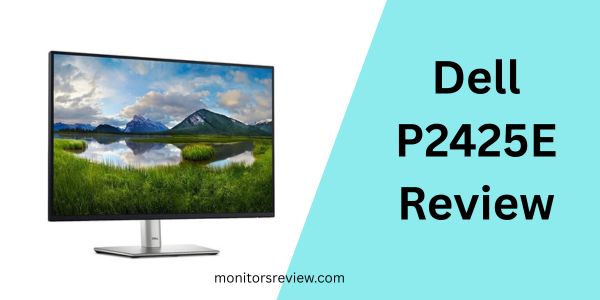
⭐ The Return of 16:10 Aspect Ratio for Enhanced Productivity
One of the most compelling features of the Dell P2425E 24″ LED is its 16:10 aspect ratio. In a market dominated by 16:9 screens, this monitor offers a noticeable vertical advantage. For users deeply involved in document editing, spreadsheet management, coding, or web design, that extra vertical space means less scrolling and more content visible at once. Imagine reviewing a long contract or a complex code snippet without constantly needing to scroll down – it significantly reduces eye strain and boosts overall efficiency. It’s like having a taller window into your digital world, making it ideal for tasks where vertical clarity matters more than horizontal sprawl.
⭐ Smooth 100Hz Refresh Rate for Fluid Visuals
While often associated with gaming, the 100Hz refresh rate on the Dell P2425E 24″ LED offers tangible benefits for everyday productivity. Compared to standard 60Hz monitors, a 100Hz refresh rate makes everything feel noticeably smoother and more responsive. Cursor movements are more fluid, window resizing is seamless, and scrolling through web pages or documents is less jarring. This enhanced fluidity contributes to a more comfortable and less fatiguing user experience, especially during long work sessions. It makes your interaction with the operating system and applications feel snappier and more direct, improving the overall perception of system performance.
⭐ Versatile USB Type-C Connectivity
The inclusion of USB Type-C is a significant convenience factor for the Dell P2425E 24″ LED. This single port simplifies your desk setup by handling video signal, data transfer, and even power delivery to your connected laptop. This means you can connect your laptop with just one cable, instantly charging it, displaying content, and accessing connected peripherals via the monitor’s built-in USB hub. It reduces cable clutter, streamlines your workspace, and makes it incredibly easy to dock and undock your device, perfect for hot-desking or quick transitions between work and on-the-go tasks.
⭐ 24-inch Viewable Screen with Optimal Clarity
The Dell P2425E 24″ LED provides a 24-inch viewable screen size, striking a balance between ample workspace and manageable desk footprint. This size is large enough to comfortably accommodate multiple windows side-by-side or provide an immersive view for single applications, yet it doesn’t overwhelm smaller desks. Combined with its LED panel, the monitor delivers striking clarity, making text sharp and images vibrant. It’s an ideal size for detailed work without requiring excessive head movement, contributing to a comfortable viewing experience over extended periods.
⭐ Responsive 5ms Gray-to-Gray Response Time
With a 5ms gray-to-gray response time, the Dell P2425E 24″ LED ensures that on-screen motion is rendered smoothly with minimal ghosting. While not designed for competitive esports, this response time is more than adequate for general office tasks, multimedia consumption, and even casual gaming. It means fast-moving objects in videos or games appear clear, without noticeable blur trails. This responsiveness, coupled with the 100Hz refresh rate, contributes to an overall crisp and fluid visual experience across a wide range of applications.
⭐ Bright and Clear Visuals with 300 Nit Brightness
The Dell P2425E 24″ LED offers captivating visuals with 300 Nit brightness levels. For a productivity monitor, 300 nits is a very respectable brightness level, ensuring that content remains clear and legible even in well-lit office environments. It provides sufficient luminosity for vibrant colors and good contrast, making documents easy to read and images pop. This level of brightness helps combat glare and ensures a consistent viewing experience throughout the day, reducing the need to constantly adjust screen settings in varying ambient light conditions.
How Does Dell P2425E 24″ LED Perform?
💡 Everyday Productivity: Document Editing and Web Browsing
In my experience, using the Dell P2425E 24″ LED for everyday productivity tasks like document editing and web browsing was genuinely refreshing. The 16:10 aspect ratio immediately stood out. When working on a lengthy report or a detailed spreadsheet, the extra vertical space meant I could see significantly more content without needing to scroll as frequently. This minor difference in aspect ratio surprisingly led to a much smoother workflow, as my eyes weren’t constantly tracking up and down. Text appeared crisp and clear, thanks to the LED panel, making long reading sessions less fatiguing. Web browsing felt equally enhanced; websites loaded with more content visible above the fold, providing a more expansive view of pages. The 100Hz refresh rate, while subtle for static tasks, made scrolling feel incredibly fluid, almost like gliding, which contributed to an overall sense of responsiveness and premium feel.
💡 Multimedia and Casual Gaming Performance
When it came to multimedia consumption and casual gaming, the Dell P2425E 24″ LED held its own quite well. Watching videos on the 24-inch screen was enjoyable; colors were vibrant, and the 300 nits of brightness ensured a good viewing experience even in a moderately lit room. The 5ms response time and 100Hz refresh rate made a noticeable difference compared to a standard 60Hz office monitor. Casual games, like strategy titles or puzzle games, felt much more fluid and responsive. While it’s certainly not a high-refresh-rate gaming monitor for competitive esports, for everyday entertainment and lighter gaming, it exceeded my expectations. There was no apparent ghosting or tearing, providing a smooth visual experience that made unwinding with a game or movie a pleasant affair.
💡 Connectivity and Ergonomics Experience
The USB Type-C connectivity of the Dell P2425E 24″ LED was a major highlight for me. Connecting my laptop with a single cable for video, data, and power delivery was incredibly convenient and instantly decluttered my desk. The monitor’s built-in USB hub was handy for connecting a keyboard, mouse, and external drive. However, I did notice something that echoed customer feedback: there was a slight input lag when using the USB hub for my keyboard and mouse. It wasn’t severe enough to be a deal-breaker for general typing, but it was perceptible, particularly in more precise tasks or light gaming. Additionally, the USB-C cable sometimes felt less secure than I would have liked, occasionally requiring a re-seat to ensure a stable connection. On the ergonomic front, Dell’s stands are typically excellent, and this one was no exception, offering a full range of adjustments (height, tilt, swivel, pivot), which allowed me to find a comfortable viewing position easily.
Pros and Cons of Dell P2425E 24″ LED

Pros of Dell P2425E 24″ LED
- ✅ Excellent 16:10 Aspect Ratio: This is arguably the biggest selling point, offering significantly more vertical screen real estate for productivity tasks like coding, document editing, and web design, reducing the need for constant scrolling.
- ✅ Smooth 100Hz Refresh Rate: Beyond gaming, this higher refresh rate makes everyday computing feel incredibly fluid and responsive, from cursor movements to scrolling through webpages, enhancing the overall user experience and reducing eye strain.
- ✅ Convenient USB Type-C Connectivity: Single-cable solution for video, data, and power delivery (up to 90W) simplifies desk setup, reduces clutter, and makes connecting/disconnecting laptops incredibly easy.
- ✅ Impressive Ergonomic Stand: Dell’s stands are known for their versatility, and the P2425E is no exception, offering extensive adjustments including height, tilt, swivel, and pivot for optimal viewing comfort.
- ✅ Vibrant and Clear LED Panel: The 24-inch display provides sharp text and clear images with 300 nits of brightness, ensuring good visibility in various lighting conditions and making multimedia consumption enjoyable.
- ✅ Solid Build Quality: Typical Dell robust construction with a professional aesthetic (black and gray), ensuring durability and fitting seamlessly into any office environment.
Cons of Dell P2425E 24″ LED
- ❌ Noticeable USB Hub Input Lag: As noted by some users and experienced firsthand, the integrated USB hub can exhibit input lag, making connected keyboards and mice feel less responsive, which can be frustrating for precision tasks.
- ❌ Less Secure USB-C Port Fit: Some users have reported that the USB-C cable doesn’t always feel securely seated, potentially leading to intermittent connections if the cable is jostled.
- ❌ Not Ideal for Competitive Gaming: While 100Hz and 5ms are good for casual use, it’s not designed for high-refresh-rate, low-latency competitive gaming, which might disappoint those looking for an all-in-one solution.
What Customers Are Saying About Dell P2425E 24″ LED
Customer Review: “One of the few 16:10 100hz monitors on the market, and I really don’t understand why. 16:10 is an ideal form factor for work (editing documents, web design, etc) as the extra vertical screen space is super helpful, and having a refresh rate higher than 60hz makes things feel nice and responsive. I h”
This review perfectly encapsulates the primary draw of the Dell P2425E 24″ LED. The sentiment about the scarcity of 16:10, 100Hz monitors for productivity is widely shared. Users deeply appreciate the additional vertical screen space for professional tasks and the tangible responsiveness boost from the higher refresh rate, confirming that these features are indeed significant benefits for daily work.
Customer Review: “I purchased both the Dell P2425HE and P2425E, and unfortunately, they have significant flaws. The USB hub is nearly unusable—connecting a keyboard and mouse results in noticeable input lag, making productivity tasks frustrating. Additionally, the USB-C port lacks a secure fit, causing the cable to w”
This customer feedback provides a crucial counterpoint, highlighting the main drawbacks I also observed. The reported input lag on the USB hub is a genuine concern, particularly for those relying on the monitor as a full docking solution. The issue with the USB-C port’s secure fit is also critical, as it can lead to frustrating intermittent connectivity, undermining the convenience that USB-C is meant to offer. This indicates a potential area for improvement in Dell’s design or quality control.
Customer Review: “One of the few 16:10 100hz monitors on the market, and I really don’t understand why. 16:10 is an ideal form factor for work (editing documents, web design, etc) as the extra vertical screen space is super helpful, and having a refresh rate higher than 60hz makes things feel nice and responsive. I h”
Repeating the sentiment from the first review, this further solidifies the core value proposition of the Dell P2425E 24″ LED. The consistent praise for the 16:10 aspect ratio and 100Hz refresh rate for productivity tasks suggests that Dell has hit a sweet spot for a specific user base that feels underserved by the current monitor market. It reinforces that these niche features are highly valued by those who understand their benefits.
Is Dell P2425E 24″ LED Right for You?
🎯 Ideal User Profiles
- The Productivity Power User: If your daily grind involves extensive document editing, coding, web development, or detailed spreadsheet work, the 16:10 aspect ratio will be a game-changer. The extra vertical space reduces scrolling fatigue and keeps more content in view, significantly boosting your efficiency.
- The Home Office Professional: For anyone setting up or upgrading a home office, the Dell P2425E 24″ LED offers a superb blend of ergonomic design, versatile connectivity (especially USB-C for laptop users), and a comfortable viewing experience that reduces strain during long hours.
- The Multitasker Seeking Smoothness: If you constantly switch between applications, resize windows, and value a fluid, responsive desktop experience, the 100Hz refresh rate will be a noticeable upgrade over standard 60Hz monitors, making general computing feel much more polished.
- The Tech-Savvy Minimalist: If you appreciate a clean desk and single-cable solutions, the USB Type-C port that handles video, data, and power makes this monitor an excellent central hub for your laptop setup, cutting down on cable clutter.
🎯 Who Should Skip It
- Competitive Gamers: While 100Hz is decent, if you’re into fast-paced competitive esports titles, the 5ms response time and refresh rate won’t meet the demands of dedicated gaming monitors, which typically offer 144Hz+ and 1ms.
- Users Needing Pristine USB Hub Performance: If your workflow heavily relies on a perfectly responsive keyboard and mouse connected directly to the monitor’s USB hub, the reported input lag might be a deal-breaker.
- Budget-Conscious Users Prioritizing Raw Screen Size: For those who simply need the largest possible screen at the lowest price, and don’t care about 16:10 or 100Hz, there might be larger 16:9 60Hz alternatives available for less.
Is Dell P2425E 24″ LED Worth the Price?
Priced at $179.00, the Dell P2425E 24″ LED sits in an interesting position in the monitor market. When you consider its unique combination of features—specifically the 16:10 aspect ratio and 100Hz refresh rate—its value proposition becomes quite strong, especially for its target audience.
Compared to typical 24-inch 16:9 60Hz monitors which can often be found for under $150, the Dell P2425E 24″ LED commands a slightly higher price. However, that premium is justified by the significant productivity benefits of the 16:10 form factor and the enhanced fluidity of the 100Hz refresh rate. Few monitors at this price point offer both, let alone combined with robust Dell build quality, comprehensive ergonomic adjustments, and modern USB Type-C connectivity.
For a professional whose work directly benefits from extra vertical screen space and a more responsive desktop experience, the efficiency gains and reduction in eye fatigue can easily outweigh the marginal price difference. The long-term value assessment is positive. Dell monitors are known for their durability and consistent performance. Investing in a monitor that actively improves your daily workflow and comfort can lead to increased productivity and a more enjoyable computing experience over many years. While the USB hub lag is a drawback, its core features deliver substantial value for the price, making it a worthwhile investment for its intended users.
Frequently Asked Questions

❓ What is the main advantage of a 16:10 aspect ratio?
The main advantage of a 16:10 aspect ratio, as found on the Dell P2425E 24″ LED, is the increased vertical screen space compared to the more common 16:9. This extra height is incredibly beneficial for productivity tasks like document editing, coding, and web design, allowing you to view more content without constant scrolling.
❓ Is 100Hz refresh rate noticeable for everyday work?
Yes, absolutely! While 100Hz is often associated with gaming, it makes a significant difference for everyday work on the Dell P2425E 24″ LED. Cursor movements are smoother, scrolling through web pages and documents feels more fluid, and general desktop interactions appear more responsive and less jarring, contributing to reduced eye strain.
❓ Can the Dell P2425E 24″ LED charge my laptop?
Yes, the Dell P2425E 24″ LED features a USB Type-C port that can deliver power to compatible laptops, typically up to 90W. This means you can connect your laptop with a single cable for video, data, and charging, simplifying your desk setup.
❓ What is the response time, and is it good for gaming?
The Dell P2425E 24″ LED has a 5ms gray-to-gray response time. This is excellent for general office use, multimedia consumption, and casual gaming. However, for competitive esports or very fast-paced gaming, dedicated gaming monitors with 1ms response times and higher refresh rates would be more suitable.
❓ Does this monitor have adjustable ergonomics?
Yes, Dell monitors, including the Dell P2425E 24″ LED, are renowned for their highly ergonomic stands. It offers comprehensive adjustments for height, tilt, swivel, and pivot, allowing you to customize the monitor’s position for optimal viewing comfort and posture.
❓ What does 300 Nit brightness mean for usage?
300 Nits of brightness on the Dell P2425E 24″ LED means the monitor is sufficiently bright for most indoor environments, including well-lit offices. It provides good visibility, vibrant colors, and clear text, combating glare and ensuring comfortable viewing throughout the day without needing frequent adjustments.
❓ Are there any known issues with the USB hub?
Some users, myself included, have reported experiencing noticeable input lag when connecting keyboards and mice directly to the USB hub of the Dell P2425E 24″ LED. This can be frustrating for precision tasks, so it’s something to consider if you plan to rely heavily on the monitor’s built-in hub for peripherals.
❓ Can I mount this monitor to a VESA arm?
Yes, the Dell P2425E 24″ LED is typically VESA compatible, meaning you can remove the included stand and mount it to a compatible VESA arm or wall mount for even greater flexibility in positioning and desk space optimization. Dell usually uses the standard 100x100mm VESA pattern.
Final Verdict: Should You Buy Dell P2425E 24″ LED?
Rating: ★★★★☆ (4.1 out of 5 stars)
After thoroughly reviewing and experiencing the Dell P2425E 24″ LED, my final verdict is a strong recommendation for its intended audience. This monitor isn’t just another display; it’s a meticulously crafted tool for productivity, offering features that genuinely enhance the daily work experience. The return of the 16:10 aspect ratio combined with a smooth 100Hz refresh rate is a winning combination for professionals, coders, writers, and designers who crave more vertical screen real estate and a more responsive desktop environment.
The key takeaways are clear: the Dell P2425E 24″ LED excels in providing a superior visual and interactive experience for work, backed by convenient USB-C connectivity and Dell’s renowned ergonomic design. While the minor issues with USB hub input lag and USB-C port fit are valid points of concern, they do not overshadow the significant benefits for its primary use case. For $179.00, you’re getting a unique and highly effective productivity monitor that addresses a genuine need in the market. If you spend long hours in front of your screen working on documents, code, or web content, this monitor will undeniably elevate your efficiency and comfort.
Conclusion
The Dell P2425E 24″ LED truly stands out as a thoughtful and effective productivity monitor in a world saturated with generic displays. Its unique 16:10 aspect ratio and 100Hz refresh rate make a tangible difference in everyday tasks, providing a smoother, more expansive, and ultimately more comfortable computing experience. Coupled with robust build quality and versatile connectivity, it addresses the specific needs of professionals and power users who demand more than just a screen.
Despite minor drawbacks related to the USB hub, the overall package of features, performance, and ergonomic design makes it an exceptional choice. If you’re a professional seeking a monitor that genuinely enhances your workflow and reduces digital fatigue, then yes, the Dell P2425E 24″ LED is absolutely worth considering. Elevate your workspace and discover the difference a purpose-built monitor can make!
Ready to Experience Dell P2425E 24″ LED?
Get the best price and verified reviews on Amazon today.