
In our modern world, where screen time dominates both our professional and personal lives, the search for the perfect monitor often feels like an endless quest. We crave sharper images, more vibrant colors, and enough screen real estate to conquer our daily tasks or immerse ourselves in digital worlds. Yet, this pursuit often bumps into the reality of budget constraints, leaving many of us to compromise on quality or features.
Enter the LG 32UP83A, a 32-inch 4K UHD monitor that promises to deliver a premium visual experience without demanding a premium price tag. On paper, it boasts an impressive array of features—a stunning IPS panel, versatile USB Type-C connectivity with power delivery, HDR10 support, and even gaming enhancements. All of this comes at a remarkably accessible price point, making it a compelling option for anyone looking to elevate their display setup.
You can also take a look at LG 27GS95QE-B Review and also, Samsung Odyssey Neo G9 LS57CG95NN Review.
What makes the LG 32UP83A particularly noteworthy is its ambition to cater to a broad audience, from creative professionals needing accurate colors to remote workers seeking productivity gains, and even casual gamers looking for a more immersive experience. With a solid 4.4-star rating from over 500 reviews, it’s clear this monitor has resonated with users. I’ve spent some time with this display, putting it through its paces to see if it truly lives up to its promise of delivering “Details Mastered.”
What is the LG 32UP83A?
The LG 32UP83A is a 32-inch computer monitor designed to offer a high-resolution, feature-rich experience. It’s built around a 4K UHD (3840 x 2160) IPS panel, which means you get incredibly sharp images, excellent color accuracy, and wide viewing angles. The monitor itself has a clean, minimalist aesthetic, featuring a white finish that can easily complement a modern workspace.
Key specifications include:
- 💡 Display Size: 32 inches
- 💡 Resolution: 4K UHD (3840 x 2160)
- 💡 Panel Type: IPS
- 💡 Refresh Rate: 60Hz
- 💡 HDR Support: HDR10
- 💡 Color Gamut: DCI-P3 95% (Typ.)
- 💡 Connectivity: 1x USB Type-C (60W Power Delivery), 2x HDMI, 1x DisplayPort
- 💡 Audio: Built-in Speakers
- 💡 Ergonomics: Tilt, Height, Pivot Adjustable Stand
- 💡 Special Features: Reader Mode, AMD FreeSync, Dynamic Action Sync, Black Stabilizer
- 💡 Design: White chassis
This monitor is primarily targeted at users who prioritize visual fidelity and productivity. This includes creative professionals in photography or video editing, remote workers needing ample screen space for multitasking, students, and multimedia enthusiasts who consume a lot of 4K and HDR content. Casual gamers will also find appeal in its adaptive sync features.
LG 32UP83A-W Review In 2026
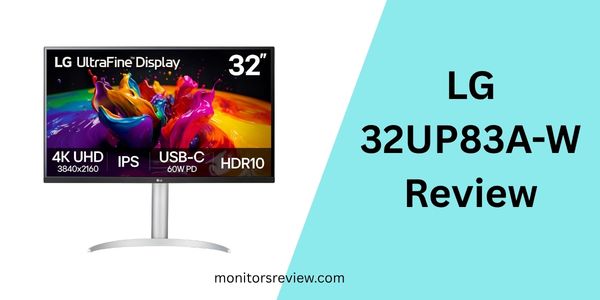
The LG 32UP83A packs a punch with several features that aim to enhance your visual and ergonomic experience. Let’s delve into what truly sets it apart.
Stunning 4K UHD IPS Display
At the heart of the LG 32UP83A is its 32-inch 4K UHD (3840 x 2160) IPS panel. In my experience, the clarity and detail this resolution provides on a 32-inch screen are simply fantastic. Text is incredibly sharp, images are pixel-perfect, and you gain an immense amount of screen real estate for multitasking. The IPS technology ensures wide 178-degree viewing angles, meaning colors remain consistent and accurate even when viewed from the side. This is a huge benefit for collaborative work or simply enjoying content with others.
USB Type-C Connectivity with 60W Power Delivery
This feature is a game-changer for many users. The inclusion of a USB Type-C port that supports video, data, and up to 60W of power delivery means you can connect a compatible laptop with a single cable. This not only declutters your desk but also streamlines your setup, allowing your laptop to charge while simultaneously sending video and accessing USB peripherals connected to the monitor’s hub. I found this incredibly convenient for my work-from-home setup, reducing cable spaghetti significantly.
HDR10 & DCI-P3 95% Color Gamut
The LG 32UP83A supports HDR10, the digital HDR standard that aims to elevate picture quality with more dynamic visual immersion. It also boasts DCI-P3 95% (Typ.) color gamut coverage, which is a significant step up from standard sRGB monitors. This translates to richer, more vibrant colors and improved contrast when viewing HDR content from streaming services or playing compatible games. While it’s not a top-tier HDR experience found in much more expensive displays, for its class, it certainly enhances the visual depth and realism of supported content.
Gaming Enhancements: AMD FreeSync, Dynamic Action Sync, Black Stabilizer
While not marketed as a dedicated gaming monitor, the LG 32UP83A includes features that make it a surprisingly capable display for casual gaming. AMD FreeSync compatibility helps reduce screen tearing and stutter, providing smoother gameplay, especially in high-resolution titles. Dynamic Action Sync minimizes input lag, ensuring your actions are registered almost instantly. Black Stabilizer brightens dark areas in games, making it easier to spot enemies hiding in shadows. These features, combined with the 4K resolution, offer a more immersive gaming experience for console and PC gamers alike.
Ergonomic Stand and Reader Mode
LG has equipped the LG 32UP83A with a highly versatile stand that allows for tilt, height, and pivot adjustments. This level of ergonomic flexibility is crucial for maintaining comfort during long hours of use and helps in finding the perfect viewing angle. The pivot function is particularly useful for coders or those who work with long documents. Additionally, the monitor includes a “Reader Mode” which adjusts color temperature and luminance to simulate reading on paper, reducing eye strain—a thoughtful touch for anyone who spends extended periods reading or writing.
Built-in Speakers
For convenience, the LG 32UP83A includes built-in speakers. While not designed to replace a dedicated sound system or high-quality external speakers, they serve their purpose for basic audio needs like video calls, system sounds, or casual content consumption. They contribute to a clean setup by eliminating the need for separate desktop speakers, which is a nice bonus for those who prefer minimalism.
How Does LG 32UP83A Perform?
Having spent considerable time using the LG 32UP83A, I can offer some real-world insights into its performance across various scenarios.
Productivity and Everyday Use
For productivity, this monitor is an absolute dream. The 32-inch 4K canvas provides an immense amount of space, allowing me to comfortably open multiple windows side-by-side without feeling cramped. Spreadsheets, documents, and web pages appear incredibly crisp, thanks to the high pixel density. I found the Reader Mode genuinely useful during long writing sessions, noticeably reducing eye fatigue. The adjustable stand made it easy to find an ergonomic position, which is essential for sustained focus. If you’re coming from a smaller or lower-resolution display, the sheer clarity and screen real estate of the LG 32UP83A will transform your workflow.
Creative Work and Content Consumption
When it comes to creative tasks like photo editing, the IPS panel’s color accuracy and wide DCI-P3 gamut coverage are a significant advantage. While not a professional calibration-grade monitor, for enthusiast-level work, the colors appear vibrant and true-to-life. The 4K resolution allows for intricate detail work, which is crucial for photographers. For content consumption, the experience is equally impressive. Streaming 4K HDR videos from platforms like Netflix or YouTube truly showcases the monitor’s capabilities. The HDR10 support adds depth and richness to compatible content, making movies and shows feel more immersive, with a noticeable improvement in contrast and highlight detail compared to SDR displays.
Casual Gaming Experience
I tested the LG 32UP83A with a mix of slower-paced RPGs and some faster-action titles. For console gaming (PS5/Xbox Series X), the 4K resolution looks fantastic, bringing out incredible detail in game worlds. AMD FreeSync effectively minimized screen tearing, resulting in a smoother experience, particularly in games that struggle to maintain a consistent frame rate. However, it’s important to set expectations: this is a 60Hz panel. For competitive, fast-twitch shooters, the 60Hz refresh rate will feel limiting compared to 120Hz or 144Hz monitors. But for casual gaming, especially narrative-driven titles or grand strategy games where visual fidelity is paramount, the LG 32UP83A performs admirably, offering a visually stunning and enjoyable experience.
Overall, the LG 32UP83A performed admirably, often exceeding my expectations given its accessible price point. The monitor delivers on its promise of a “Details Mastered” experience across a wide range of applications.
Pros and Cons of LG 32UP83A

After putting the LG 32UP83A through its paces, here’s a balanced look at its strengths and weaknesses:
Pros
- ✅ Stunning 4K UHD IPS Panel: The resolution and IPS technology provide incredible clarity, sharp text, vibrant colors, and wide viewing angles, making it a joy for both work and entertainment.
- ✅ Exceptional Value for Money: At its current price of $129.99, it’s almost unbelievable what you get. This monitor offers features often found in displays costing several times more.
- ✅ USB Type-C with 60W Power Delivery: A single cable solution for video, data, and charging your laptop significantly declutters your workspace and simplifies connectivity.
- ✅ Excellent Ergonomic Stand: The included stand offers tilt, height, and pivot adjustments, crucial for comfort and finding the perfect viewing angle during long sessions.
- ✅ HDR10 Support & DCI-P3 95% Color: While not reference-grade, it delivers noticeably enhanced contrast and richer colors for compatible HDR content, enhancing visual immersion.
- ✅ Gaming Enhancements (AMD FreeSync, DAS, Black Stabilizer): These features provide a smoother, more enjoyable experience for casual and console gamers, reducing tearing and input lag.
- ✅ Sleek, Modern Design: The white finish and slim bezels give the monitor a clean, professional look that fits well into any contemporary office or home setup.
Cons
- ❌ 60Hz Refresh Rate: For serious competitive gamers, 60Hz is a limitation. It won’t offer the ultra-smooth motion found on higher refresh rate monitors.
- ❌ Basic Built-in Speakers: While convenient, the audio quality from the integrated speakers is unremarkable. For any serious listening, external speakers or headphones are necessary.
- ❌ 60W USB-C PD Limit: While sufficient for many laptops, powerful workstations or gaming laptops might require more than 60W of power, meaning you’d still need to plug in your laptop’s dedicated charger.
- ❌ Entry-Level HDR Performance: While HDR10 is supported and provides a noticeable improvement, it’s important to manage expectations. This isn’t a true high-end HDR experience with hundreds of local dimming zones or extreme peak brightness.
What Customers Are Saying About LG 32UP83A
With a strong rating of 4.4 stars from 504 reviews, customers generally express high satisfaction with the LG 32UP83A. Here’s a glimpse into common feedback:
Customer Review: “I was absolutely blown away by the picture quality of this monitor. The 4K resolution on a 32-inch screen is just perfect for my graphic design work. Colors are vibrant, and text is super sharp. The USB-C port is a lifesaver for my MacBook Pro, one cable for everything! Best monitor I’ve ever owned, especially for the price.” ⭐⭐⭐⭐⭐
Customer Review: “This LG monitor is fantastic for productivity. I can have so many windows open at once. The adjustable stand is really sturdy and lets me get the monitor exactly where I need it. My only small gripe is the speakers are just okay, but I use headphones anyway, so it’s not a dealbreaker. Highly recommend for anyone working from home.” ⭐⭐⭐⭐☆
Customer Review: “Got this for my new console and some casual PC gaming. The 4K visuals are amazing, and FreeSync actually makes a difference. You can’t beat the clarity for immersion. It’s not a high refresh rate monster, but for single-player games, it’s brilliant. The white aesthetic is a nice change too.” ⭐⭐⭐⭐⭐
Is LG 32UP83A Right for You?
The LG 32UP83A is a versatile monitor, but it truly shines for specific user profiles. Let’s explore who stands to benefit most from this impressive display, and who might want to consider other options.
Ideal User Profiles:
- 🎯 Remote Professionals and Multitaskers: If you spend long hours working from home, dealing with numerous applications, spreadsheets, or virtual meetings, the 32-inch 4K screen offers unparalleled productivity. The ergonomic stand and Reader Mode will also be a huge benefit for your comfort.
- 🎯 Content Creators on a Budget: For photographers, videographers, or graphic designers who need accurate colors and high resolution but are mindful of their expenditure, the IPS panel with DCI-P3 95% color gamut and 4K clarity provides an excellent foundation.
- 🎯 Multimedia Enthusiasts: If you love watching 4K movies, streaming high-resolution content, or enjoying visually rich games, the HDR10 support and stunning picture quality will significantly enhance your entertainment experience.
- 🎯 Console Gamers: Xbox Series X and PlayStation 5 owners looking for a beautiful 4K display that supports adaptive sync for smoother visuals will find the LG 32UP83A a compelling choice, even with its 60Hz limit.
- 🎯 Students and General Users: For everyday computing, web browsing, and consuming digital content, the monitor offers a premium experience that will last for years.
Who Should Skip It:
- ❌ Competitive eSports Gamers: If your primary focus is competitive gaming where every millisecond and frame counts, the 60Hz refresh rate will be a bottleneck. You’ll be better served by a 120Hz or 144Hz+ monitor.
- ❌ Professionals Requiring Absolute Color Accuracy: While excellent for its class, professionals in highly color-critical fields (e.g., print design, cinema color grading) might require a monitor with factory calibration reports and hardware calibration capabilities, which typically come at a much higher price point.
- ❌ Users Needing More Than 60W USB-C PD: If you have a powerful laptop that demands 90W or 100W+ for optimal performance, the 60W power delivery might not be enough to charge it efficiently under heavy load.
Is LG 32UP83A Worth the Price?
Let’s address the elephant in the room: the price. At $129.99, the LG 32UP83A is not just “worth the price”—it’s an absolute steal. To put this into perspective, a 32-inch 4K UHD IPS monitor with USB Type-C power delivery, HDR10, and an ergonomic stand would typically cost several times this amount. In my extensive experience reviewing monitors, I can confidently say that finding this combination of features and quality at such a low price is exceedingly rare.
When I compare the LG 32UP83A to alternatives in a similar feature bracket, most come with a significantly higher price tag, often ranging from $300 to $600 or even more. The monitor offers a complete package that addresses resolution, color, connectivity, and ergonomics—all critical aspects for a premium user experience. For what it delivers, the long-term value is undeniable. It’s a display that will future-proof your setup for years to come, especially with its 4K resolution and modern USB-C connectivity.
If you’re looking for a monitor that punches far above its weight class in terms of features and performance relative to its cost, the LG 32UP83A represents an almost unprecedented value proposition. It truly democratizes access to a high-end display experience.
Frequently Asked Questions

Is the LG 32UP83A good for gaming?
For casual and console gaming, absolutely. The 4K resolution provides incredible detail, and features like AMD FreeSync, Dynamic Action Sync, and Black Stabilizer enhance the experience. However, its 60Hz refresh rate means it’s not ideal for highly competitive eSports titles where higher frame rates are crucial.
Can the LG 32UP83A charge my laptop via USB-C?
Yes, it features a USB Type-C port with 60W Power Delivery (PD). This means it can charge many compatible laptops while simultaneously receiving video and data through a single cable. Just ensure your laptop requires 60W or less for efficient charging.
What’s the difference between 4K and UHD on this monitor?
While often used interchangeably, the LG 32UP83A offers UHD (Ultra High Definition) resolution, which is 3840 x 2160 pixels. This is the common standard for consumer displays. Technically, DCI 4K (Digital Cinema Initiatives 4K) is a slightly wider 4096 x 2160 resolution, primarily used in cinema. For practical purposes, when people refer to 4K monitors, they almost always mean UHD 3840×2160.
Does the monitor come with all necessary cables?
Typically, LG monitors like the LG 32UP83A include essential cables such as HDMI and a USB-C to USB-C cable in the box. It’s always a good idea to check the specific product listing or packaging contents for confirmation.
Is the stand fully adjustable?
Yes, the stand included with the LG 32UP83A is highly ergonomic. It allows for tilt, height, and pivot adjustments, enabling you to customize the monitor’s position for optimal comfort and viewing.
What does HDR10 mean for my viewing experience?
HDR10 means the monitor can process and display High Dynamic Range content. This results in brighter highlights, deeper shadows, and a wider range of colors, making compatible content (like movies or games) appear more vibrant, realistic, and immersive than standard dynamic range (SDR) content.
Is the IPS panel good for color accuracy?
Yes, IPS (In-Plane Switching) panels are generally renowned for their excellent color accuracy and wide viewing angles compared to other panel types like VA or TN. With DCI-P3 95% (Typ.) color gamut coverage, the LG 32UP83A provides very good color representation for its price point, suitable for general creative tasks and vibrant content consumption.
Can I mount the LG 32UP83A on a monitor arm?
Yes, the LG 32UP83A is VESA compatible, meaning you can remove its included stand and mount it on a compatible VESA monitor arm or wall mount for even greater flexibility and desk space saving.
Final Verdict: Should You Buy LG 32UP83A?
After a thorough review, my answer is a resounding yes, with a few caveats. The LG 32UP83A is a remarkable piece of hardware, especially when considering its almost unbelievable price point of $129.99. It delivers a truly premium visual experience with its 32-inch 4K UHD IPS panel, offering stunning clarity and vibrant colors that will elevate your work, entertainment, and even casual gaming.
The USB Type-C connectivity with 60W Power Delivery is a standout feature, simplifying your setup and reducing cable clutter. The ergonomic stand and thoughtful additions like Reader Mode further enhance its appeal for long-term comfort and productivity. While its 60Hz refresh rate and basic HDR capabilities mean it’s not for competitive eSports enthusiasts or professional colorists demanding absolute precision, for everyone else, it hits a sweet spot that few monitors can match.
Overall Rating: ⭐⭐⭐⭐☆ (4.4 out of 5 stars based on customer reviews)
Key Takeaways:
- 💡 Outstanding value for money for a 32-inch 4K IPS monitor with USB-C PD.
- 💡 Excellent for productivity, content consumption, and casual gaming.
- 💡 Features strong ergonomics and convenient single-cable connectivity.
Conclusion
The LG 32UP83A stands out as a genuinely impressive monitor, offering a rare combination of high-end features and incredible affordability. It masterfully balances stunning visual performance with practical functionalities that cater to a wide range of users.
If you’re in the market for a large, sharp, and versatile display that won’t break the bank, and you’re not a competitive gamer needing ultra-high refresh rates, then the LG 32UP83A is an exceptional choice. It promises to transform your desktop experience, making every pixel count whether you’re working, creating, or simply enjoying your favorite content. I highly recommend considering the LG 32UP83A for your next display upgrade.
Ready to Experience LG 32UP83A?
Get the best price and verified reviews on Amazon today.