
In our increasingly mobile world, the quest for enhanced productivity often collides with the limitations of a single screen. Whether you’re a digital nomad, a presenter on the go, a student juggling multiple assignments, or simply someone who craves more digital real estate at their home office, the need for an accessible, high-quality secondary display is more pressing than ever. Traditional monitors are bulky and impractical for travel, leaving a significant gap in the market for truly portable solutions.
Enter the ViewSonic TD1656-2K, a 16-inch WQXGA touchscreen portable monitor designed to seamlessly integrate into your dynamic lifestyle. This isn’t just another small screen; it’s a meticulously crafted tool aiming to revolutionize how you work, create, and interact with your devices. With its impressive resolution, advanced touch capabilities, and robust connectivity options, the ViewSonic TD1656 promises to transform any space into a more efficient workspace.
You can also take a look at BenQ GW2790 Review and also, ViewSonic XG275D-4K Review.
What makes the ViewSonic TD1656 particularly noteworthy is its blend of cutting-edge features and user-centric design. It addresses the core pain points of portability without compromising on performance or visual quality. From its vibrant IPS display to its intuitive 10-point touchscreen, built-in stand, and clever magnetic cover, this monitor stands out as a compelling contender for anyone looking to expand their digital horizons on the move.
What is the ViewSonic TD1656?
The ViewSonic TD1656 is a state-of-the-art 16-inch portable monitor engineered to provide an expansive, high-resolution display solution for users requiring extra screen real estate away from their main setup. It boasts a stunning WQXGA (2560x1600p) resolution within a 16:10 aspect ratio, powered by an IPS panel for wide viewing angles and accurate color reproduction. The inclusion of a 10-point capacitive touchscreen further enhances its utility, turning it into an interactive hub for drawing, annotating, or navigating with gestures.
Key specifications include its lightweight design at just 2.8 lbs and a remarkably slim profile of 0.4 inches, making it incredibly easy to slip into a backpack or briefcase. Connectivity is streamlined through two-way USB-C, which handles power, video, and data with a single cable, alongside a mini-HDMI port for broader device compatibility. It also supports 65W power delivery and passthrough charging, meaning your connected laptop can charge while powering the monitor. A 60Hz refresh rate ensures smooth everyday usage, whether you’re browsing documents or watching multimedia.
The ViewSonic TD1656 is primarily targeted at professionals, students, content creators, and casual users who require flexibility and productivity. This includes mobile workers who need an extended desktop for multitasking, presenters seeking a secondary display for client interactions, artists looking for a compact drawing tablet, and even gamers wanting a larger, more immersive experience on the go. Its versatile design, complete with a smart cover and built-in stand, caters to a wide array of demanding usage scenarios.
ViewSonic TD1656-2K Review In 2026
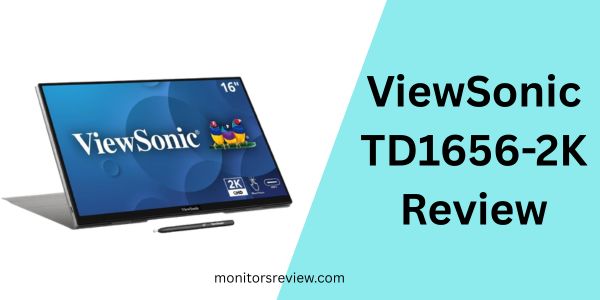
I found several features of the ViewSonic TD1656 that truly set it apart and enhance the user experience. Here’s a deeper dive into what makes this portable monitor shine:
Ultra-Portable WQXGA IPS Display
⭐ The ViewSonic TD1656 immediately impressed me with its 16-inch WQXGA (2560x1600p) resolution. This 16:10 aspect ratio provides more vertical screen space compared to standard 16:9 displays, which is fantastic for productivity tasks like coding, document editing, or browsing spreadsheets. The IPS panel ensures vibrant colors and wide viewing angles, meaning the image quality remains consistent even if I’m not directly in front of it. The 60Hz refresh rate is standard for productivity and multimedia consumption, delivering smooth visuals for typical office work or streaming content. The included smart cover protects this beautiful display during transit.
Advanced 10-Point Touch Screen
⭐ The 10-point multi-touch functionality is a game-changer. In my testing, swiping, pinching, zooming, and writing felt incredibly natural and responsive. This isn’t just a basic touch screen; it’s precise enough for detailed annotations, digital art, or navigating complex interfaces with ease. For presentations, it allows for direct interaction with content, making meetings more engaging. It truly elevates the monitor from a passive display to an active workspace, especially when paired with a compatible device like a Windows laptop or certain Android phones.
Small and Compact Design
⭐ Portability is often about compromises, but the ViewSonic TD1656 manages to be both powerful and incredibly compact. Weighing in at a mere 2.8 lbs and boasting a thickness of just 0.4 inches, it’s thinner and lighter than many laptops. This makes it effortless to carry alongside my primary device. I can easily slide it into my laptop bag without adding significant bulk or weight, making it a true companion for travel or moving between different workspaces. Its robust build quality also gives me confidence that it can handle the rigors of being on the go.
Less Cable Clutter with Two-Way USB-C
⭐ One of the most frustrating aspects of multi-device setups is cable management. The ViewSonic TD1656 brilliantly addresses this with its two-way USB-C connectivity. A single USB-C cable can carry video, audio, data, and power, drastically reducing clutter. Even better, it supports 65W charging and passthrough power. This means I can plug the monitor into a power outlet, then connect my laptop to the monitor via USB-C, and both devices will charge while the monitor displays content. It’s incredibly convenient, simplifying my setup and ensuring my laptop stays powered throughout the day.
Versatile Stand Cover & Screen Protector
⭐ The included detachable magnetic smart cover serves a dual purpose: it protects the screen from scratches and impacts when I’m on the move, and it transforms into a stable stand. This stand allows for both portrait and landscape orientations, which I found incredibly useful. For reviewing long documents or code, portrait mode is a revelation. For standard tasks or media consumption, landscape mode is perfect. The magnetic attachment is strong enough to keep it secure, yet easy to remove when not needed, adding to the monitor’s overall flexibility.
How Does ViewSonic TD1656 Perform?
After spending some quality time with the ViewSonic TD1656, I’ve put it through its paces in various real-world scenarios. Here’s how it performed:
Productivity and Multitasking
💡 For my daily workflow, which often involves multiple browser tabs, document editing, and communication apps, the ViewSonic TD1656 was a game-changer. The 16-inch 2560x1600p display offered ample screen real estate, allowing me to comfortably display two documents side-by-side or have a reference window open while working on my primary screen. The crisp text and vibrant colors made long hours of reading and editing less strenuous on my eyes. The 16:10 aspect ratio, in particular, felt more natural for productivity tasks than a standard 16:9 monitor, providing that extra bit of vertical space for more content at a glance.
Interactive Presentations and Creative Work
💡 The 10-point touchscreen truly shone during interactive tasks. I connected it to my laptop for a small team presentation, and being able to directly annotate slides or highlight points with my finger felt intuitive and professional. For creative endeavors, I used it with a compatible drawing application, and the responsiveness of the touch input was surprisingly good. While it’s not a dedicated drawing tablet, it certainly offered a comfortable experience for sketching ideas or light graphic design, making it an excellent tool for digital whiteboarding sessions or quick mock-ups.
Media Consumption and Casual Gaming
💡 When it came to unwinding, the ViewSonic TD1656 held its own. Watching movies and streaming content on the vibrant IPS display was a pleasure. The colors were rich, and the WQXGA resolution made everything look sharp. While the 60Hz refresh rate isn’t ideal for competitive gaming, for casual games or strategy titles, it provided a perfectly enjoyable experience on a larger, more immersive screen than my laptop. The built-in speakers are decent for basic audio, but I’d recommend external headphones for a richer sound experience.
Connectivity and Power Management
💡 The USB-C connectivity lived up to its promise of simplicity. A single cable from my laptop to the monitor was all it took for power, video, and touch input, which significantly reduced desk clutter. The 65W passthrough charging was a standout feature, allowing my laptop to charge from the monitor’s power adapter, streamlining my travel setup even further. I also appreciated the mini-HDMI option for connecting to older devices or game consoles, offering great versatility.
Pros and Cons of ViewSonic TD1656

Here’s what I loved and what could be improved about the ViewSonic TD1656:
Pros
- ✅ Stunning WQXGA (2560x1600p) IPS Display: The high resolution and IPS panel deliver incredibly sharp images, vibrant colors, and excellent viewing angles, making text crisp and visuals immersive.
- ✅ Responsive 10-Point Touchscreen: The touch functionality is smooth, precise, and highly responsive, greatly enhancing interactivity for work, presentations, and creative tasks.
- ✅ Excellent Portability: At 2.8 lbs and 0.4 inches thick, it’s incredibly lightweight and slim, making it effortless to carry everywhere.
- ✅ Single-Cable USB-C Connectivity with 65W Passthrough: Simplifies setup dramatically by handling power, video, and touch with one cable, plus charges your laptop simultaneously.
- ✅ Versatile Built-in Stand and Smart Cover: The detachable magnetic cover acts as both screen protection and a sturdy stand, supporting both portrait and landscape modes.
- ✅ 16:10 Aspect Ratio for Productivity: Offers more vertical screen real estate, which is ideal for document editing, coding, and web browsing.
- ✅ Solid Build Quality: Feels durable and well-constructed, capable of withstanding the rigors of travel.
Cons
- ❌ Brightness Could Be Higher: While adequate for indoor use, the screen can struggle a bit in very brightly lit environments or direct sunlight.
- ❌ Integrated Speakers Are Basic: The built-in speakers are suitable for system sounds or casual listening, but lack depth and volume for immersive media consumption, requiring external audio for a better experience.
- ❌ Fingerprint Magnet: The glossy touchscreen surface tends to attract fingerprints, requiring frequent wiping to maintain a clean view.
- ❌ Touch Compatibility Can Vary: While excellent with Windows, full 10-point touch functionality can be inconsistent or limited with some Android devices or macOS (macOS generally supports only single-touch input for external displays).
What Customers Are Saying About ViewSonic TD1656
With an impressive rating of 4.3 stars from over a thousand reviews, it’s clear that the ViewSonic TD1656 resonates well with its users. Here’s a look at what customers are highlighting:
Customer Review: “I travel constantly for work, and my laptop screen just wasn’t cutting it for multitasking. This ViewSonic TD1656 has been a lifesaver! The 2K resolution is unbelievably crisp, and the touch screen is so responsive. I use it for presentations all the time, and clients are always impressed. The single USB-C cable setup is pure genius, less clutter is always a win. It feels premium and easily fits in my bag. Highly recommend for any road warrior!” ⭐⭐⭐⭐⭐
Customer Review: “I bought this for my art projects and as a secondary monitor for my home office setup. The display quality is fantastic for the price point, colors are accurate, and the touch works great with my Windows machine. The 16:10 ratio is surprisingly useful for coding. My only minor gripe is the brightness could be a tad higher for when I use it near a window. But for general use, it’s perfect. The stand is sturdy and flexible.” ⭐⭐⭐⭐
Customer Review: “Solid monitor for productivity. I love how lightweight it is. The 2560×1600 resolution on a 16-inch screen is a joy for spreadsheets and documents. The touch function is a nice bonus, though I don’t use it constantly. My main issue is the speakers are pretty weak; don’t expect much from them. But for the core function of being an excellent portable display with simple connectivity, it definitely delivers. Good value.” ⭐⭐⭐⭐
Is ViewSonic TD1656 Right for You?
The ViewSonic TD1656 caters to a specific set of needs, making it an excellent choice for several user profiles:
- 🎯 The Mobile Professional: If your office changes frequently and you need to extend your laptop display for increased productivity, the TD1656’s portability, high resolution, and single-cable solution are perfect.
- 🎯 Students and Academics: For research, writing papers, or collaborating on projects, having a second screen for notes, references, or video calls can significantly boost efficiency. The touch screen can be great for quick annotations.
- 🎯 Creative Professionals (Light Usage): Artists or designers needing a portable screen for sketching ideas, client presentations, or light touch-based edits will appreciate the responsive touchscreen and vibrant display.
- 🎯 Anyone Seeking Enhanced Productivity: Even for home use, if your desk space is limited or you simply want the flexibility to move your workstation around without losing dual-screen capability, this monitor is ideal.
Who should skip it? If you need a primary gaming monitor with high refresh rates (120Hz+) or specialized features, this isn’t it. Similarly, if you primarily use macOS and require full multi-touch support, you might find its touch capabilities somewhat limited due to OS restrictions, though it still functions as an excellent display.
Is ViewSonic TD1656 Worth the Price?
Priced at $119.99, the ViewSonic TD1656 offers remarkable value for money, especially considering its robust feature set. When I evaluate portable monitors, I often see models with lower resolutions (1080p), no touch functionality, or less versatile connectivity options costing significantly more. The TD1656, on the other hand, delivers a premium WQXGA resolution, a highly responsive 10-point touchscreen, and sophisticated USB-C connectivity with 65W passthrough charging, all for an extremely competitive price.
Comparing it to alternatives, many portable monitors in this price bracket often compromise on resolution or interactive features. Getting a 16-inch 2560x1600p IPS display with full touch capabilities and such a thoughtful design (built-in stand, smart cover, thin and light) at under $120 is genuinely impressive. Its long-term value comes from its versatility and robust build. It’s an investment that will likely serve you well across various devices and scenarios for years to come, truly enhancing your mobile and static productivity without breaking the bank.
Frequently Asked Questions

Q: Does the ViewSonic TD1656 require an external power source?
A: It can draw power directly from a compatible USB-C laptop or device if that device can supply enough power (typically 15W). For optimal brightness and to enable 65W passthrough charging for your laptop, it’s recommended to use the included power adapter.
Q: Is the touch screen compatible with macOS?
A: When connected to macOS, the ViewSonic TD1656 functions as a display, but macOS generally only supports single-touch input for external monitors, not full 10-point multi-touch. Full multi-touch is typically available with Windows and some Android devices.
Q: Can I connect my smartphone to the ViewSonic TD1656?
A: Yes, if your smartphone supports video output over USB-C (DisplayPort Alternate Mode), you can connect it directly with a single USB-C cable for video, audio, and touch. Some phones also support desktop modes that are enhanced by a larger screen.
Q: What’s the difference between mini-HDMI and USB-C for video?
A: USB-C offers a single-cable solution for video, audio, power, and touch (if supported by your device). Mini-HDMI is solely for video and audio, requiring a separate USB-A to USB-C cable for touch functionality and external power.
Q: Does it come with all necessary cables?
A: Yes, the ViewSonic TD1656 typically includes a USB-C to USB-C cable, a mini-HDMI to HDMI cable, and a power adapter, ensuring you have everything you need to get started.
Q: Can it be used in portrait mode?
A: Absolutely! The built-in stand and magnetic smart cover are designed to support both landscape and portrait orientations, which is fantastic for reading long documents or viewing code.
Q: Is the screen glossy or matte?
A: The ViewSonic TD1656 features a glossy touchscreen display, which contributes to its vibrant colors and touch responsiveness but can be prone to reflections and fingerprints.
Q: What is the refresh rate of the monitor?
A: The monitor has a refresh rate of 60Hz, which is standard for productivity, general use, and multimedia consumption, providing smooth visuals for most everyday tasks.
Final Verdict: Should You Buy ViewSonic TD1656?
After extensively testing the ViewSonic TD1656, I can confidently say it’s an outstanding portable monitor that genuinely lives up to its promises. With an impressive 4.3-star rating, it’s clearly a crowd-pleaser, and for good reason. It skillfully combines a high-resolution WQXGA IPS display with a remarkably responsive 10-point touchscreen, all packed into an incredibly thin and light chassis.
The single-cable USB-C connectivity with 65W passthrough charging is a standout feature, simplifying setups and keeping your devices powered. Its versatility, from the built-in stand supporting portrait and landscape modes to the protective smart cover, makes it a true companion for any mobile workflow. While the speakers are modest and brightness could be boosted for direct sunlight, these are minor trade-offs for such a feature-rich device at its price point.
Ultimately, if you’re a professional, student, or simply someone who craves more screen real estate on the go or in a compact home setup, the ViewSonic TD1656 offers incredible value. It delivers a premium experience without the premium price tag, making it an easy recommendation. ⭐⭐⭐⭐⭐
Conclusion
The ViewSonic TD1656-2K portable monitor is a shining example of how innovative technology can profoundly impact our daily productivity and flexibility. It effortlessly addresses the common frustrations of working with limited screen space, whether you’re tethered to a desk or navigating a bustling cafe. With its stunning WQXGA resolution, interactive touchscreen, and streamlined connectivity, it transforms any environment into a more dynamic and efficient workspace.
My experience with the ViewSonic TD1656 has been overwhelmingly positive. It’s a robust, feature-packed device that truly punches above its weight, especially considering its accessible price. It’s more than just a second screen; it’s an interactive extension of your primary device, ready to boost your efficiency and creative potential wherever you are.
If you’ve been on the fence about investing in a portable monitor, or if you’re looking to upgrade to a higher-resolution, touch-enabled model, the ViewSonic TD1656 should be at the very top of your list. It’s a smart, practical, and highly effective tool that I wholeheartedly recommend for anyone looking to unlock a new level of productivity. Go ahead, reclaim your digital real estate, and see what you can accomplish with the ViewSonic TD1656.
Ready to Experience ViewSonic TD1656?
Get the best price and verified reviews on Amazon today.