Finding the best gaming monitors for Xbox can truly transform your console gaming experience. While TVs are convenient, a dedicated gaming monitor offers superior refresh rates, faster response times, and adaptive sync technologies crucial for competitive play on your Xbox Series X or S. We’ve put together this roundup to help you navigate the options and pick a display that will bring your favorite Xbox games to life with stunning clarity and buttery-smooth gameplay. Get ready to elevate your gaming setup and see every detail the developers intended.
Quick Product Comparison
Our Top 5 Best Gaming Monitors For Xbox Reviews – Expert Tested & Recommended
1. Acer Nitro 27in QHD 2560×1440 IPS 180Hz Gaming Monitor KG271U N3bmiipx
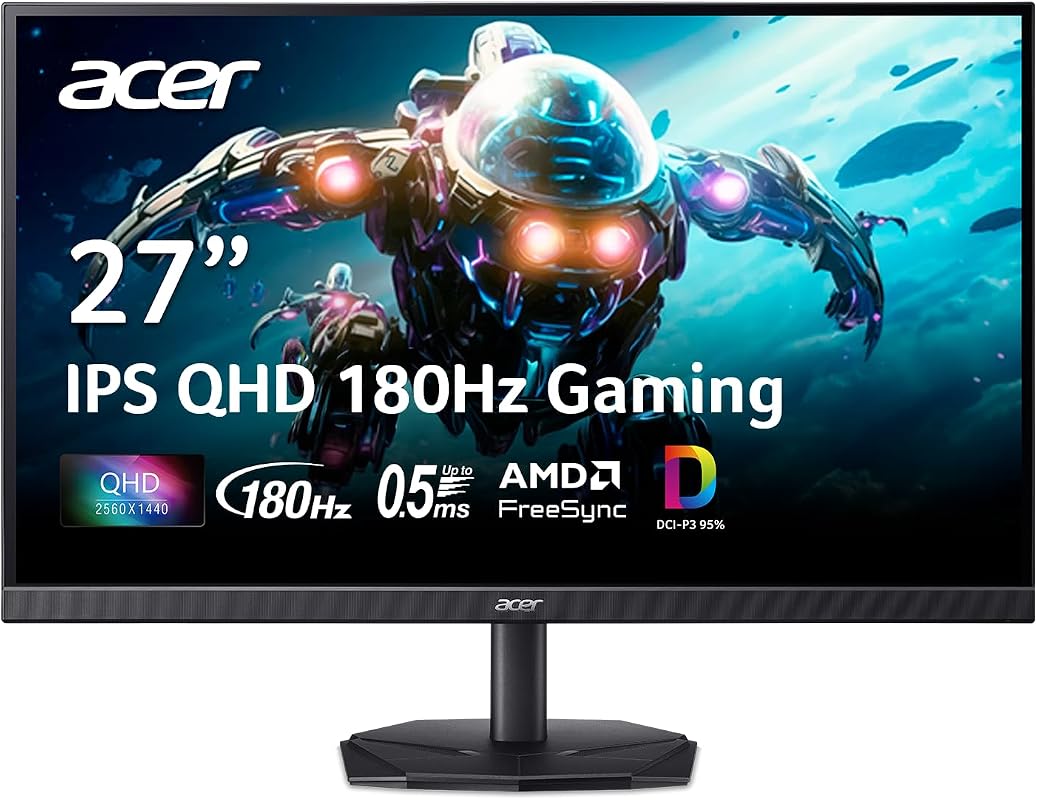
The Acer Nitro 27in QHD monitor is a fantastic choice for any Xbox gamer looking to upgrade their visual experience. It blends high resolution with a fast refresh rate, ensuring your games look sharp and play incredibly smoothly. This monitor really enhances immersion, making every gaming session feel more engaging and responsive.
Key Features That Stand Out
- ✓ Quality Visuals: A 27-inch IPS panel with QHD (2560 x 1440) resolution delivers stunning, vibrant images with excellent color accuracy.
- ✓ AMD FreeSync Technology: Eliminates screen tearing and stuttering by synchronizing the monitor’s refresh rate with your Xbox’s frame rate.
- ✓ High Refresh Rate: Up to 180Hz refresh rate ensures ultra-smooth 2D motion scenes, perfect for fast-paced action games.
- ✓ Reliable Performance: Built for daily use, offering outstanding durability and consistent performance.
Why We Recommend It
We recommend the Acer Nitro KG271U N3bmiipx because it hits a sweet spot for Xbox gaming monitors. The QHD resolution on a 27-inch screen provides a sharp image without being too demanding on the console, and the 180Hz refresh rate is a huge step up for fluidity. FreeSync support is essential for a tear-free experience, making it a truly immersive option.
Best For
This monitor is best for competitive and casual Xbox gamers who want a significant visual upgrade, especially those with an Xbox Series X aiming for higher resolutions and frame rates.
Pros and Cons
Pros:
- Excellent QHD resolution for crisp graphics.
- Very high 180Hz refresh rate for smooth gameplay.
- IPS panel offers wide viewing angles and vibrant colors.
- AMD FreeSync support eliminates visual artifacts.
Cons:
- Higher price point than basic 1080p monitors.
- Might require adjusting Xbox settings for optimal performance.
Customer Reviews
Customer Review: “I was looking for a monitor that could really show off my Xbox Series X, and this Acer Nitro delivered! The picture is incredibly sharp, and everything feels so much smoother at 180Hz. FreeSync works perfectly, no more tearing!” – GamrGuy88
Customer Review: “Fantastic monitor for the price. The QHD resolution is a game-changer for detail, and the colors are really vibrant. It’s a noticeable upgrade from my old TV for sure.” – XboxElitePlayer
2. Acer 27in FHD 1920×1080 IPS 120Hz Gaming Monitor | Office KB272 G0bi
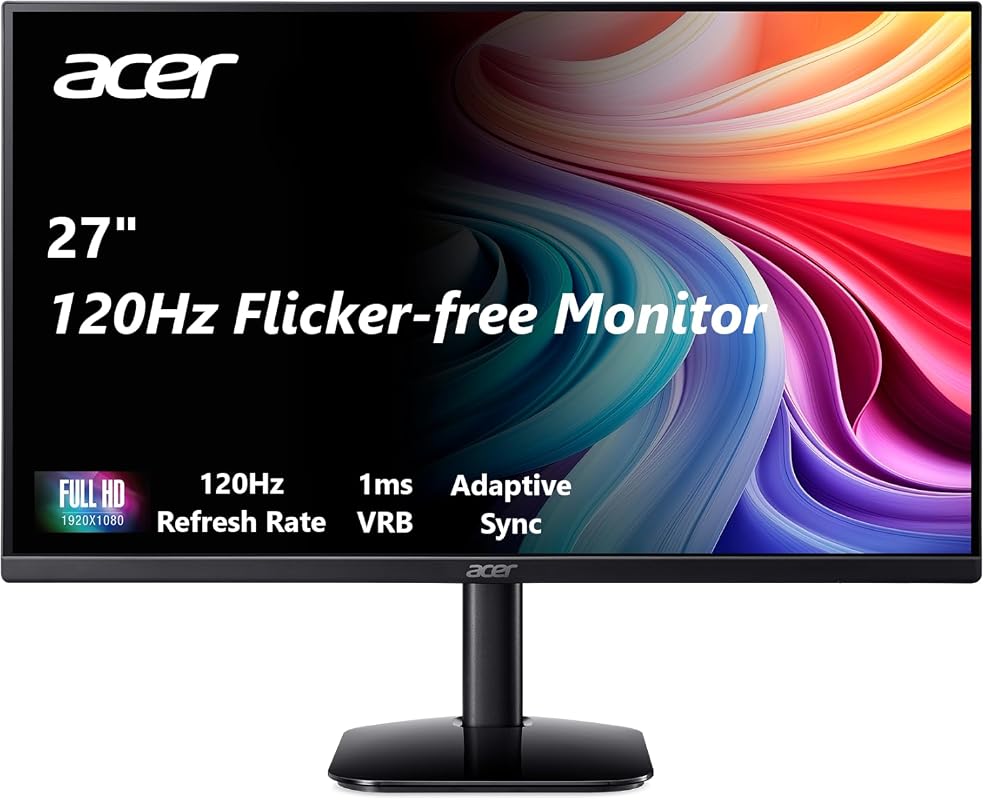
The Acer KB272 G0bi is an excellent all-around monitor, perfect for those seeking a smooth 1080p gaming experience on their Xbox. It combines a respectable refresh rate with a super-fast response time, ensuring you won’t miss a beat in competitive games. This monitor offers a fantastic balance of features for both gaming and general office use, making it a versatile choice.
Key Features That Stand Out
- ✓ Incredible Images: A 27-inch IPS panel with Full HD (1920 x 1080) resolution provides sharp and vibrant visuals for gaming and multimedia.
- ✓ Adaptive-Sync Support: FreeSync compatible, ensuring tear-free gaming by syncing the display’s refresh rate with your Xbox.
- ✓ Responsive Performance: A rapid 1ms response time eliminates motion blur, crucial for fast-paced action and competitive gaming.
- ✓ 120Hz Refresh Rate: Delivers a smoother visual experience compared to standard 60Hz monitors, making gameplay more fluid.
Why We Recommend It
As an Editor’s Choice for best gaming monitors for Xbox, the Acer KB272 G0bi stands out for its balanced performance and versatility. The 120Hz refresh rate and 1ms response time are key for console gaming, especially for the Xbox Series X/S. It offers a great value for gamers who prioritize smooth performance in FHD.
Best For
Ideal for Xbox gamers who primarily play at 1080p and want a monitor that excels in responsiveness and fluid gameplay, also suitable for a dual-purpose gaming and productivity setup.
Pros and Cons
Pros:
- Fast 1ms response time for blur-free action.
- 120Hz refresh rate provides very smooth visuals.
- Adaptive-Sync compatibility for tear-free gaming.
- Versatile for both gaming and everyday tasks.
Cons:
- 1080p resolution might not be sharp enough for some users on a 27-inch screen.
- Limited to 120Hz, not the absolute highest available refresh rate.
Customer Reviews
Customer Review: “This monitor is a dream for my Xbox Series S! 120Hz is a massive improvement, and the 1ms response time makes a real difference in shooters. Colors look great too.” – GamerGirl91
Customer Review: “I needed a new monitor for both gaming and work. This Acer fits the bill perfectly. Games on my Xbox look incredibly smooth, and it’s comfortable to use for hours. Highly recommend.” – TechSavvyDad
3. Sceptre 22-inch FHD 1080p Gaming Monitor with up to 144Hz and Speakers for Xbox.
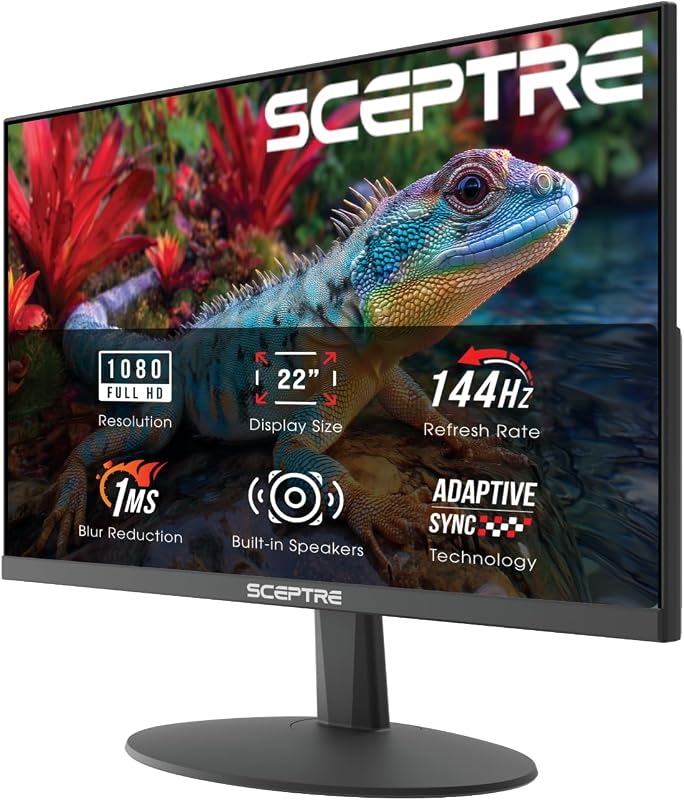
The Sceptre 22-inch FHD gaming monitor offers incredible value for Xbox players on a tighter budget. It packs essential gaming features like a high refresh rate and integrated speakers into a compact and affordable package. This monitor proves you don’t have to break the bank to enjoy smooth and immersive Xbox gameplay.
Key Features That Stand Out
- ✓ Integrated Speakers: Built-in speakers deliver convenient, rich, and seamless audio without needing external accessories.
- ✓ Easy on the Eyes: Blue-Light Shift technology reduces harmful blue light emissions, enhancing comfort during long gaming sessions.
- ✓ Widen Your Perspective: A sleek, minimal bezel design ensures an immersive viewing experience, great for single or dual monitor setups.
- ✓ High Refresh Rate: Up to 144Hz refresh rate provides very fluid motion, perfect for fast-paced Xbox titles.
Why We Recommend It
For those searching for the best budget gaming monitors for Xbox, this Sceptre model is a clear winner. Its 144Hz refresh rate is fantastic for responsive gameplay, and the integrated speakers are a convenient bonus. It’s a solid, feature-rich choice that won’t strain your wallet while still significantly upgrading your Xbox experience.
Best For
Gamers seeking an affordable yet high-performing 1080p monitor for their Xbox, especially those with limited desk space or who appreciate built-in audio solutions.
Pros and Cons
Pros:
- Excellent value for its gaming features.
- 144Hz refresh rate provides smooth gameplay.
- Built-in speakers offer convenience.
- Blue-Light Shift for eye comfort during long sessions.
Cons:
- 22-inch screen might feel small to some users.
- 1080p resolution is standard, not QHD or 4K.
Customer Reviews
Customer Review: “Got this for my son’s Xbox Series S, and he loves it! The picture is clear, and the 144Hz makes a huge difference. He even uses the built-in speakers sometimes which are surprisingly decent.” – HappyParent
Customer Review: “For the price, you really can’t beat this monitor. Playing Apex Legends on my Xbox feels so much better now. The slim bezels look great too.” – BudgetGamer77
4. ASUS TUF Gaming VG27AQ3A 27 Inch 1440p 180Hz G-SYNC Gaming Monitor
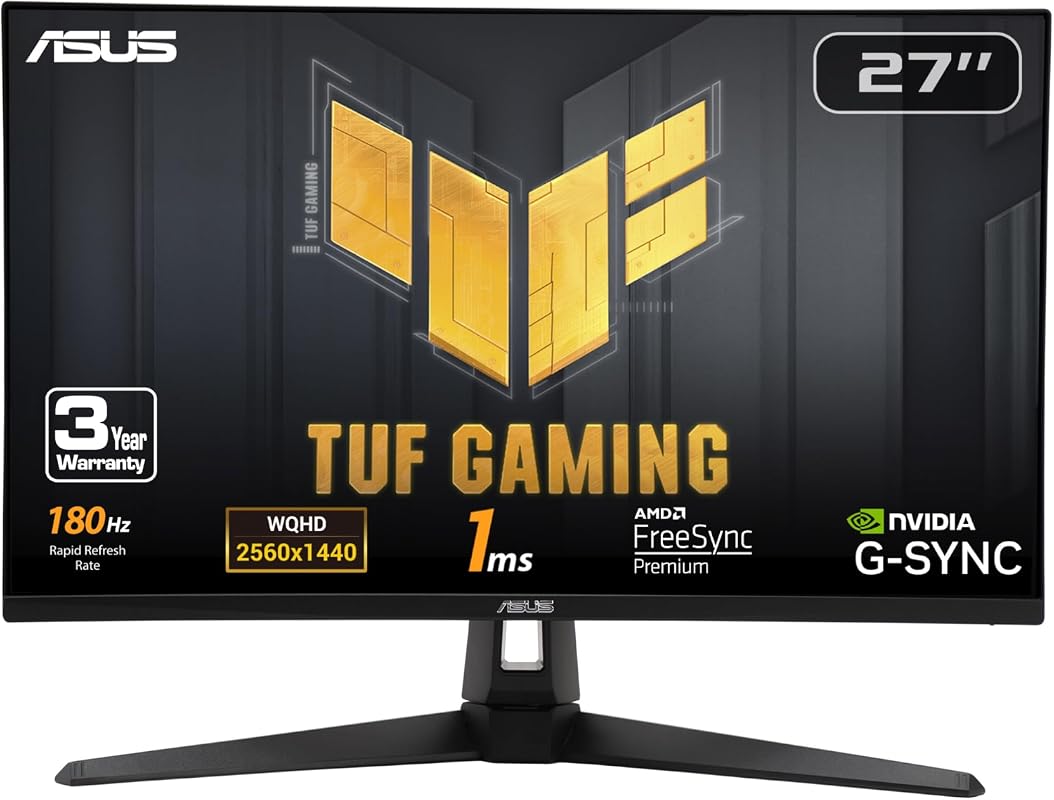
The ASUS TUF Gaming VG27AQ3A is a premium monitor designed for serious gamers who demand the very best visuals and performance from their Xbox. With its high resolution, rapid refresh rate, and advanced synchronization technologies, it provides an exceptionally immersive and fluid gaming experience. This monitor truly brings out the best in modern Xbox titles.
Key Features That Stand Out
- ✓ High-Resolution QHD Gaming: A 27-inch QHD (2560 x 1440) display with a 180Hz refresh rate, crafted for immersive gaming.
- ✓ ASUS Extreme Low Motion Blur Sync: ELMB Sync allows ELMB and variable-refresh-rate technologies to work simultaneously for incredibly sharp motion.
- ✓ Advanced Synchronization: FreeSync Premium, G-Sync compatible, and AdaptiveSync technology ensure a seamless, tear-free gaming experience on Xbox.
- ✓ Vibrant IPS Panel: Delivers excellent color accuracy and wide viewing angles, making games look spectacular from any perspective.
Why We Recommend It
We highly recommend the ASUS TUF Gaming VG27AQ3A as one of the best gaming monitors for Xbox Series X . Its combination of QHD resolution, 180Hz refresh rate, and comprehensive adaptive sync support (including G-Sync compatibility for PC users) makes it incredibly versatile. ELMB Sync is a fantastic addition for crystal-clear motion.
Best For
Discerning Xbox Series X/S gamers who want top-tier performance, crisp QHD visuals, and advanced motion handling features, and who might also use the monitor for PC gaming.
Pros and Cons
Pros:
- Stunning QHD resolution and high 180Hz refresh rate.
- ELMB Sync delivers exceptional motion clarity.
- Wide compatibility with FreeSync, G-Sync, and AdaptiveSync.
- Robust build quality and gamer-focused features.
Cons:
- Premium price point.
- Overkill for casual gamers or older Xbox consoles.
Customer Reviews
Customer Review: “This monitor is everything I hoped for and more for my Xbox Series X. The 1440p resolution at 180Hz is just buttery smooth. It’s a game-changer for competitive multiplayer!” – ProGamer_Matt
Customer Review: “After a lot of research, I chose the ASUS TUF, and I’m so glad I did. The picture quality is amazing, and I love how everything just syncs up with my Xbox. No stuttering, no tearing, just pure gaming.” – VisualMaster
5. Sceptre Curved 24-inch 1080p Gaming Monitor with Dual HDMI and Speakers for Xbox.
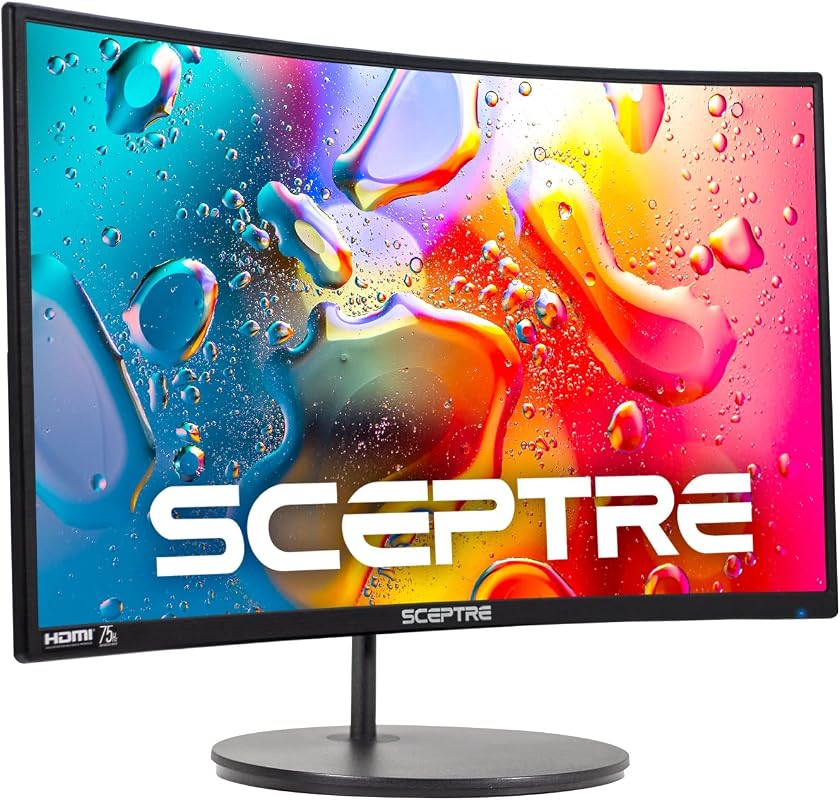
The Sceptre Curved 24-inch monitor offers an engaging gaming experience with its immersive curvature and practical features, all at an accessible price. Its design aims to pull you deeper into your games, making it a solid choice for Xbox players who value immersion. With multiple connectivity options and built-in audio, it’s a convenient package.
Key Features That Stand Out
- ✓ 1800R Curved Display: The immersive curvature provides a revolutionary visual experience, wrapping the images around you.
- ✓ Dual HDMI & VGA Ports: Offers versatile connectivity options for your Xbox and other devices.
- ✓ Integrated Speakers: Convenient built-in speakers provide audio without the need for external devices.
- ✓ 75Hz Refresh Rate: A slightly elevated refresh rate compared to standard 60Hz, offering smoother motion for gaming.
Why We Recommend It
This Sceptre curved monitor is a unique option among the best gaming monitors for Xbox, particularly for those who appreciate the immersive feel of a curved screen without spending a fortune. The 75Hz refresh rate is a subtle but welcome upgrade over 60Hz, providing a noticeably smoother experience for many Xbox titles, and the dual HDMI is very practical.
Best For
Xbox gamers who desire an immersive curved screen experience, prefer a compact 24-inch size, and need a monitor with convenient integrated speakers and multiple input options.
Pros and Cons
Pros:
- Immersive 1800R curved design enhances gaming.
- Integrated speakers are a convenient bonus.
- Dual HDMI ports for connecting multiple devices.
- Budget-friendly option with a 75Hz refresh rate.
Cons:
- 75Hz refresh rate is lower than other gaming monitors.
- 1080p resolution on a 24-inch screen is standard.
Customer Reviews
Customer Review: “I wasn’t sure about a curved monitor, but this Sceptre won me over. Playing racing games on my Xbox feels so much more immersive now. And the speakers are decent for casual gaming.” – CurvedFanatic
Customer Review: “Great little monitor for my gaming nook. The picture is crisp, and having two HDMI ports is super handy for switching between my Xbox and PC. Definitely worth it for the price.” – CompactGamer
Complete Buying Guide for Best Gaming Monitors For Xbox
Essential Factors We Consider
When looking for the best gaming monitors for Xbox, several factors are super important. First off, resolution is key. For Xbox Series X, a 1440p (QHD) monitor is often the sweet spot, offering sharp visuals without being as demanding as 4K. If you have an Xbox Series S or prefer higher frame rates over ultra-sharp visuals, 1080p (FHD) is still a great choice. Next, refresh rate matters immensely for smooth gameplay. Look for at least 120Hz to take full advantage of what modern Xbox consoles offer. Higher rates like 144Hz or 180Hz are even better. Response time is also crucial, especially for competitive games. Aim for 1ms to minimize motion blur. Finally, Adaptive Sync technology (like FreeSync) is a must-have to prevent screen tearing and stuttering, ensuring a fluid experience. Also, consider the panel type (IPS for colors, VA for contrast) and connectivity (HDMI 2.0 or 2.1).
Budget Planning
Your budget will naturally influence your choices for the best gaming monitors for Xbox. You can find excellent 1080p/120Hz monitors for under $200, which are perfect for casual gamers or those on a tighter budget. Stepping up to 1440p/144Hz-180Hz will typically put you in the $250-$400 range, offering a significant upgrade in both clarity and smoothness. If you’re eyeing 4K monitors or displays with advanced features like HDR, expect to pay upwards of $500 or more. Remember, while it’s tempting to go for the cheapest option, investing a bit more can drastically improve your long-term gaming enjoyment and visual fidelity.
Final Thoughts
Choosing the right monitor is a personal journey, but focusing on resolution, refresh rate, response time, and adaptive sync will guide you to a fantastic experience. Think about your gaming habits and what truly matters most to you in a display. Whether you prioritize vibrant colors, lightning-fast response, or a cinematic curved view, there’s a perfect Xbox monitor out there waiting for you.
Frequently Asked Questions
Q: What’s the ideal resolution for Xbox Series X on a monitor?
A: For the Xbox Series X, 1440p (QHD) is often considered ideal. It provides a significant visual upgrade over 1080p, offering crisp images, while still allowing for high refresh rates (120Hz+) in many games. 4K is also an option, but it’s more demanding and fewer games will hit 120Hz at that resolution on the console.
Q: Do I need HDMI 2.1 for an Xbox gaming monitor?
A: HDMI 2.1 is primarily needed if you want to play at 4K resolution at 120Hz, which the Xbox Series X supports. For 1440p at 120Hz or 1080p at 120Hz/144Hz, HDMI 2.0 is perfectly sufficient. If you plan on pushing your Xbox Series X to its graphical limits on a 4K display, HDMI 2.1 is highly recommended.
Q: What is FreeSync and why is it important for Xbox?
A: FreeSync is an adaptive synchronization technology that helps eliminate screen tearing and stuttering. It does this by synchronizing the monitor’s refresh rate with the frame rate output by your Xbox. Since all Xbox Series X and Series S consoles support FreeSync (or AMD FreeSync Premium), it’s a crucial feature to look for in a monitor for the smoothest possible gaming experience.
Q: Is a curved monitor good for Xbox gaming?
A: A curved monitor can enhance immersion in gaming by wrapping the image slightly around your field of view, which can be particularly enjoyable for single-player adventure or racing games. However, it’s largely a matter of personal preference. Performance-wise, a curved monitor offers the same benefits as a flat one with similar specs (refresh rate, response time, etc.).
Q: What size monitor is best for Xbox gaming?
A: The best monitor size for Xbox gaming often comes down to personal preference and how close you sit to the screen. For 1080p, 22-24 inches is common. For 1440p, 27 inches is a popular sweet spot, balancing immersion with pixel density. Larger sizes like 32 inches can be great for 1440p or 4K if you have the desk space and sit a bit further back.
There you have it – our top picks for the best gaming monitors for Xbox, along with a comprehensive guide to help you make an informed decision. Investing in a quality gaming monitor is one of the best ways to truly unlock the potential of your Xbox Series X or S. From competitive refresh rates to stunning resolutions and tear-free adaptive sync, these monitors are designed to give you the edge and immerse you deeper into your games. Ready to upgrade your setup? Click the “Check Price on Amazon” buttons above to find the perfect monitor that matches your gaming style and budget, and get ready for an unparalleled Xbox experience!