Welcome to our comprehensive guide on finding the best multimedia monitors for your setup! Whether you’re a casual user, a content creator, or someone who loves to dive into immersive entertainment, a great multimedia monitor can make all the difference. These versatile displays are designed to handle a wide range of tasks, from productivity and web browsing to movie watching and light gaming, offering a perfect blend of visual quality, connectivity, and user-friendly features. We’ve meticulously reviewed a selection of top-rated multimedia monitors to help you find the perfect screen that balances performance with your budget and needs. Let’s dive in and discover your next display upgrade!
Quick Product Comparison
Our Top 10 Best Multimedia Monitors In 2026
1. Sceptre 27-inch 1500R Curved Multimedia Monitor
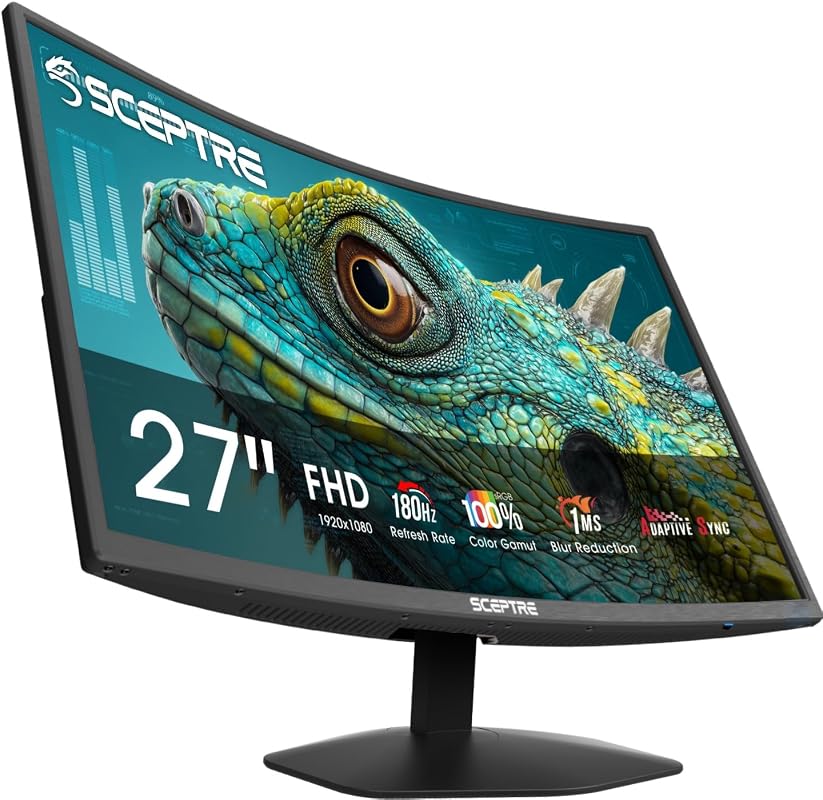
The Sceptre 27-inch 1500R Curved Multimedia Monitor stands out as a fantastic all-rounder, offering an immersive viewing experience. Its curved design draws you into the action, whether you’re working, watching movies, or playing games. With a fast refresh rate and quick response time, this monitor delivers smooth, fluid visuals perfect for dynamic content.
Key Features That Stand Out
- ✓ 1500R Curved Design: Provides an immersive field of view, enhancing your perception of depth.
- ✓ 180Hz Refresh Rate & 1ms Response Time: Delivers ultra-smooth visuals, crucial for fast-paced content and gaming.
- ✓ 100% sRGB Color Gamut: Ensures vibrant, true-to-life colors for a rich visual experience.
- ✓ Built-in Speakers: Offers convenient audio without needing external speakers, perfect for a clutter-free desk.
- ✓ Blue-Light Shift Technology: Reduces eye strain during long usage periods, promoting comfort.
Why We Recommend It
We highly recommend this Sceptre multimedia monitor for its blend of immersive design and high-performance features. The curved screen makes everything feel more engaging, while the high refresh rate and low response time ensure a smooth, tear-free experience. Plus, the built-in speakers and eye-care technology make it a practical and comfortable choice for extended use.
Best For
This monitor is best for users seeking an immersive experience for both entertainment and productivity, including casual gamers, movie enthusiasts, and professionals who appreciate vibrant visuals and comfortable viewing.
Pros and Cons
Pros:
- Excellent immersion with 1500R curve
- Very smooth motion with 180Hz and 1ms
- Accurate and vibrant colors (100% sRGB)
- Convenient integrated speakers
Cons:
- Curved screen might not be preferred by all for certain productivity tasks
- Full HD resolution on 27-inch might show pixels for some users
Customer Reviews
Customer Review: “I was looking for a monitor that could do it all, and this Sceptre delivers. The curved screen is surprisingly comfortable for work, and gaming looks fantastic with the high refresh rate. The colors are really punchy too!” – Alex R.
2. KTC 32-inch 2K QHD Multimedia Monitor with IPS Panel
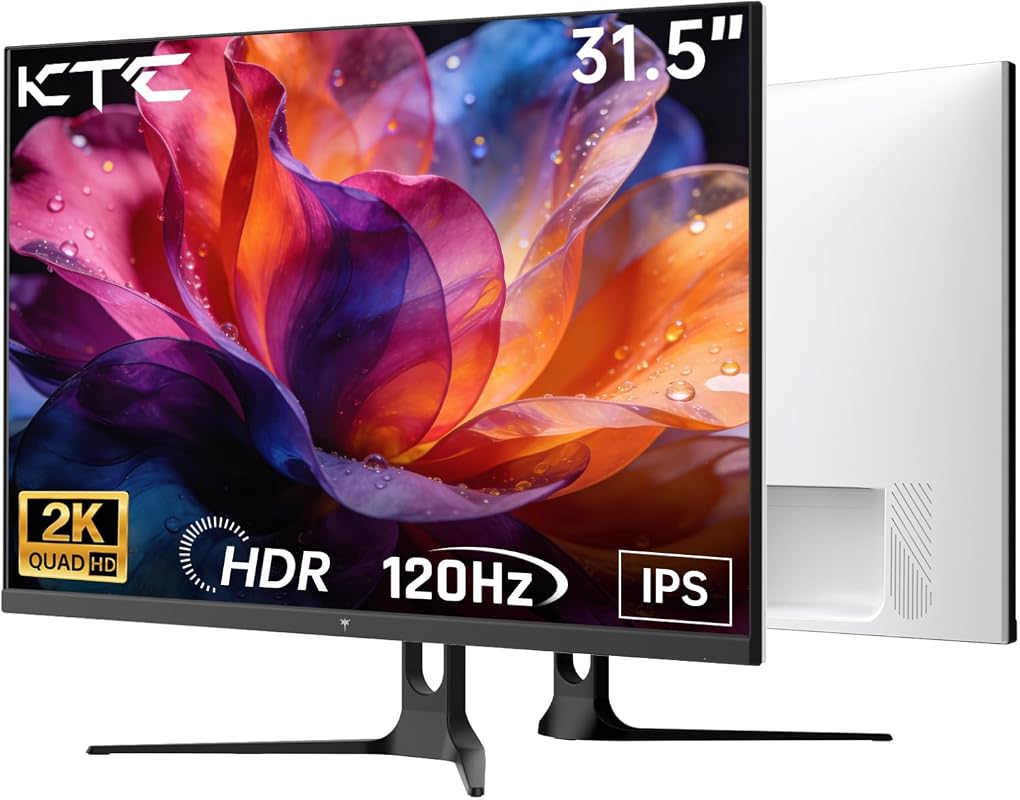
The KTC 32-inch 2K QHD Multimedia Monitor is a powerhouse for those who demand expansive visuals and crisp detail. Its large IPS panel combined with a higher resolution and refresh rate makes it an excellent choice for a variety of multimedia tasks, from intricate graphic design to fluid gaming. This monitor truly enhances your digital world.
Key Features That Stand Out
- ✓ 32-inch 2K QHD (2560×1440) Display: Offers expansive screen real estate with sharp, detailed visuals.
- ✓ IPS Panel: Delivers vibrant colors and wide viewing angles for consistent image quality.
- ✓ 120Hz Refresh Rate (Overclockable): Ensures exceptionally smooth motion, ideal for both gaming and general use.
- ✓ Adaptive-Sync Technology: Eliminates screen tearing and stuttering for a seamless visual experience.
- ✓ HDR10 Support & 109% sRGB: Provides vivid colors and enhanced contrast for immersive multimedia content.
Why We Recommend It
We selected the KTC 32-inch as an Editor’s Choice because it strikes an impressive balance between size, resolution, and performance. The QHD resolution on a 32-inch screen offers plenty of space for multitasking, while the IPS panel and HDR10 support ensure stunning image quality. It’s a versatile multimedia monitor that truly elevates any desktop.
Best For
This monitor is best for content creators, multitaskers, and gamers who need a large, high-resolution display with excellent color accuracy and smooth performance.
Pros and Cons
Pros:
- Large and spacious 32-inch screen
- Sharp 2K QHD resolution
- Vibrant colors and wide viewing angles with IPS panel
- Smooth 120Hz refresh rate with Adaptive-Sync
Cons:
- May be too large for smaller desks
- QHD might require a more capable graphics card for gaming
Customer Reviews
Customer Review: “Upgraded from a 27-inch 1080p, and the difference is night and day. The KTC 32-inch is perfect for my video editing and occasional gaming. Colors are fantastic, and no tearing with FreeSync.” – David L.
3. Sceptre 22-inch Multimedia Monitor
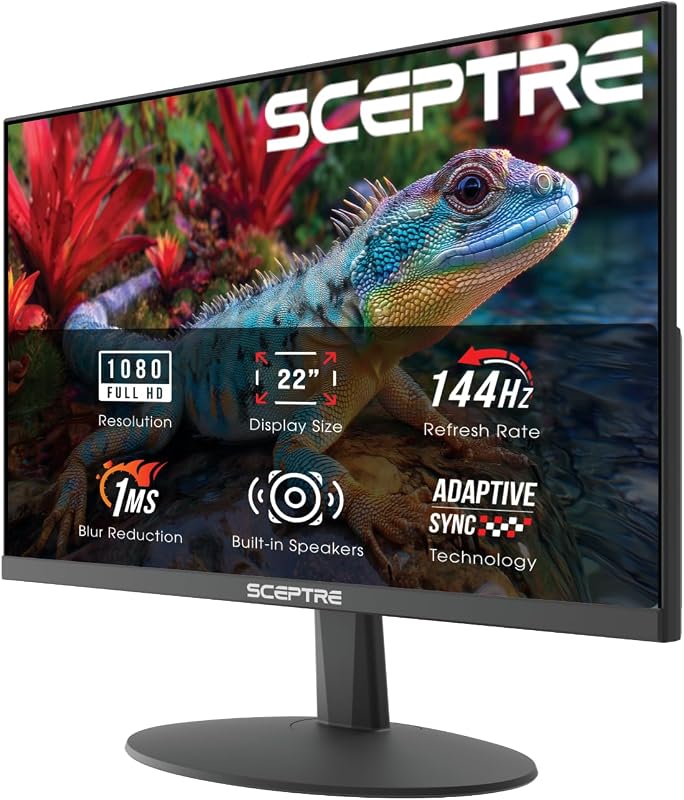
For those mindful of their budget but unwilling to compromise on performance, the Sceptre 22-inch Multimedia Monitor is an outstanding choice. It packs impressive features like a 144Hz refresh rate into a compact and affordable package. This monitor is ideal for students, home offices, or anyone needing a reliable display for everyday tasks and casual entertainment.
Key Features That Stand Out
- ✓ 22-inch FHD 1080p Display: Provides crisp and clear visuals suitable for daily work and entertainment.
- ✓ 144Hz Refresh Rate: Delivers smooth motion, making scrolling, video playback, and casual gaming much more enjoyable.
- ✓ Built-in Speakers: Offers convenient audio, reducing the need for additional desktop clutter.
- ✓ Blue-Light Shift Technology: Helps to minimize eye strain during prolonged viewing sessions.
- ✓ Minimal Bezel Design: Creates a sleek look and is ideal for multi-monitor setups.
Why We Recommend It
This Sceptre monitor is our top budget pick because it offers incredible value without sacrificing key multimedia features. The 144Hz refresh rate is a significant upgrade over standard 60Hz monitors, providing a noticeably smoother experience. Its compact size also makes it a great fit for smaller workspaces, proving that you don’t need to spend a fortune to get a great multimedia monitor.
Best For
This monitor is best for budget-conscious users, students, or anyone needing a reliable, smooth-performing display for everyday tasks, media consumption, and casual gaming in a smaller footprint.
Pros and Cons
Pros:
- Excellent value for money
- Smooth 144Hz refresh rate at an affordable price
- Compact size ideal for smaller desks
- Convenient built-in speakers
Cons:
- Smaller screen size (22-inch) might be limiting for some users
- 1080p resolution isn’t as sharp as QHD or 4K
Customer Reviews
Customer Review: “I needed an affordable monitor for my home office setup that could also handle some light gaming, and this Sceptre hit the mark perfectly. The 144Hz feels incredibly smooth for the price!” – Chris B.
4. Philips 22-inch FHD Multimedia Monitor with IPS Panel
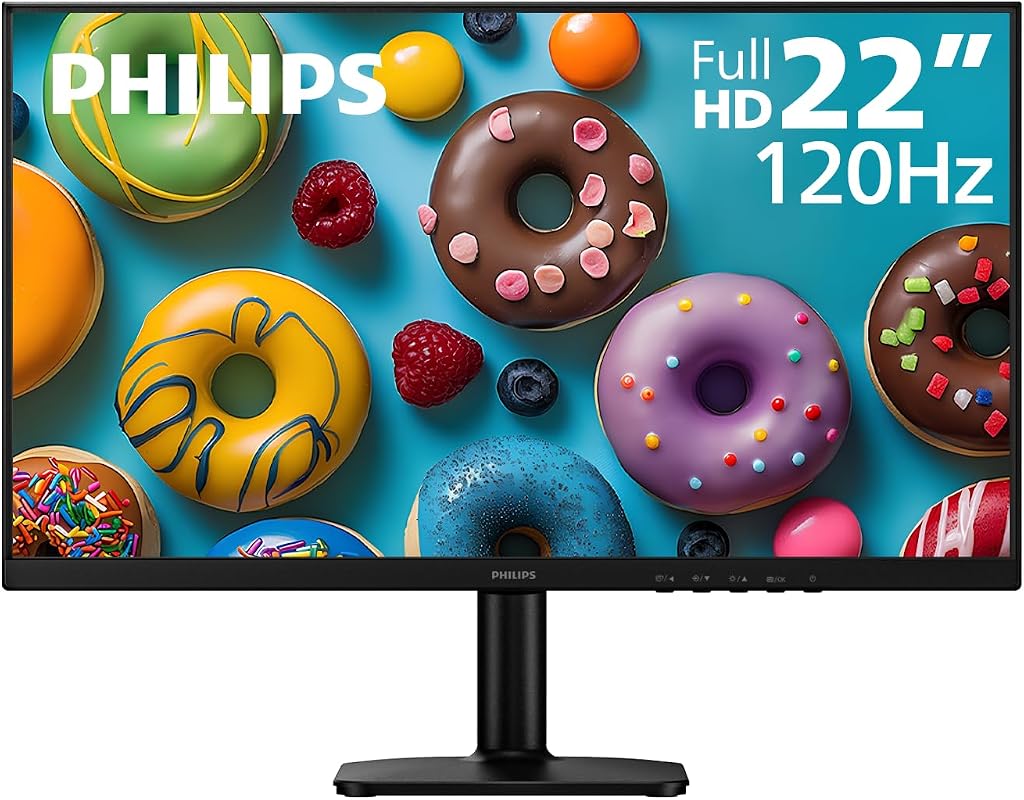
The Philips 22-inch FHD Multimedia Monitor is a compact yet feature-rich option, perfect for users seeking crisp visuals and smooth performance in a smaller form factor. Its IPS panel ensures excellent color reproduction and wide viewing angles, making it a reliable choice for both work and play. The added VESA mount compatibility provides flexibility for ergonomic setups.
Key Features That Stand Out
- ✓ Full HD IPS Display: Delivers vibrant visuals and sharp details with wide viewing angles.
- ✓ 120Hz Refresh Rate & 1ms MPRT: Provides smooth motion and reduces blur for a fluid experience.
- ✓ Adaptive-Sync Technology: Ensures tear-free and stutter-free visuals, especially during dynamic content.
- ✓ VESA Mount Compatible: Allows for easy mounting on monitor arms or wall mounts for ergonomic flexibility.
- ✓ Compact 22-inch Size: Ideal for smaller desks or multi-monitor configurations.
Why We Recommend It
This Philips monitor is a strong recommendation for anyone prioritizing visual quality and smooth performance in a compact design. The IPS panel, combined with a 120Hz refresh rate, offers a superior viewing experience compared to many monitors in its class. Its versatility with VESA mounting makes it a practical choice for various workspace needs.
Best For
This monitor is best for students, home office users, or compact setups where space is a premium, and a balance of clear visuals and smooth performance is desired.
Pros and Cons
Pros:
- Excellent picture quality with IPS panel
- Smooth 120Hz refresh rate and quick 1ms MPRT
- Adaptive-Sync for tear-free experience
- VESA mount compatibility for flexible setup
Cons:
- Smaller screen size may not suit all users
- External speakers needed as it lacks built-in audio
Customer Reviews
Customer Review: “Perfect size for my small desk, and the image quality is surprisingly good for a 22-inch. The 120Hz refresh rate is a game-changer for casual gaming and makes daily use feel much smoother.” – Jessica P.
5. Acer 27-inch FHD Multimedia Monitor with IPS Panel and 120Hz Refresh Rate.
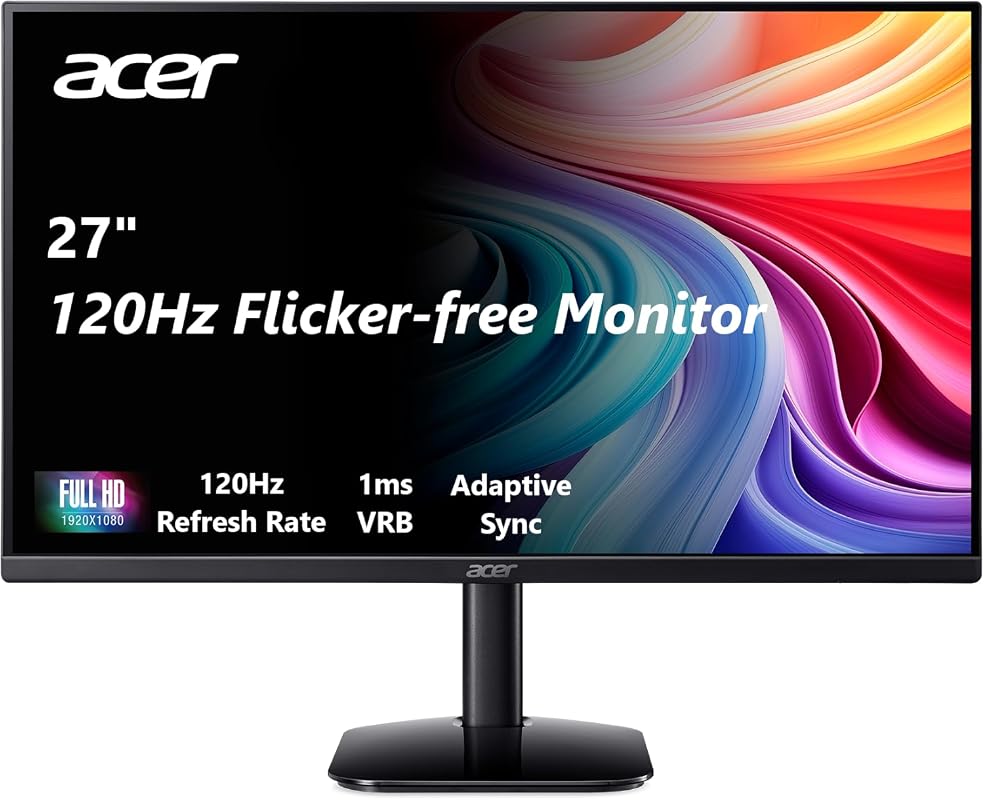
The Acer 27-inch FHD Multimedia Monitor offers a generous screen size combined with an IPS panel and a fast refresh rate, making it a compelling choice for a wide range of uses. Whether you’re working on spreadsheets, watching movies, or engaging in some casual gaming, this monitor delivers incredible images and a responsive experience. It’s a solid contender for one of the best multimedia monitors.
Key Features That Stand Out
- ✓ 27-inch Full HD (1920×1080) IPS Display: Provides crisp images with vibrant colors and wide viewing angles.
- ✓ 120Hz Refresh Rate: Ensures smooth, fluid motion, enhancing both work and entertainment.
- ✓ 1ms Response Time: Minimizes ghosting and blurring for a sharp and responsive visual experience.
- ✓ Adaptive-Sync Support (FreeSync Compatible): Eliminates screen tearing and stuttering for smooth gameplay.
- ✓ 16:9 Aspect Ratio: Standard widescreen format ideal for movies and general computing.
Why We Recommend It
We recommend the Acer 27-inch monitor for its excellent balance of screen size, visual quality, and speed. The IPS panel ensures consistent and accurate colors, which is great for any media consumption. Combined with the 120Hz refresh rate and 1ms response time, it offers a truly engaging experience without breaking the bank.
Best For
This monitor is best for users looking for a larger screen for multitasking and immersive media, including casual gamers and general home office use.
Pros and Cons
Pros:
- Large 27-inch screen for better immersion and productivity
- Vibrant colors and wide viewing angles with IPS technology
- Smooth 120Hz refresh rate and rapid 1ms response time
- Adaptive-Sync compatibility for tear-free visuals
Cons:
- 1080p resolution on a 27-inch screen may appear less sharp to some
- No built-in speakers, requiring external audio
Customer Reviews
Customer Review: “Acer consistently delivers, and this monitor is no exception. The 27-inch size is perfect for my workflow, and the 120Hz refresh rate makes everything from browsing to gaming feel incredibly fluid. Great purchase!” – Mark D.
6. Philips 24-inch FHD Multimedia Monitor
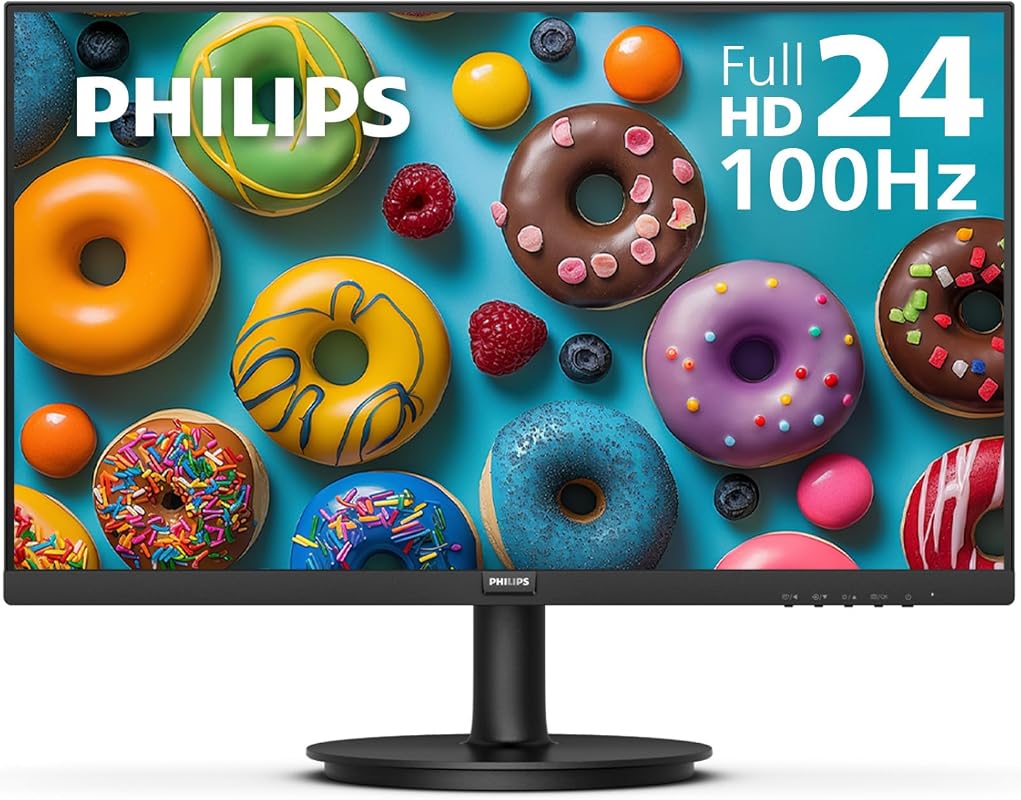
The Philips 24-inch FHD Multimedia Monitor is a strong contender for those who value deep blacks and high contrast. Featuring a VA panel, it excels in delivering rich, immersive visuals, particularly for movie watching and dark scenes in games. With a 100Hz refresh rate and flicker-free technology, it provides a comfortable and engaging viewing experience for hours on end.
Key Features That Stand Out
- ✓ 23.8-inch Full HD (1920×1080) VA Panel: Produces impressive contrast with deeper blacks and brighter whites.
- ✓ 100Hz Refresh Rate: Offers a smoother visual experience than standard 60Hz monitors.
- ✓ 178/178 Degree Wide Viewing Angle: Ensures consistent color and clarity from various perspectives.
- ✓ Flicker-Free Technology: Reduces eye strain and fatigue during long periods of use.
- ✓ VESA Mount Compatible: Provides flexibility for mounting options, enhancing ergonomics.
Why We Recommend It
This Philips monitor is recommended for its excellent contrast and immersive visual quality, thanks to its VA panel. The 100Hz refresh rate is a welcome upgrade for smoother scrolling and media playback, and the flicker-free technology is a huge plus for eye comfort. It’s a solid, well-rounded multimedia monitor for daily use.
Best For
This monitor is best for users who prioritize cinematic viewing with deep blacks, casual gamers, and anyone needing a comfortable display for prolonged usage.
Pros and Cons
Pros:
- Superior contrast ratio with VA panel for deep blacks
- Comfortable viewing with Flicker-Free technology
- Smooth 100Hz refresh rate
- Wide viewing angles maintain image quality
Cons:
- Response time may be slightly slower than IPS/TN panels
- No built-in speakers
Customer Reviews
Customer Review: “I primarily use this monitor for watching movies and light gaming, and the contrast is amazing. Dark scenes look so much better than my old IPS monitor. The 100Hz is a nice bonus too.” – Ethan W.
7. LG 27-inch Full HD IPS Multimedia Monitor with 120Hz
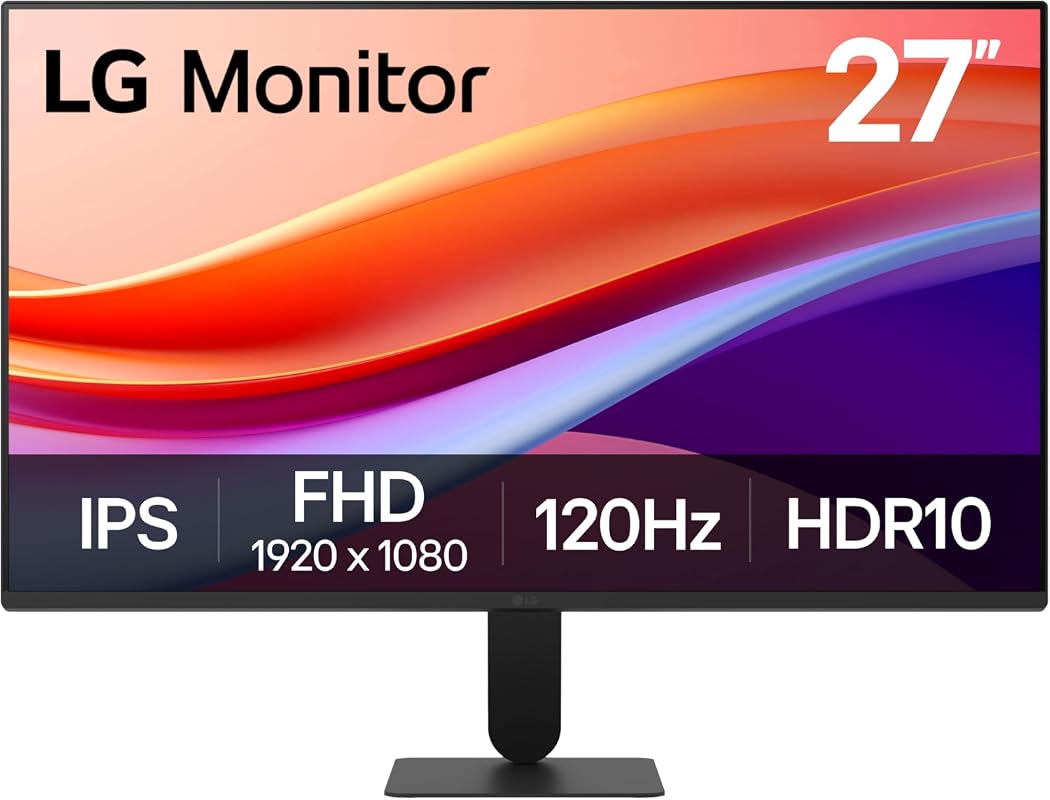
The LG 27-inch Full HD IPS Multimedia Monitor combines LG’s reputation for quality displays with features that enhance both productivity and entertainment. Its vibrant IPS panel and virtually borderless design create an expansive and immersive viewing canvas. With a 120Hz refresh rate and HDR10 support, this monitor delivers crisp, vivid, and smooth visuals for all your multimedia needs.
Key Features That Stand Out
- ✓ 27-inch Full HD (1920×1080) IPS Display: Offers vivid colors and sharp details with wide viewing angles.
- ✓ Virtually Borderless Design: Creates a sleek, modern aesthetic and is perfect for multi-monitor setups.
- ✓ 120Hz Refresh Rate: Provides smoother frame transitions for a more fluid visual experience.
- ✓ HDR10 Support: Enhances dynamic range for brighter whites and deeper blacks, bringing content to life.
- ✓ Flicker Safe Technology: Reduces screen flicker to minimize eye strain and enhance comfort.
Why We Recommend It
LG is known for its excellent displays, and this 27-inch model lives up to that reputation. The IPS panel with HDR10 support ensures stunning visuals, making it ideal for content consumption and creation. The 120Hz refresh rate offers a noticeable upgrade in smoothness, and the Flicker Safe feature makes it a comfortable choice for long work or entertainment sessions. It’s truly a great multimedia monitor.
Best For
This monitor is best for users who prioritize visual quality and a modern design for both productivity and immersive media consumption, including light gaming.
Pros and Cons
Pros:
- Vibrant and accurate colors with IPS panel and HDR10
- Sleek, virtually borderless design
- Smooth 120Hz refresh rate
- Flicker Safe technology for eye comfort
Cons:
- 1080p resolution on 27 inches might not be sharp enough for some users
- Lacks built-in speakers
Customer Reviews
Customer Review: “I’ve always trusted LG for displays, and this one doesn’t disappoint. The colors are beautiful, and the thin bezels look so clean on my desk. Gaming at 120Hz is a joy, even without G-Sync/FreeSync.” – Daniel S.
8. Acer 23.8-inch FHD Multimedia Monitor with IPS Panel and 120Hz Refresh Rate.
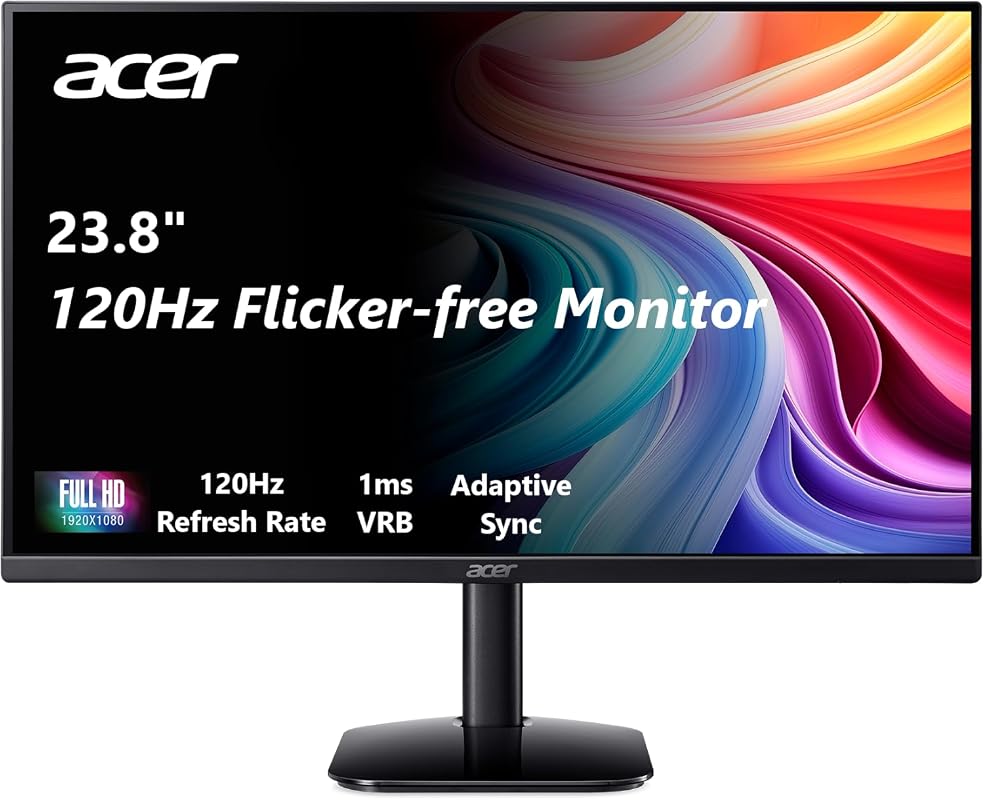
The Acer 23.8-inch FHD Multimedia Monitor offers a fantastic combination of size, visual quality, and responsiveness. Its IPS panel ensures consistent and vibrant colors, making it great for everything from photo viewing to everyday computing. With a speedy 120Hz refresh rate and 1ms response time, this monitor provides a fluid and enjoyable experience for all your multimedia activities.
Key Features That Stand Out
- ✓ 23.8-inch Full HD (1920×1080) IPS Display: Delivers sharp images with vibrant colors and wide viewing angles.
- ✓ 120Hz Refresh Rate: Ensures smooth and fluid motion for a more engaging visual experience.
- ✓ 1ms Response Time: Minimizes ghosting and blurring, crucial for fast-paced content and responsiveness.
- ✓ Adaptive-Sync Support (FreeSync Compatible): Eliminates screen tearing and stuttering, ensuring smooth visuals.
- ✓ 16:9 Aspect Ratio: Standard widescreen format ideal for multitasking and media consumption.
Why We Recommend It
We highly recommend the Acer 23.8-inch monitor as a versatile and performant multimedia monitor. The IPS panel provides excellent color accuracy, and the 120Hz refresh rate, coupled with 1ms response time, makes a noticeable difference in smoothness and responsiveness. It’s an ideal choice for anyone seeking a quality display for both work and play in a popular size.
Best For
This monitor is best for everyday users, students, and casual gamers who need a balanced display offering good visuals and smooth performance in a comfortable 24-inch class size.
Pros and Cons
Pros:
- Vibrant colors and wide viewing angles with IPS panel
- Smooth 120Hz refresh rate and fast 1ms response time
- Adaptive-Sync (FreeSync) for tear-free gaming
- Optimal screen size for many desk setups
Cons:
- No built-in speakers
- 1080p resolution is standard but not as sharp as QHD/4K
Customer Reviews
Customer Review: “I was looking for a good all-around monitor for my coding and streaming setup. This Acer multimedia monitor is perfect. The IPS panel looks great, and the 120Hz makes everything feel snappy.” – Noah S.
9. Sceptre 27-inch 1500R Curved Multimedia Monitor
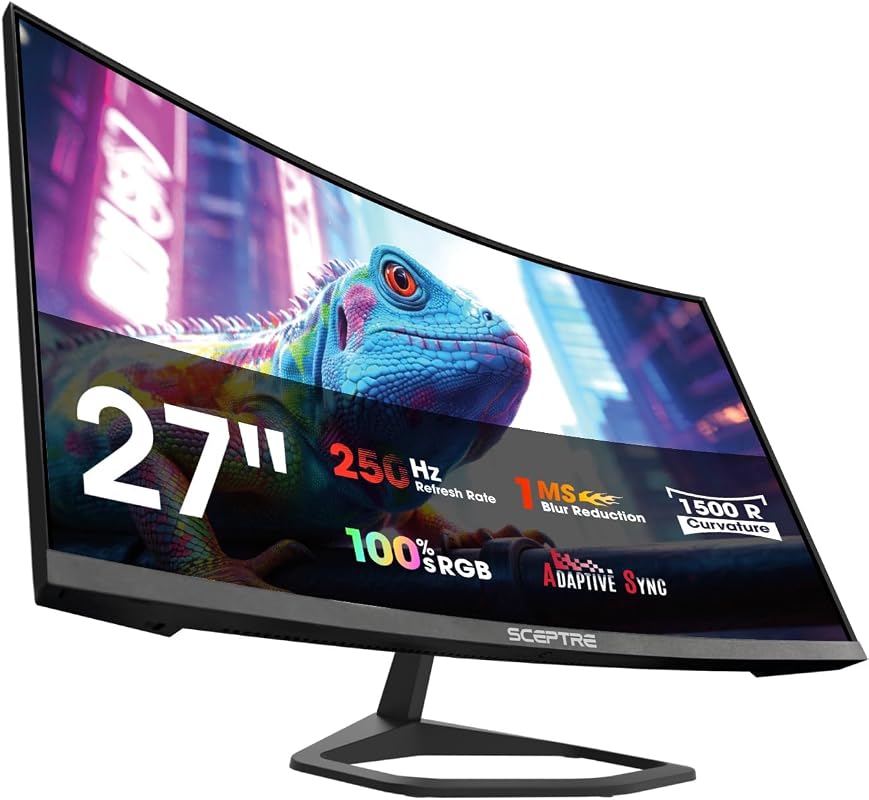
If you’re looking for an incredibly fast and immersive experience, the Sceptre 27-inch 1500R Curved Multimedia Monitor with a staggering 250Hz refresh rate is an excellent choice. This monitor is engineered to deliver ultra-smooth visuals, vibrant colors, and integrated audio, making it a standout option for gaming and fast-paced media. It’s truly a high-performance multimedia monitor.
Key Features That Stand Out
- ✓ 27-inch 1500R Curved Display: Provides a highly immersive viewing experience, especially for gaming and movies.
- ✓ Blazing 250Hz Refresh Rate: Delivers incredibly fluid motion, perfect for competitive gaming and fast-action content.
- ✓ 100% sRGB Color Gamut: Ensures accurate and vibrant colors for a rich visual presentation.
- ✓ Built-in Speakers: Offers convenient audio directly from the monitor, simplifying your setup.
- ✓ Blue-Light Shift Technology: Reduces blue light emissions to protect your eyes during extended use.
Why We Recommend It
We recommend this Sceptre monitor for its exceptional refresh rate, which provides an unparalleled level of smoothness. The curved design combined with 250Hz makes for an incredibly immersive experience, especially if you’re into competitive gaming. Plus, the 100% sRGB and built-in speakers round it out as a feature-rich multimedia powerhouse.
Best For
This monitor is best for competitive gamers and users who demand the absolute smoothest visuals for fast-paced content, along with an immersive curved experience.
Pros and Cons
Pros:
- Extremely high 250Hz refresh rate for unparalleled smoothness
- Immersive 1500R curved design
- Excellent color accuracy with 100% sRGB
- Convenient built-in speakers and eye-care features
Cons:
- 1080p resolution on 27-inch may lack pixel density for some
- High refresh rate might be overkill for casual users
Customer Reviews
Customer Review: “As a competitive gamer, the 250Hz refresh rate is a dream come true. The curved screen really adds to the immersion too. It’s a fantastic monitor for the price, truly boosts my gaming experience.” – Jake P.
10. Compact 19-inch HD Monitor with 60Hz Refresh Rate
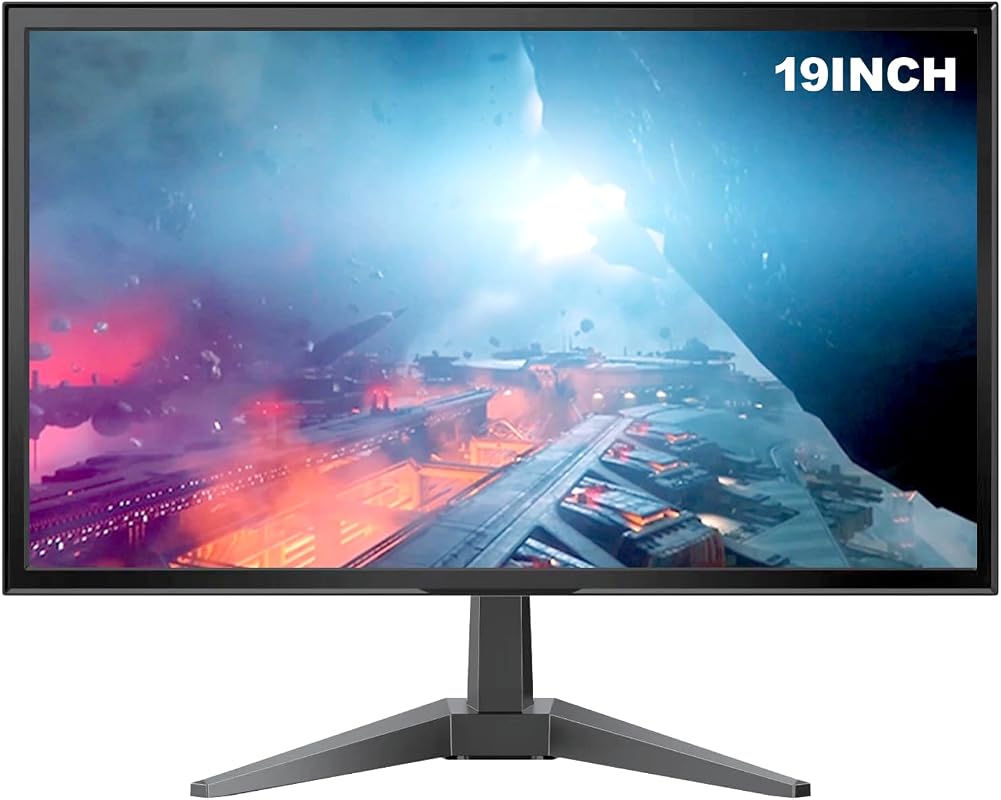
For those in need of a reliable, space-saving display for basic tasks, the Compact 19-inch HD Monitor is an excellent fit. It provides a clear 1440×900 HD+ resolution and versatile connectivity options, making it ideal for home offices, secondary displays, or systems with older hardware. Its compact size ensures it fits almost anywhere, offering fundamental features for everyday computing.
Key Features That Stand Out
- ✓ 19-inch HD+ (1440×900) Resolution: Provides clear and sharp visuals for general computing tasks.
- ✓ 60Hz Refresh Rate: Standard refresh rate suitable for everyday use, productivity, and web browsing.
- ✓ HDMI and VGA Connectivity: Offers dual connection options, compatible with both modern and older devices.
- ✓ 6ms Response Time: Ensures smooth transitions for most activities, reducing motion blur.
- ✓ Compact Design: Ideal for small workspaces, kiosks, or as a secondary monitor.
Why We Recommend It
We recommend this compact monitor for its practicality and versatility in specific scenarios. It’s not designed to be a high-end gaming monitor, but it excels as a dependable display for work, school, or as a secondary screen. The dual connectivity is a huge plus for compatibility, and its small footprint makes it incredibly flexible for various setups.
Best For
This monitor is best for users with limited desk space, those needing a secondary display, or anyone looking for an affordable and reliable monitor for basic computing tasks.
Pros and Cons
Pros:
- Highly compact and space-saving design
- Versatile HDMI and VGA connectivity
- Clear HD+ resolution for everyday tasks
- Very affordable price point
Cons:
- Standard 60Hz refresh rate is not ideal for gaming
- Lower resolution compared to Full HD or QHD
- Smaller screen size may limit multitasking ability
Customer Reviews
Customer Review: “Perfect little monitor for my old PC that only has VGA. The picture quality is clear enough for browsing and email, and it fits perfectly in my small home office nook. Great value.” – Kevin F.
Complete Buying Guide for Best Multimedia Monitors
Choosing the best multimedia monitor involves more than just picking the largest screen. It’s about finding a display that perfectly fits your specific needs for work, entertainment, and everything in between. Let’s break down the essential factors to consider when making your decision.
Essential Factors We Consider
When we evaluate multimedia monitors, we look at several key specifications that directly impact your experience:
- Screen Size and Resolution: Larger screens offer more immersive experiences, but resolution is key. For multimedia, Full HD (1920×1080) is a good baseline, but QHD (2560×1440) or even 4K (3840×2160) provide significantly sharper images, especially on larger displays. Consider your viewing distance and typical content.
- Panel Type (IPS, VA):
- IPS (In-Plane Switching) panels are renowned for their superior color accuracy and wide viewing angles, making them ideal for photo editing, graphic design, and general media consumption where color fidelity is crucial.
- VA (Vertical Alignment) panels offer excellent contrast ratios, delivering deeper blacks and vibrant colors, perfect for cinematic viewing and gaming in darker environments.
- Refresh Rate: Measured in Hertz (Hz), this indicates how many times the screen updates per second. A higher refresh rate (e.g., 120Hz, 144Hz, 180Hz, 250Hz) results in smoother motion, which is highly beneficial for gaming and simply makes everyday scrolling and video playback feel more fluid. For a true multimedia monitor, anything above 60Hz is a noticeable upgrade.
- Response Time: Measured in milliseconds (ms), this is how quickly a pixel can change color. Lower response times (e.g., 1ms, 4ms, 6ms) reduce motion blur and ghosting, making fast-paced action clearer, especially in gaming.
- Connectivity: Ensure the monitor has the ports you need. HDMI and DisplayPort are standard for high-resolution and high-refresh-rate connections. Some older systems might still require VGA. USB-C is increasingly popular for single-cable solutions.
- Built-in Speakers: While often not audiophile quality, built-in speakers offer convenience and help keep your desk clutter-free. For a dedicated multimedia monitor, this can be a nice bonus.
- Ergonomics and Features: Look for features like VESA mount compatibility for monitor arms, tilt/swivel/height adjustments for comfortable viewing, and eye-care technologies like Flicker-Free and Blue-Light Shift to reduce strain during long sessions.
Budget Planning
Your budget will significantly influence your choices for the best multimedia monitors. Entry-level models (under $200) often offer Full HD resolution and up to 75Hz refresh rates, suitable for basic use and casual streaming. Mid-range monitors ($200-$400) typically jump to 120Hz-144Hz refresh rates, IPS panels, and sometimes QHD resolution, providing a much-improved experience. High-end options ($400+) can feature 4K resolution, ultrawide formats, high refresh rates (180Hz-250Hz), advanced HDR, and premium build quality. Consider what features are most critical for your primary use and allocate your budget accordingly to get the most bang for your buck.
Final Thoughts
Ultimately, the best multimedia monitor for you will be one that meets your specific visual demands without overspending on features you won’t use. Carefully assess your primary activities—whether it’s graphic design, binge-watching, gaming, or general productivity—and match the monitor’s specifications to those needs. A thoughtful choice will ensure years of enjoyable and efficient use.
Frequently Asked Questions
Q: What is a multimedia monitor, and how is it different from a gaming monitor?
A: A multimedia monitor is designed to offer a balanced performance across various tasks, including browsing, working, streaming videos, and casual gaming. It typically emphasizes good color accuracy, decent refresh rates (often 75Hz-120Hz), and versatile connectivity. While a gaming monitor prioritizes very high refresh rates (144Hz+), low response times (1ms), and adaptive sync technologies to excel specifically in competitive gaming, a multimedia monitor aims for a more well-rounded experience without necessarily excelling in any single extreme.
Q: Is a curved monitor good for multimedia use?
A: Yes, a curved monitor can be excellent for multimedia use, especially for immersive experiences like watching movies or playing certain games. The curve helps to wrap the image around your field of view, making content feel more engaging and reducing peripheral distortion. However, for tasks requiring perfect straight lines, like detailed graphic design, some users might prefer a flat screen.
Q: Do I need built-in speakers in my multimedia monitor?
A: Built-in speakers are convenient for reducing desk clutter and providing basic audio for videos, calls, or casual listening. However, they generally don’t offer the same sound quality as dedicated external speakers or headphones. If audio fidelity is important to you, you’ll likely want to invest in separate audio equipment, but for everyday use, built-in speakers on a multimedia monitor are perfectly acceptable.
Q: What’s the difference between IPS and VA panels for multimedia?
A: IPS panels are known for their superior color accuracy and wider viewing angles, making them great for tasks where color fidelity is critical, such as photo editing and graphic design. VA panels, on the other hand, offer higher contrast ratios, producing deeper blacks and more vibrant colors, which is excellent for cinematic viewing and gaming, especially in darker scenes.
Q: Is 120Hz refresh rate good enough for a multimedia monitor?
A: Absolutely! While professional gamers might aim for 144Hz or higher, a 120Hz refresh rate is a significant upgrade over standard 60Hz monitors for a multimedia monitor. It provides noticeably smoother scrolling, more fluid video playback, and a much more responsive feel in everyday use and casual gaming. It strikes a great balance between performance and cost for most multimedia applications.
Choosing the perfect display can transform your daily computing experience. We hope this guide on the best multimedia monitors has armed you with all the information you need to make an informed decision. Remember to consider your primary uses, budget, and desired features to find a monitor that truly enhances your digital life. Ready to upgrade? Click through our recommendations to compare prices and find your next exceptional multimedia companion on Amazon!