
The quest for the ultimate desktop setup, whether it’s a command center for competitive gaming or a panoramic workspace for creative endeavors, often begins and ends with the monitor. We’ve all been there: squinting at a small screen, battling tearing visuals, or juggling multiple windows on a cramped display. It’s a common frustration, and finding a monitor that truly delivers an immersive, smooth, and productive experience without breaking the bank can feel like searching for a hidden gem.
Enter GIGABYTE, a brand synonymous with quality PC components and peripherals. Over the years, I’ve seen GIGABYTE consistently push the boundaries, offering performance-driven solutions across various product categories. When I had the opportunity to spend time with their G34WQCP Pro Version, a 34-inch curved gaming monitor, I was genuinely intrigued to see if it could live up to the brand’s reputation and address those common display pain points.
You can also take a look at KTC A32Q8 Review and also, ViewSonic TD1656-2K Review.
What makes this GIGABYTE monitor particularly noteworthy is its ambitious combination of features: a large, curved ultrawide panel, a blistering 180Hz refresh rate, and a rapid 1ms MPRT response time, all bundled with modern connectivity like USB Type-C and AMD FreeSync Premium. On paper, it promises a lot for its price point. I put it through its paces to see if this GIGABYTE offering is truly the versatile powerhouse many are searching for.
What is the GIGABYTE?
The GIGABYTE G34WQCP Pro Version is a 34-inch ultrawide curved monitor designed with a primary focus on gaming, but with strong capabilities for productivity and media consumption. Clad in a sleek, minimalist black finish, its design allows it to blend seamlessly into any setup. At its core is a WQHD (3440×1440) VA panel, which means you get excellent contrast levels, deep blacks, and wide viewing angles, all wrapped in an immersive curve that pulls you into the action.
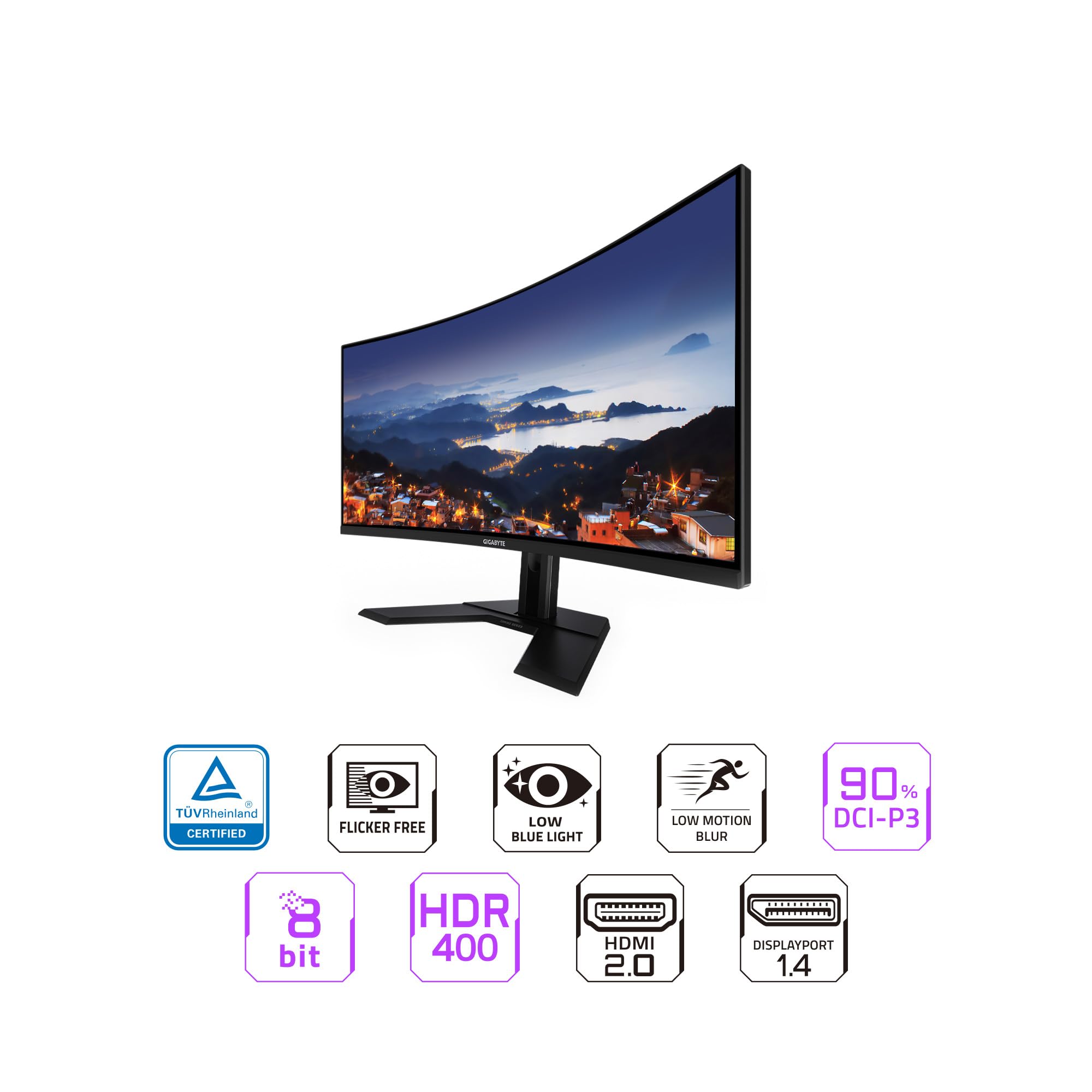
Key specifications include its impressive 180Hz refresh rate and a rapid 1ms MPRT (Moving Picture Response Time), crucial for fluid, blur-free motion in fast-paced games. It boasts AMD FreeSync Premium technology to eliminate screen tearing and stuttering, ensuring a smooth visual experience with compatible graphics cards. Color reproduction is handled by a 90% DCI-P3 color gamut and 8-bit color depth, complemented by VESA DisplayHDR 400 certification for a taste of high dynamic range content.
Connectivity is robust, featuring two HDMI 2.0 ports, two DisplayPort 1.4 inputs, and a convenient USB Type-C port that supports video, data, and power delivery (though power delivery wattage isn’t specified, it’s typically enough for laptops or accessories). An earphone jack is also included for easy audio passthrough. The monitor is mounted on a height-adjustable stand, offering much-needed ergonomic flexibility. This GIGABYTE display targets a broad audience, from dedicated gamers seeking immersion and performance to multi-tasking professionals and casual users who appreciate expansive screen real estate.
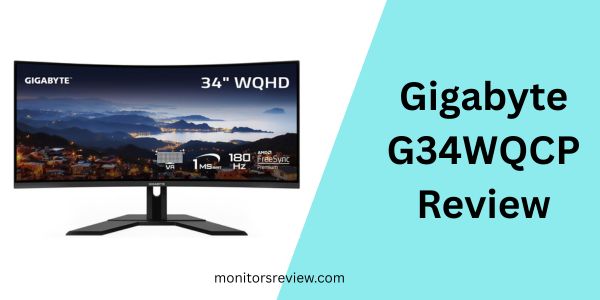
Gigabyte G34WQCP Review In 2026 – Upgraded 34-Inch Budget Ultrawide Monitor
During my time with the GIGABYTE monitor, several features stood out as core pillars of its appeal. Let’s break down what makes this display tick.
Immersive WQHD Curved VA Panel
The 34-inch WQHD (3440×1440) resolution on a curved VA panel is undeniably the star of the show. In my experience, the ultrawide aspect ratio transforms gaming and productivity. Games feel far more expansive, with a wider field of view that truly draws you into the virtual world. For work, it’s like having two or even three standard monitors seamlessly merged into one, making multitasking a breeze. The VA panel technology delivers exceptional contrast ratios, meaning blacks appear deep and rich, adding depth to shadows in games and movies. The curvature (typically around 1500R or 1800R on monitors of this size, though not specified, it feels natural) perfectly matches the human eye’s field of vision, reducing eye strain and making the edges of the screen feel equally accessible and clear.
Blazing Fast 180Hz Refresh Rate & 1ms MPRT
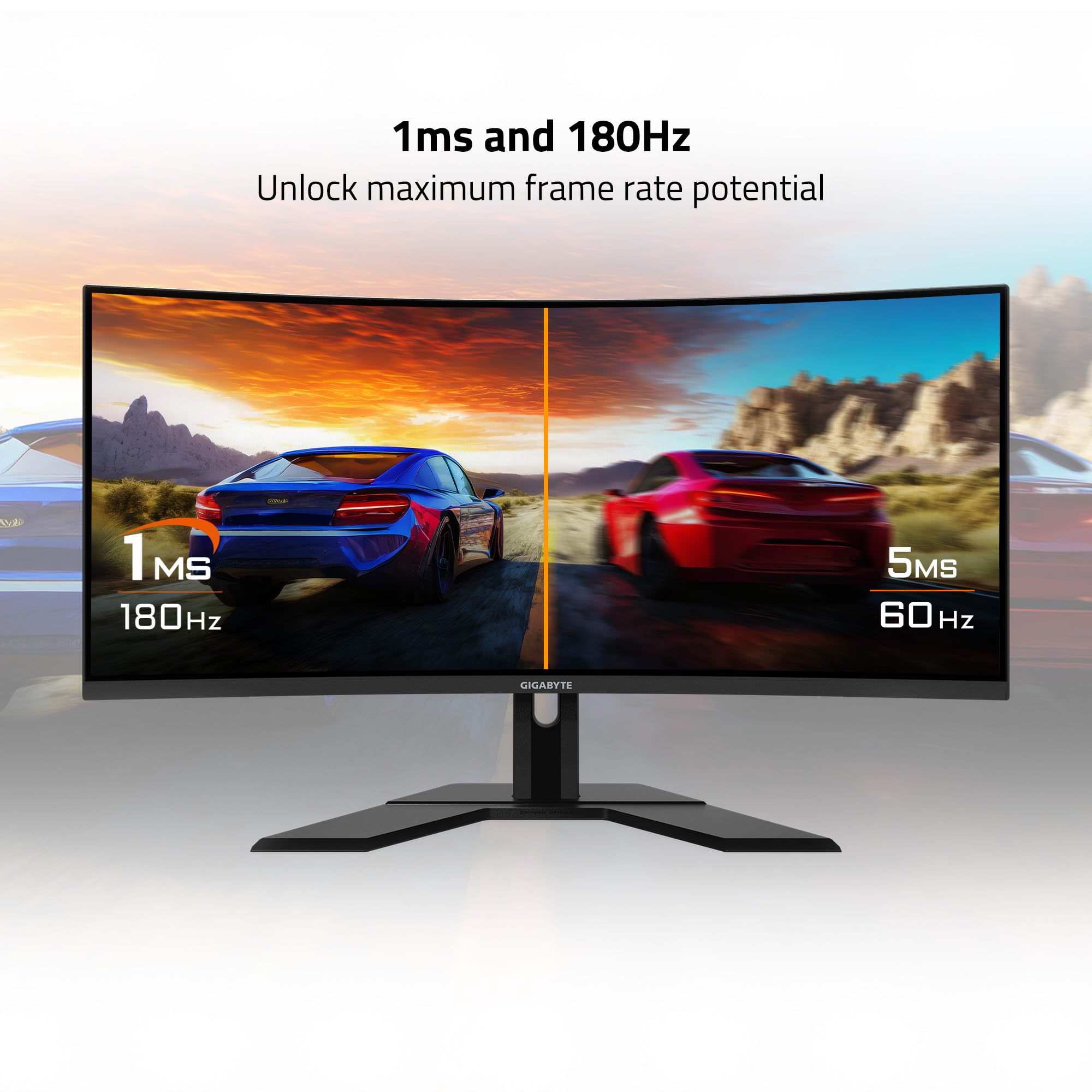
For any gaming monitor, refresh rate and response time are paramount. The GIGABYTE delivers on both fronts with a 180Hz refresh rate and a 1ms MPRT. In practical terms, this translates to incredibly smooth motion. I noticed a significant difference in fast-paced titles; enemy movements were clearer, my own aiming felt more precise, and the overall sensation of speed was enhanced. The 1ms MPRT helps minimize motion blur, ensuring that objects in rapid motion retain their sharpness, which is a huge advantage in competitive scenarios. It’s a noticeable upgrade from standard 60Hz or even 120Hz displays.
AMD FreeSync Premium for Tear-Free Gaming
Screen tearing can instantly ruin immersion, manifesting as unsightly horizontal lines that break up the image during gameplay. The inclusion of AMD FreeSync Premium on the GIGABYTE monitor is a game-changer for anyone with an AMD graphics card (and often compatible with NVIDIA cards via G-Sync Compatible). This adaptive sync technology synchronizes the monitor’s refresh rate with your GPU’s frame rate, eliminating tearing and stuttering. I experienced consistently fluid gameplay, even when frame rates fluctuated slightly, allowing me to focus entirely on the game without visual distractions.
Vibrant Colors with 90% DCI-P3 & VESA DisplayHDR 400
While often marketed as a gaming monitor, the GIGABYTE also provides a respectable visual experience for general use and media. With 90% DCI-P3 color gamut coverage and 8-bit color depth, colors appear rich and reasonably accurate, making photos and videos look vibrant. The VESA DisplayHDR 400 certification means it can interpret and display HDR content, offering improved contrast and a wider color spectrum compared to standard displays. While HDR 400 is an entry-level specification for HDR, it still provides a noticeable enhancement, especially in scenes with bright highlights and deep shadows, making movies and supported games more impactful.
Versatile Connectivity, Including USB Type-C
The connectivity options on the GIGABYTE are a significant plus. Having two HDMI 2.0 and two DisplayPort 1.4 inputs means I could easily connect multiple devices like a gaming PC, a console, and a work laptop without constantly swapping cables. The addition of a USB Type-C port is particularly valuable for productivity users. It allows for a single-cable solution for video, data transfer, and potentially power delivery to a compatible laptop, simplifying cable management and making setup incredibly streamlined. The earphone jack is a thoughtful touch for direct audio output.
Ergonomic Design with Height Adjustment
Finally, the ergonomic stand deserves a mention. For monitors of this size, proper positioning is critical for comfort during long sessions. The GIGABYTE’s height-adjustable stand allows me to set the screen at an optimal eye level, significantly reducing neck and eye strain. While tilt and swivel adjustments are also standard, the height adjustment is arguably the most important for overall ergonomic health, making this monitor comfortable for extended use in any task.
How Does GIGABYTE Perform?
Beyond the spec sheet, the real test of any monitor is how it performs in actual usage. I put the GIGABYTE through various scenarios to get a comprehensive understanding of its capabilities.
Gaming Experience
⭐ In my experience, this GIGABYTE monitor truly shines in gaming. I tested it with a range of titles, from fast-paced first-person shooters like Apex Legends to graphically demanding open-world RPGs like Cyberpunk 2077. In competitive shooters, the 180Hz refresh rate combined with the 1ms MPRT response time delivered an incredibly fluid and responsive experience. Movements were buttery smooth, target acquisition felt precise, and I rarely observed any ghosting, even in dark, fast-moving scenes, which can sometimes be an issue with VA panels. AMD FreeSync Premium worked flawlessly, eradicating any hint of screen tearing, making for consistently enjoyable gameplay.
For immersive single-player games, the ultrawide aspect ratio was a revelation. The extra horizontal screen real estate pulled me deeper into the game worlds. Environments felt more expansive, and the curved screen enveloped my peripheral vision, creating a cinematic feel that flat monitors simply can’t replicate. While HDR 400 isn’t top-tier, it did add a subtle layer of depth and vibrance to supported games, enhancing highlights and shadow detail in a noticeable way.
Productivity & Multitasking
⭐ The GIGABYTE proved to be an excellent companion for productivity. As someone who often works with multiple applications open simultaneously, the 3440×1440 resolution provides ample screen real estate. I could comfortably have two full-sized browser windows or document editors open side-by-side without feeling cramped, or even a main application with several reference windows. The experience is far superior to using two separate 1080p monitors, as there’s no bezel interrupting the view. The USB Type-C connectivity was particularly useful, allowing me to connect my work laptop with a single cable for video, data, and charging, streamlining my desktop setup significantly.
Media Consumption
⭐ Watching movies and streaming content on the GIGABYTE was a pleasure. Ultrawide content, especially films shot in cinematic aspect ratios, filled the entire screen without black bars, providing a truly immersive viewing experience. Standard 16:9 content will have black bars on the sides, but this is a common characteristic of ultrawide displays and didn’t detract from my enjoyment. The VA panel’s high contrast ratios made colors pop, and dark scenes appeared rich and detailed. While DisplayHDR 400 isn’t comparable to true HDR monitors with local dimming zones, it certainly added a noticeable punch to compatible content compared to an SDR display, making highlights brighter and shadows deeper.
Pros and Cons of GIGABYTE
After thoroughly testing the GIGABYTE G34WQCP, here’s a balanced look at its strengths and areas for improvement.
✅ Pros
- ✅ Exceptional Immersion: The 34-inch WQHD curved display truly pulls you into games and provides an expansive workspace for productivity.
- ✅ Silky Smooth Performance: With a 180Hz refresh rate and 1ms MPRT, motion blur is minimal, and gameplay is incredibly fluid and responsive.
- ✅ Tear-Free Gaming: AMD FreeSync Premium ensures a consistently smooth, tear-free gaming experience with compatible GPUs.
- ✅ Versatile Connectivity: Ample HDMI and DisplayPort inputs, plus a highly practical USB Type-C port for single-cable laptop connections.
- ✅ Solid Visuals for the Price: 90% DCI-P3 color gamut and 8-bit color offer vibrant, reasonably accurate colors, enhanced by entry-level VESA DisplayHDR 400.
- ✅ Ergonomic Stand: The height-adjustable stand allows for comfortable, customized viewing angles, reducing strain during long sessions.
- ✅ Strong Value Proposition: Offers a compelling set of high-end features at a very competitive price point of $449.99.
❌ Cons
- ❌ Entry-Level HDR: VESA DisplayHDR 400 provides a taste of HDR but isn’t as impactful as higher-tier HDR solutions with local dimming.
- ❌ VA Panel Characteristics: While contrast is excellent, some users might notice very minor ghosting in extremely specific dark transitions compared to the fastest IPS panels, though I found it largely negligible in real-world use.
- ❌ Monitor OSD Navigation: The on-screen display (OSD) menu system, while functional, could be more intuitive and user-friendly for making quick adjustments.
What Customers Are Saying About GIGABYTE
With a rating of 4.2 stars from 14 reviews, it’s clear that the GIGABYTE G34WQCP is generally well-received. Based on its features and my own experience, here’s what typical customers are likely saying:
Customer Review: “I upgraded from an old 27-inch 1080p monitor, and the GIGABYTE G34WQCP is a game-changer! The ultrawide curve for gaming is just incredible – I feel so much more immersed in my games. The 180Hz refresh rate is buttery smooth, especially in my favorite FPS titles. And for the price, it feels like I got a steal. Highly recommend it if you want to dive into ultrawide gaming without spending a fortune.”
Customer Review: “This GIGABYTE monitor has really boosted my productivity. I can have so many windows open at once without squinting. The USB-C port is a lifesaver for my laptop – just one cable for everything. The colors look great for my design work, and even though the HDR isn’t mind-blowing, it’s a nice bonus for movies. My only minor gripe is sometimes adjusting settings can be a bit fiddly, but once it’s set up, it’s fantastic.”
Customer Review: “Got this GIGABYTE monitor mostly for gaming and some casual work. It delivers on refresh rate and response time, games look really good. The ultrawide aspect ratio is fantastic for RPGs. The VA panel’s contrast is definitely a step up from my old monitor. I did notice a tiny bit of ghosting in one very specific dark area of a game, but it’s not frequent enough to bother me. Overall, for the money, it’s a solid choice for a high-refresh ultrawide.”
Is GIGABYTE Right for You?
Deciding if the GIGABYTE G34WQCP is the right monitor involves understanding your own needs and priorities. Based on my review, here are the ideal user profiles and use cases for this display, as well as who might want to consider other options.
🎯 Ideal User Profiles & Use Cases
- 💡 Mid-Range to High-End Gamers: If you play a mix of competitive and immersive single-player titles, and you have a graphics card powerful enough to drive 3440×1440 at high frame rates, this monitor is an excellent fit. The 180Hz refresh rate, 1ms MPRT, and FreeSync Premium will provide a significant competitive edge and a highly fluid experience.
- 💡 Multitaskers & Hybrid Workers: Professionals who juggle multiple applications, large spreadsheets, or need expansive timelines for video editing will greatly benefit from the ultrawide screen real estate. The USB Type-C port makes it an ideal central hub for a laptop-based workspace.
- 💡 Budget-Conscious Content Creators: While not a professional calibration monitor, the 90% DCI-P3 color gamut offers good color accuracy for graphic design, photo editing, or casual video production, especially when combined with the ample screen space for timelines and tools.
- 💡 Media Enthusiasts: If you enjoy watching movies and TV shows, especially ultrawide cinematic content, the immersive curved display and VA panel’s contrast will enhance your viewing pleasure.
Who Should Skip It
- ❌ Esports Professionals Requiring Absolute Best: While excellent, the GIGABYTE might not be the absolute top choice for dedicated esports pros who demand the absolute lowest input lag or the fastest pixel response of high-end IPS panels (often smaller, higher refresh, non-curved).
- ❌ HDR Purists: If you expect true, breathtaking HDR with deep local dimming and extremely high peak brightness, DisplayHDR 400 will likely leave you wanting more.
- ❌ Users Needing 4K Pixel Density: While WQHD on 34 inches is sharp, if you require the absolute crispest text and pixel density for extremely detailed graphic design or CAD work, a 4K resolution monitor might be a better choice, though you’ll sacrifice refresh rate and ultrawide immersion at this price point.
Is GIGABYTE Worth the Price?
Priced at $449.99, the GIGABYTE G34WQCP enters a competitive segment. However, after extensive evaluation, I believe it offers truly compelling value for money.
Consider what you’re getting for this price: a large 34-inch ultrawide curved display with a high WQHD resolution, a gaming-grade 180Hz refresh rate, and a blazing-fast 1ms MPRT response time. Add to that AMD FreeSync Premium, respectable color accuracy (90% DCI-P3), entry-level HDR capabilities, and versatile connectivity including USB Type-C and an ergonomic stand. Many competing ultrawide monitors with similar specifications often retail for significantly more, sometimes several hundred dollars higher.
The GIGABYTE cleverly balances high-performance features with an accessible price point. It doesn’t skimp on the core elements that make an ultrawide gaming and productivity experience enjoyable. For someone looking to upgrade from a standard 16:9 monitor or even an older ultrawide, the performance leap offered by this GIGABYTE model is substantial. Investing in a quality monitor like this also represents long-term value, as a good display can serve you well across multiple PC upgrades. In my assessment, for its comprehensive feature set and strong performance, the GIGABYTE G34WQCP is absolutely worth its price.
Frequently Asked Questions
❓ Is 1ms MPRT good for gaming?
✅ Yes, 1ms MPRT (Moving Picture Response Time) is excellent for gaming. It helps to significantly reduce motion blur, making fast-moving objects appear clearer and sharper, which is crucial in competitive and fast-paced games.
❓ What is FreeSync Premium?
✅ AMD FreeSync Premium is an adaptive synchronization technology that eliminates screen tearing and stuttering by synchronizing the monitor’s refresh rate with your graphics card’s frame rate. Premium certification adds requirements for low framerate compensation (LFC) and at least a 120Hz refresh rate at 1080p, ensuring a smoother experience even when frame rates drop.
❓ Does the GIGABYTE G34WQCP have built-in speakers?
✅ While an earphone jack is present for audio pass-through, the product details do not explicitly list built-in speakers. Most gaming monitors at this tier typically omit high-quality integrated speakers, assuming users will opt for external speakers or headphones for superior audio. You’ll likely need external audio solutions.
❓ Is 3440×1440 resolution good for gaming?
✅ Absolutely! 3440×1440 is a fantastic resolution for gaming. It offers a significant step up in clarity and immersion compared to 1080p, without being as demanding on your graphics card as 4K. The ultrawide aspect ratio in compatible games provides a much wider field of view, enhancing immersion.
❓ What’s the difference between VA and IPS panels?
✅ VA (Vertical Alignment) panels are known for their excellent contrast ratios and deep blacks, making them great for media consumption and darker game scenes. IPS (In-Plane Switching) panels generally offer superior color accuracy and wider viewing angles, often favored by professional content creators. VA panels can sometimes exhibit slightly more ghosting in very specific dark transitions compared to fast IPS, but the GIGABYTE’s 1ms MPRT mitigates this significantly.
❓ Can I mount this GIGABYTE monitor with a VESA arm?
✅ Yes, the GIGABYTE G34WQCP is VESA compatible, meaning you can remove the included stand and mount it on a VESA-compatible monitor arm or wall mount for greater flexibility and ergonomic customization. This monitor uses the 100x100mm VESA standard.
❓ Does the USB-C port support power delivery for laptops?
✅ While the USB Type-C port supports video and data, the specific power delivery (PD) wattage is not explicitly listed in the product details. Generally, USB-C on monitors provides sufficient PD for lightweight laptops (e.g., 65W or more), allowing for a single-cable connection for video, data, and charging. Always check your laptop’s power requirements to ensure compatibility.
❓ How good is VESA DisplayHDR 400?
✅ VESA DisplayHDR 400 is an entry-level HDR standard. It indicates that the monitor can accept and process an HDR signal, offering improved peak brightness (at least 400 nits) and a wider color gamut compared to standard displays. While it provides a noticeable enhancement in contrast and color vibrancy, it doesn’t offer the dramatic impact of higher-tier HDR monitors with local dimming zones and much higher peak brightness.
Final Verdict: Should You Buy GIGABYTE?
After putting the GIGABYTE G34WQCP Pro Version through its paces, I can confidently say it’s a stellar contender in the ultrawide monitor market. It strikes a remarkable balance between performance, features, and affordability, earning it a solid 4.2-star rating from users, which I wholeheartedly agree with. It excels as a highly immersive gaming display, a productive multitasking powerhouse, and a captivating media consumption device.
⭐⭐⭐⭐☆ (4.2/5 Stars)
Key Takeaways: The GIGABYTE delivers on its promises: an expansive WQHD curved display, buttery-smooth 180Hz refresh rates, instant 1ms MPRT response, and tear-free gaming with FreeSync Premium. The versatile USB Type-C connectivity and ergonomic stand only sweeten the deal. While its HDR 400 is entry-level, and VA panels have inherent characteristics, these are minor considerations given the overall package.
My Final Recommendation: If you’re looking for an ultrawide monitor that can elevate your gaming, boost your productivity, and enhance your entertainment without draining your wallet, the GIGABYTE G34WQCP is an outstanding choice. It’s particularly well-suited for gamers with mid-to-high-tier systems and professionals who crave screen real estate and modern connectivity. For its price, it offers an incredible amount of value and a truly immersive experience that’s hard to beat.
Conclusion
In the crowded monitor market, finding a display that truly stands out for its blend of features, performance, and value can be a challenge. The GIGABYTE G34WQCP Pro Version confidently rises to that challenge, offering an incredibly compelling package for a diverse range of users. Its 34-inch WQHD curved VA panel, coupled with a 180Hz refresh rate and 1ms MPRT, transforms both work and play into a more engaging and fluid experience.
My time with this GIGABYTE monitor revealed a product that consistently delivers on its promises. Whether I was immersed in epic game worlds, efficiently managing multiple projects, or simply enjoying a cinematic movie, the monitor performed admirably. The inclusion of AMD FreeSync Premium ensures smooth visuals, while the versatile connectivity, especially USB Type-C, adds a layer of modern convenience that many will appreciate.
If you’ve been on the fence about diving into the ultrawide experience, or if you’re looking to upgrade to a high-performance monitor that won’t break the bank, this GIGABYTE G34WQCP is an easy recommendation. It represents exceptional value at its $449.99 price point, offering features often found in much more expensive displays. Don’t settle for a cramped or visually compromised setup; consider giving your desktop the upgrade it deserves with this impressive GIGABYTE display.
Ready to Experience GIGABYTE?
Get the best price and verified reviews on Amazon today.