Deciding if a 4K gaming monitor is worth it depends heavily on your current PC hardware, budget, and gaming preferences. While 4K offers stunning visual fidelity and immersion, it demands a top-tier GPU to run modern games smoothly, often at a significant financial outlay. For those with powerful systems and a desire for the ultimate visual experience, it can be a fantastic upgrade, but for many, high refresh rate 1440p might still offer a better balance of performance and visual quality.
Ah, the eternal quest for the ultimate gaming setup! Every PC gamer, at some point, gazes longingly at the latest tech, wondering if it’s the missing piece to their perfect experience. Among the most debated upgrades is the jump to 4K. It promises breathtaking visuals, incredible detail, and a level of immersion that 1080p and even 1440p screens can only dream of. But here’s the burning question: is a 4K gaming monitor worth it?
It’s not a simple “yes” or “no” answer. The world of 4K gaming is a glorious, demanding, and sometimes frustrating place. It’s a land of incredible highs and significant trade-offs. Before you dive headfirst into spending your hard-earned cash, you need to understand exactly what you’re getting into. This definitive buyer’s guide will break down everything you need to know to decide if a 4K gaming monitor is the right choice for your battle station.
We’ll explore the dazzling appeal of 4K, the harsh realities of its performance demands, the financial investment required, and who truly benefits most from this premium visual experience. By the end, you’ll have a clear picture of whether a 4K gaming monitor is worth it for your specific needs, budget, and gaming style.
Key Takeaways
- High Hardware Demands: A top-tier graphics card (like an RTX 4080/4090 or RX 7900 XTX) is absolutely essential for smooth 4K gaming at decent frame rates in modern titles.
- Stunning Visual Fidelity: 4K offers unparalleled crispness, detail, and pixel density, significantly enhancing immersion, especially in graphically rich, slower-paced games.
- Significant Investment: Beyond the monitor itself, the powerful GPU needed means a substantial financial commitment, making a full 4K gaming setup quite expensive.
- Refresh Rate Compromise: Achieving high refresh rates (120Hz+) at native 4K often requires sacrificing graphical settings or may not be consistently feasible for demanding games with current hardware.
- Better for Certain Genres: 4K excels for single-player, open-world, simulation, and cinematic games where visual immersion is paramount, but it’s less critical for competitive esports titles.
- 1440p Remains a Strong Contender: For many gamers, a high refresh rate 1440p monitor provides a superior balance of performance, visual quality, and affordability without the extreme hardware demands of 4K.
- Consider Your Priorities: If you prioritize visuals above all else and have the budget, 4K is fantastic. If frame rates, competitive play, or budget are key, then 4K might not be the best fit right now.
Quick Answers to Common Questions
What’s the absolute minimum GPU for 4K gaming?
While technically possible to run older or less demanding games, for modern AAA titles at 4K with playable frame rates (around 45-60 FPS), you’d generally want at least an RTX 3070/3080 or RX 6800 XT/6900 XT. However, you’d be making significant graphical compromises.
Can I play competitive games on a 4K monitor?
Yes, you can, but it’s generally not recommended for serious competitive play. Achieving the high frame rates (144Hz+) needed for competitive advantage at native 4K is extremely difficult, even with the best GPUs, forcing you to lower settings or resolution, negating the benefit of 4K.
Is 4K better than 1440p high refresh rate?
It depends on your priority. 4K offers superior visual crispness and detail. 1440p high refresh rate (144Hz+) offers smoother gameplay with higher frame rates, which many prefer for responsiveness and competitive advantage. Neither is definitively “better” for everyone.
Do I need a special cable for 4K 144Hz?
Yes, to achieve 4K at 120Hz or 144Hz, you’ll need either a DisplayPort 1.4 or an HDMI 2.1 cable. Older DisplayPort 1.2 or HDMI 2.0 cables typically can only support 4K at 60Hz.
Will my CPU bottleneck 4K gaming?
While the GPU is the primary factor at 4K, a weak CPU can still bottleneck performance, especially in CPU-intensive games or scenarios (e.g., open-world games with many NPCs). A modern mid-to-high-end CPU (e.g., Core i5/Ryzen 5 or better) from recent generations is recommended to avoid this.
📑 Table of Contents
The Allure of 4K: What Makes it So Appealing?
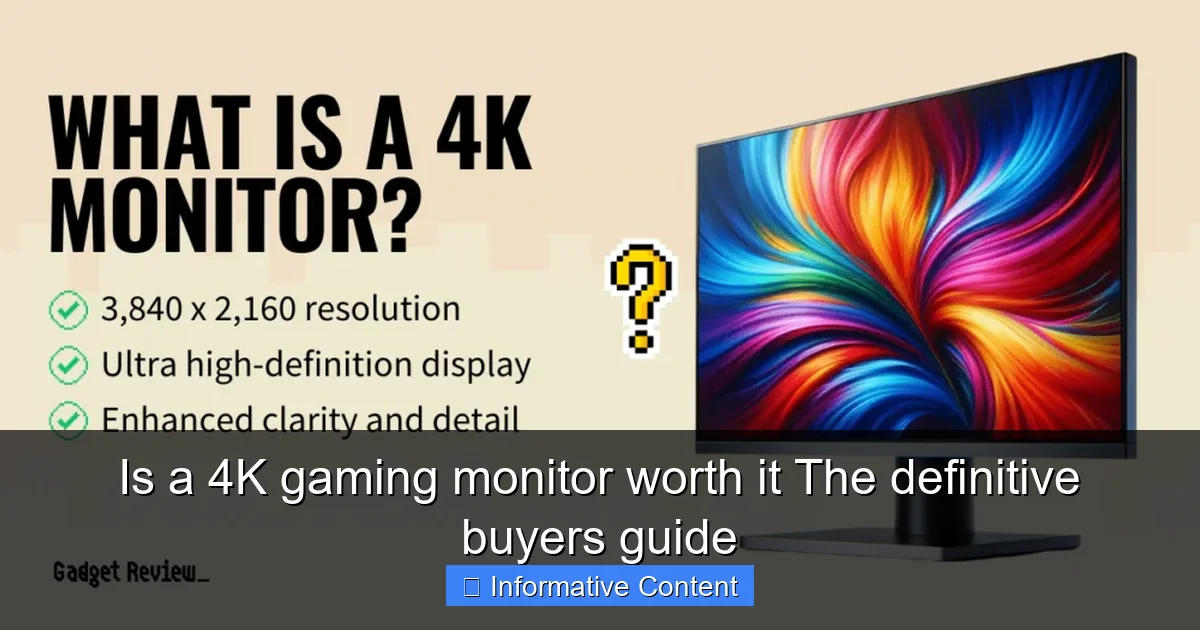
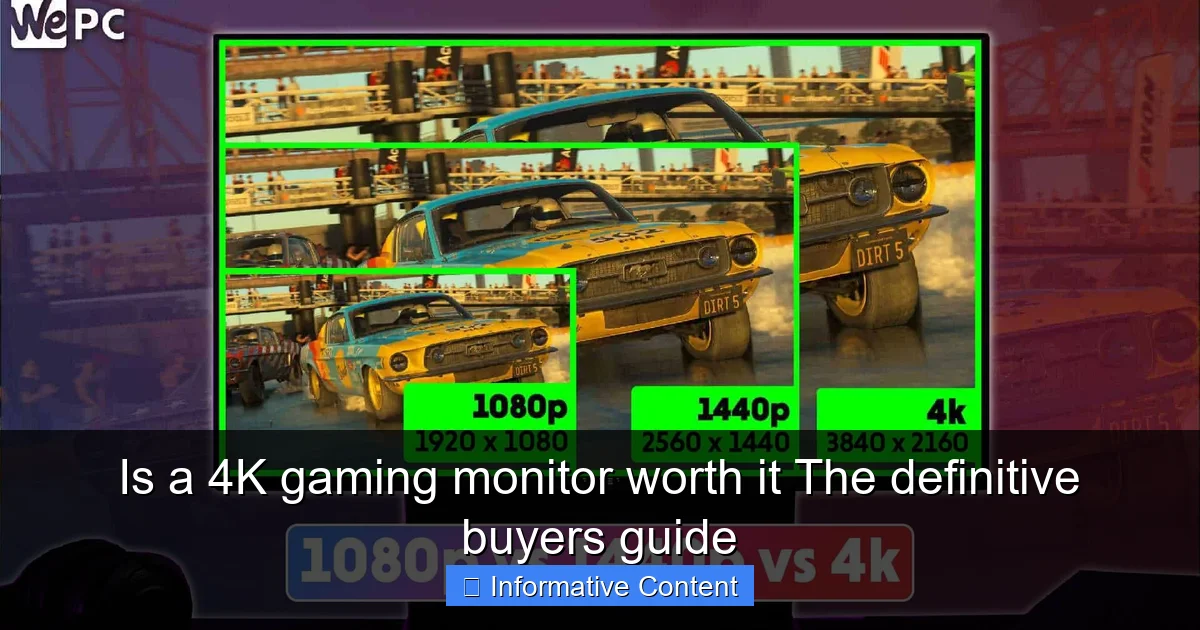
Let’s start with the good stuff. Why do gamers even consider 4K in the first place? It boils down to one word: pixels. A 4K resolution (3840 x 2160 pixels) packs four times the pixel count of a standard 1080p Full HD screen (1920 x 1080 pixels). This massive increase in pixel density brings several undeniable benefits.
Unmatched Visual Fidelity
Imagine seeing every leaf on a tree in an open-world game, every ripple in a puddle, or the individual threads in a character’s armor. That’s the promise of 4K. With so many more pixels packed into the same screen real estate, images appear incredibly sharp, crisp, and detailed. Text is smoother, jagged edges (aliasing) are significantly reduced or eliminated, and fine details pop with an almost photographic quality.
For games that focus heavily on graphics and atmosphere, like Cyberpunk 2077, Red Dead Redemption 2, or Starfield, a 4K monitor can transform your experience. The world feels more tangible, and the developers’ artistic vision shines through with unparalleled clarity. This level of visual fidelity is a primary reason why many ask “is a 4K gaming monitor worth it?”
Immersion Beyond Compare
When visuals are this good, your immersion factor skyrockets. You’re not just playing a game; you’re living in its world. The extra detail helps you forget you’re looking at a screen, pulling you deeper into the narrative and environment. This is especially true for larger 4K monitors (27 inches and above) where the expansive, detailed canvas truly surrounds your field of vision.
Whether you’re exploring ancient ruins, soaring through space, or navigating a dense urban jungle, the heightened realism provided by 4K resolution makes the experience more captivating and memorable. It creates a sense of presence that lower resolutions simply can’t match.
Future-Proofing Your Setup (To Some Extent)
While no technology truly future-proofs you forever, investing in a 4K gaming monitor can give your setup a longer shelf life visually. As games continue to evolve and become more graphically demanding, they will increasingly target higher resolutions. A 4K monitor ensures you’ll be able to enjoy new titles at their best possible visual quality for years to come, even if you have to upgrade your GPU along the way. Your display won’t be the bottleneck for resolution for a good while.
The Reality Check: Performance Demands and Hardware Requirements
Now for the part where we pump the brakes. All those beautiful pixels come at a steep price, not just financially, but in terms of computational power. Driving a 4K display in demanding games is one of the toughest tasks you can throw at a modern gaming PC. This is where the “is a 4K gaming monitor worth it?” question gets complicated.

Visual guide about Is a 4K gaming monitor worth it The definitive buyers guide
Image source: wingsplain.com
The GPU is Your King (or Queen)
Let’s be blunt: if you’re serious about 4K gaming, your graphics card needs to be an absolute beast. We’re talking top-tier NVIDIA RTX 4080 or RTX 4090, or AMD RX 7900 XTX level. Anything less, and you’ll likely be making significant compromises in graphical settings, frame rates, or both. Remember, your GPU has to render four times as many pixels as 1080p, which is a monumental undertaking.
Even with these flagship cards, hitting a consistent 60 frames per second (FPS) in every modern AAA title at max settings might still be a challenge. You might find yourself tweaking settings like shadows, anti-aliasing (though less needed at 4K), or global illumination to maintain smooth gameplay. For anything above 60 FPS, like aiming for 120Hz or 144Hz 4K monitors, you’ll need all the GPU power you can get, and likely some assistance from upscaling technologies like DLSS (NVIDIA) or FSR (AMD).
CPU, RAM, and Storage Considerations
While the GPU is the star of the show for 4K, other components still play vital supporting roles. A powerful CPU (like an Intel Core i7/i9 or AMD Ryzen 7/9 from recent generations) is important to prevent bottlenecks, especially in games with lots of AI, physics, or open-world elements. You’ll want at least 16GB of fast RAM, though 32GB is becoming increasingly recommended for high-end systems and future-proofing.
Fast NVMe SSD storage is also crucial for quick game loading times, especially for the large file sizes of modern 4K textures. While these won’t directly impact your FPS at 4K as much as your GPU, they ensure the rest of your system can keep up with the demands of delivering a premium gaming experience.
Understanding Frame Rates and Refresh Rates
A common misconception is that a 4K monitor will automatically deliver high frame rates. Not true. Your monitor’s refresh rate (e.g., 60Hz, 120Hz, 144Hz) is the maximum number of frames it can display per second. Your GPU’s frame rate is how many frames it can generate. For the smoothest experience, you want these numbers to be as close as possible.
Many early 4K monitors were limited to 60Hz. Modern 4K gaming monitors often come with 120Hz or 144Hz refresh rates, but achieving those frame rates consistently at native 4K resolution in demanding games is incredibly difficult, even with top-tier hardware. This is a critical point when considering “is a 4K gaming monitor worth it” for competitive players. If you prioritize super-high frame rates for esports, 4K might actually be a detriment, forcing you to play at lower resolutions or drastically reduced settings.
Cost: A Significant Investment
Let’s talk money. The total cost associated with truly enjoying a 4K gaming monitor is substantial. It’s not just about the monitor itself; it’s about the entire ecosystem required to drive it.
Visual guide about Is a 4K gaming monitor worth it The definitive buyers guide
Image source: gadgetreview.com
The Monitor Itself
High-quality 4K gaming monitors, especially those with high refresh rates (120Hz+), low response times, and features like HDR, G-Sync, or FreeSync, are not cheap. You can expect to pay anywhere from $500 to $1,500+, with premium OLED 4K options pushing even higher. This is a considerable investment compared to many excellent 1440p monitors that can be found for $300-$600.
The Necessary GPU Upgrade
This is where the real financial hit comes in. As discussed, you need a top-end graphics card. These GPUs typically retail for $800 to over $1,600, often costing more than the monitor itself. If you’re coming from an older or mid-range GPU, this upgrade alone can be a major budget item.
The Total System Cost
Factoring in a powerful CPU, ample fast RAM, a quality motherboard, a robust power supply, and potentially liquid cooling to keep everything running smoothly, a complete system capable of excellent 4K gaming can easily set you back $2,500 to $4,000 or more. This makes the question of “is a 4K gaming monitor worth it” a very serious financial consideration.
4K Gaming: The Good, The Bad, and The Niche
Let’s refine who 4K is truly for and where it might not be the best fit.
Visual guide about Is a 4K gaming monitor worth it The definitive buyers guide
Image source: wepc.com
Best Genres for 4K
- Single-Player AAA Titles: Games like Cyberpunk 2077, Horizon Zero Dawn, The Witcher 3, and Assassin’s Creed series truly shine. The visual spectacle and detailed worlds are made for 4K.
- Simulation and Strategy Games: Titles like Microsoft Flight Simulator, City Skylines, or real-time strategy games benefit from the increased screen real estate and clarity, allowing you to see more of the battlefield or cockpit at once.
- Exploration and Adventure Games: The stunning vistas and intricate environments in games like Elden Ring or God of War are greatly enhanced by the extra detail.
- Content Creation & Productivity: Beyond gaming, 4K offers immense workspace for video editing, graphic design, and general productivity, thanks to its vast pixel count.
Where 4K Falls Short
- Competitive Esports: If you primarily play fast-paced competitive games like CS:GO, Valorant, Apex Legends, or Call of Duty, 4K is often counterproductive. High frame rates (144Hz+) and minimal input lag are paramount here, and achieving them at 4K requires significant graphical compromises, often leading to a worse competitive experience than a high refresh rate 1080p or 1440p monitor.
- Budget-Conscious Gamers: As discussed, the overall cost makes 4K a luxury, not a necessity.
- Gamers with Mid-Range Hardware: If you don’t have a top-tier GPU, you’ll be constantly struggling to hit acceptable frame rates, turning the 4K experience into a frustrating one.
The Scaling Dilemma
Sometimes, even with a 4K monitor, you might find yourself playing games at 1440p or even 1080p to achieve higher frame rates. While modern monitors and GPUs do a decent job of scaling, running a non-native resolution on a 4K screen isn’t always ideal. Images can appear slightly softer or blurrier than they would on a native 1440p or 1080p monitor. So, while you can do it, it might diminish the very reason you bought the 4K monitor in the first place.
Is a 4K Gaming Monitor Worth It For YOU? A Decision Framework
Ultimately, the question “is a 4K gaming monitor worth it?” boils down to your individual circumstances and priorities. Here’s a framework to help you decide:
Assess Your Current Setup and Budget
Do you already have a high-end GPU (RTX 4080/4090, RX 7900 XTX)? If yes, you’re halfway there. The monitor is your primary cost. If no, factor in the substantial cost of a new GPU before even looking at monitors. If your budget is tight, 4K gaming is likely out of reach for a truly enjoyable experience.
Prioritize Your Gaming Style
- Visuals above all else? If you primarily play graphically intensive single-player games, appreciate stunning environments, and don’t mind sacrificing some frame rate for fidelity, then a 4K gaming monitor is absolutely worth it.
- Competitive advantage is key? If you live for esports and need every frame and millisecond of response time, then a high refresh rate 1440p or even 1080p monitor will serve you better.
- A balance of both? This is where it gets tricky. You might find a high refresh rate 1440p monitor offers a better overall experience.
Consider the Alternatives (1440p High Refresh Rate)
For many gamers, a high refresh rate (144Hz+) 1440p monitor strikes the perfect balance. It offers a significant visual upgrade over 1080p, provides much crisper images than 1080p, but doesn’t demand nearly as much GPU power as 4K. This means you can achieve very high frame rates, even with upper-mid-range GPUs, leading to incredibly smooth and responsive gameplay. The cost of both the monitor and the required GPU is also significantly lower.
The “Wait and See” Approach
If you’re on the fence, consider waiting. GPU technology is constantly advancing. Future generations of graphics cards will undoubtedly make 4K gaming more accessible and easier to drive at high frame rates. Monitor technology is also improving, with more affordable OLED and mini-LED options on the horizon. Waiting a year or two might get you a better 4K experience for less money.
Conclusion
So, is a 4K gaming monitor worth it? For a specific type of gamer – one with a generous budget, a top-tier PC, and a strong preference for visual fidelity and immersion in single-player or graphically rich games – the answer is a resounding yes. The experience can be truly transformative, offering unparalleled detail and beauty.
However, for the majority of gamers, especially those focused on competitive play, those with mid-range hardware, or those on a tighter budget, 4K is likely an unnecessary expense or even a downgrade in overall gaming experience. A high refresh rate 1440p monitor often provides a much more balanced and satisfying gaming experience for a significantly lower total cost.
Before you commit, be honest with yourself about your priorities, your budget, and your current hardware. If you choose to go 4K, prepare for a breathtaking visual journey. If not, rest assured that amazing gaming experiences await you at other resolutions too. Happy gaming!
Frequently Asked Questions
What’s the biggest benefit of a 4K gaming monitor?
The biggest benefit is the incredible visual fidelity and detail. With four times the pixels of 1080p, images are incredibly sharp, reducing aliasing and making game worlds feel far more immersive and realistic, especially on larger screen sizes.
Are all 4K monitors good for gaming?
No, not all 4K monitors are designed with gaming in mind. A good 4K gaming monitor needs a high refresh rate (120Hz+), low response time (1ms GTG), and ideally adaptive sync technology (G-Sync or FreeSync) to provide a smooth and responsive experience.
How much does a good 4K gaming PC cost?
A PC capable of truly excellent 4K gaming at high settings in modern games can cost anywhere from $2,500 to $4,000 or more, including a top-tier GPU, a powerful CPU, and other high-end components. This doesn’t include the monitor itself.
What’s input lag like on 4K monitors?
Modern 4K gaming monitors from reputable brands generally have very low input lag, comparable to their 1440p or 1080p counterparts. As long as you choose a monitor designed for gaming, input lag should not be a significant concern.
Should I get an OLED 4K gaming monitor?
If budget allows, an OLED 4K gaming monitor offers unparalleled image quality with infinite contrast, perfect blacks, and incredibly fast response times. They provide an even more stunning and immersive visual experience, but come at a higher price and with potential burn-in concerns, though these are less prevalent in modern models.
Is 4K only for large monitors?
While 4K certainly shines on larger screens (27 inches and above) where the pixel density benefits are more apparent, you can find 4K monitors as small as 24 inches. However, on smaller screens, the difference between 4K and 1440p might be less noticeable unless you sit very close.