Are you staring at an old, washed-out monitor, struggling to see the fine details in your spreadsheets or missing critical frames in your favorite game? Perhaps your current setup is causing eye strain, or you’re simply longing for a sharper, smoother visual experience without breaking the bank. In today’s hybrid work and entertainment landscape, having a monitor that can seamlessly transition between professional tasks and immersive leisure is no longer a luxury, but a necessity.
I’ve been on the lookout for a display that strikes a perfect balance between performance, visual fidelity, and affordability, especially for those of us juggling remote work, content consumption, and casual gaming. That’s where the KTC 24 Inch QHD monitor enters the picture. This monitor promises a compelling combination of features – a crisp QHD resolution, a fluid 100Hz refresh rate, and an IPS panel – all packaged in a sleek, zero-frame design.
What makes the KTC 24 Inch QHD particularly noteworthy is its ambition to deliver premium features often found in higher-priced models, but at an incredibly accessible price point. With a 4.5-star rating from over 500 reviews, it certainly seems to have captured the attention of many users. I was keen to put it through its paces to see if it truly lives up to its promise of enhancing both productivity and play.
What is the KTC 24 Inch QHD?
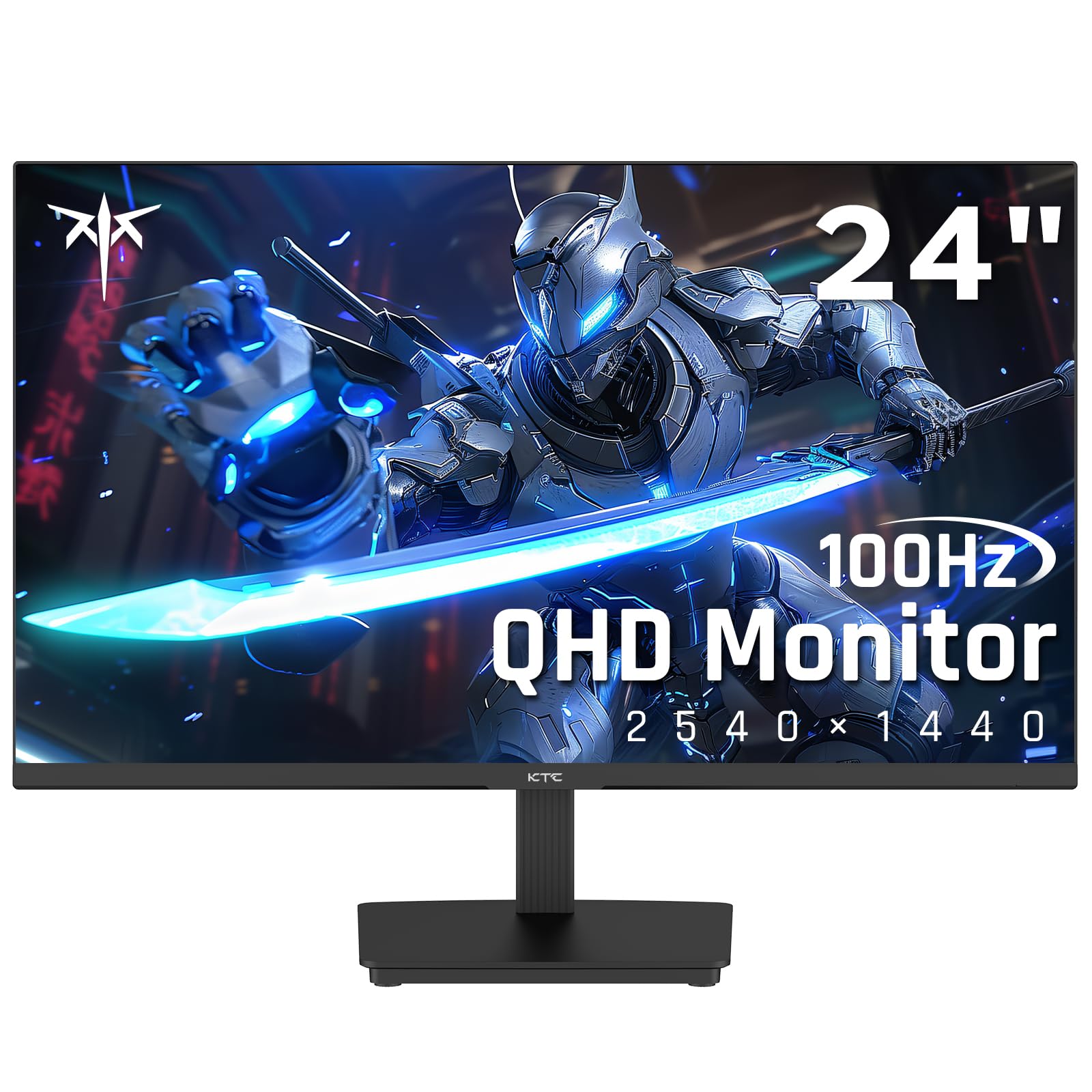
The KTC 24 Inch QHD (model H24T27) is a versatile 24-inch IPS computer monitor designed to cater to a broad spectrum of users, from office professionals and students to casual gamers and multimedia enthusiasts. Its core proposition is to deliver a superior visual experience through its QHD (2560×1440) resolution, which offers significantly more screen real estate and sharper imagery compared to standard Full HD (1080p) displays.
This monitor isn’t just about resolution; it’s engineered for smooth performance. It boasts a 100Hz refresh rate, a noticeable upgrade from the typical 60Hz, ensuring more fluid motion in everything from scrolling documents to fast-paced game scenes. Complementing this is Adaptive Sync technology, providing compatibility with both FreeSync and G-Sync, which helps eliminate screen tearing and stuttering. On the visual front, the IPS panel ensures vibrant colors and wide viewing angles, further enhanced by HDR10 support for richer contrast and 99% sRGB coverage for accurate color reproduction.
You can also have a look at Asus ProArt PA27JCV Review in addition to Dell S2725QS Review.
Key specifications include:
- ⭐ Display Size: 24 inches
- ⭐ Resolution: QHD (2560×1440)
- ⭐ Panel Type: IPS
- ⭐ Refresh Rate: 100Hz
- ⭐ Response Time: Not explicitly stated in product details, but typically fast for gaming monitors.
- ⭐ Sync Technology: Adaptive Sync (FreeSync/G-Sync compatible)
- ⭐ HDR: HDR10
- ⭐ Color Gamut: 99% sRGB, 8-bit display colors
- ⭐ Connectivity: 1x HDMI 2.0, 1x DisplayPort 1.4, 1x USB 2.0 (presumably for firmware or peripherals)
- ⭐ Ergonomics: Tilt adjustable (-5° to 15°), 100x100mm VESA mountable
- ⭐ Eye Care: Low Blue Light mode, Flicker-Free technology
- ⭐ Design: Three-sided borderless (Zero-Frame)
The target audience for the KTC 24 Inch QHD includes anyone looking to upgrade from an older, lower-resolution monitor, those needing more screen space for productivity, or gamers seeking a smoother experience without investing in high-end, competitive gaming displays. It’s a sweet spot for value-conscious users demanding a clear upgrade in visual quality and responsiveness.
Key Features of KTC 24 Inch QHD

When I first unboxed the KTC 24 Inch QHD, I was immediately struck by the promise of its advertised features. Let’s delve into what makes this monitor stand out and how these features translate into tangible benefits for the user.
Fluid Performance with 100Hz Refresh Rate & Adaptive Sync
One of the most appealing aspects of the KTC 24 Inch QHD is its 100Hz refresh rate, coupled with FreeSync/G-Sync compatibility. In my experience, upgrading from a standard 60Hz monitor to 100Hz makes a noticeable difference. Scrolling through web pages, navigating operating system menus, and even moving your mouse cursor feels significantly smoother and more responsive. For gaming, this translates to reduced motion blur and a more immediate sense of connection to the on-screen action. While it’s not the ultra-high refresh rate of dedicated esports monitors, 100Hz provides a fantastic balance for casual to moderate gaming, especially when paired with Adaptive Sync. I found that Adaptive Sync worked seamlessly with my compatible GPU, virtually eliminating screen tearing and ghosting in titles where frame rates fluctuate, ensuring a consistently fluid visual experience.
Stunning Visuals: QHD IPS Panel with HDR10
The visual prowess of the KTC 24 Inch QHD is truly impressive for its price point. The QHD (2560×1440) resolution on a 24-inch screen results in a sharp, detailed image that makes text crisp and images vivid. This increased pixel density means I can fit more content on my screen without sacrificing readability, which is a huge boon for productivity. The IPS panel lives up to its reputation, delivering excellent color accuracy and wide viewing angles, so colors remain consistent even when viewed from the side. Furthermore, the inclusion of HDR10 support, combined with 99% sRGB and 8-bit display colors, genuinely enriches the visual experience. I noticed a broader dynamic range, with deeper blacks and brighter whites, making movies and HDR-enabled games look far more immersive and realistic.
Ergonomic Comfort & Eye Protection
Long hours in front of a screen can take a toll on your eyes, but the KTC 24 Inch QHD addresses this with thoughtful eye protection features. The Low Blue Light mode is a feature I particularly appreciate, as it helps reduce eye strain during extended work sessions, especially in the evenings. Coupled with flicker-free technology, which eliminates invisible screen flickering that can cause fatigue, my eyes felt considerably less tired after a full workday. The tilt-adjustable stand, offering a range from -5° to 15°, allowed me to easily find an optimal viewing angle, preventing neck strain. While it lacks height adjustment, the VESA mounting option (100x100mm) means you can easily upgrade to a more ergonomic monitor arm if needed, providing ultimate flexibility for your setup.
Seamless Connectivity & Versatile Design
Connectivity is crucial for any modern monitor, and the KTC 24 Inch QHD offers a practical array of ports. With HDMI 2.0 and DisplayPort 1.4, I found it incredibly easy to connect my PC, laptop, and even a gaming console without constantly swapping cables. The inclusion of a USB 2.0 port is a small but welcome bonus, useful for connecting a peripheral or for potential firmware updates. This flexibility is perfect for seamless screen sharing in an office environment or connecting various entertainment devices. Furthermore, the 100x100mm VESA wall-mounting mode means you’re not limited to the included stand, offering options for multi-monitor setups or custom desk configurations.
Immersive Zero-Frame Aesthetics
The aesthetics of a monitor can significantly impact the overall feel of a workspace, and the KTC 24 Inch QHD’s three-sided borderless design is a major plus. This “zero-frame” approach creates a much more immersive viewing experience, especially when watching movies or playing games, as the image extends almost to the edge of the display. For multi-monitor setups, these thin bezels are a dream, allowing for a nearly seamless transition between screens, minimizing distracting gaps. It gives the monitor a modern, premium look that belies its affordable price tag, helping to create a clean and uncluttered desk environment.
How Does KTC 24 Inch QHD Perform?
Putting the KTC 24 Inch QHD to the test in various real-world scenarios allowed me to truly gauge its capabilities and see if it lived up to my expectations. Here’s a breakdown of its performance across different usage scenarios.
Everyday Productivity & Office Tasks
For daily productivity, the KTC 24 Inch QHD truly shines. The QHD resolution on a 24-inch screen provides ample workspace. I found myself able to comfortably arrange two full-sized document windows side-by-side, or have a spreadsheet open next to a web browser, significantly reducing the need to constantly alt-tab. Text is incredibly crisp and easy to read, which is vital for long hours spent writing or reviewing documents. The 100Hz refresh rate, while not a game-changer for static text, makes the overall navigation experience much smoother and more pleasant, reducing visual fatigue from jerky scrolling. In my experience, the Low Blue Light and Flicker-Free technologies genuinely made a difference, allowing me to work for longer periods without feeling the typical eye strain I sometimes get from other displays.
Casual Gaming Experience
I wasn’t expecting an esports-grade performance from the KTC 24 Inch QHD, but for casual gaming, it exceeded my expectations. The combination of QHD resolution and a 100Hz refresh rate is a fantastic upgrade. Games looked noticeably sharper and more detailed than on my old 1080p monitor. The 100Hz refresh rate translated into smoother motion, especially in titles like open-world adventures or strategy games. Adaptive Sync compatibility was a major highlight; it effectively eliminated screen tearing when my frame rates dipped below 100, providing a consistently fluid visual. While competitive players might seek higher refresh rates and faster response times, for someone who enjoys single-player narratives or occasional multiplayer sessions, this monitor offers a compelling and immersive gaming experience without breaking the bank.
Multimedia Consumption & Content Creation
Watching movies and streaming content on the KTC 24 Inch QHD was a joy. The IPS panel’s vibrant colors and wide viewing angles meant that content looked great from almost any position, perfect for sharing a screen with someone. HDR10 support, while perhaps not as impactful as on high-end HDR displays, still provided a noticeable boost in contrast and detail in HDR-enabled content, making scenes feel more dynamic and lifelike. For light content creation, such as photo editing for social media or video editing for personal projects, the 99% sRGB coverage ensures relatively accurate colors, which is crucial. While professional graphic designers might require a wider color gamut and higher color accuracy, for general use and hobbyist creation, the KTC monitor delivered excellent results, making images pop with realism.
Pros and Cons of KTC 24 Inch QHD

After spending considerable time with the KTC 24 Inch QHD, I’ve compiled a balanced list of its strengths and weaknesses to help you make an informed decision.
Pros:
- ✅ Exceptional Value: At its price point, the combination of QHD resolution, IPS panel, 100Hz refresh rate, and HDR10 is incredibly hard to beat. It offers a significant upgrade without a premium cost.
- ✅ Crisp QHD IPS Display: The 2560×1440 resolution on a 24-inch screen delivers impressive sharpness, making text incredibly clear and images highly detailed. The IPS panel ensures vibrant colors and wide viewing angles.
- ✅ Smooth 100Hz Refresh Rate with Adaptive Sync: This provides a noticeable boost in fluidity for everyday use and significantly enhances the casual gaming experience by reducing motion blur and eliminating screen tearing.
- ✅ Eye Comfort Features: Low Blue Light and Flicker-Free technology effectively reduce eye strain, which is a major benefit for extended screen time during work or entertainment.
- ✅ Modern Zero-Frame Design: The thin bezels contribute to an immersive viewing experience and make it ideal for multi-monitor setups, giving it a sleek and premium aesthetic.
- ✅ Flexible Connectivity: A good selection of HDMI 2.0, DisplayPort 1.4, and a useful USB 2.0 port, plus VESA mounting, ensures it can integrate into various setups easily.
- ✅ HDR10 Support: While not a high-end HDR experience, it does provide a noticeable improvement in contrast and detail for compatible content, adding to visual richness.
Cons:
- ❌ Limited Ergonomics: The included stand only offers tilt adjustment. While VESA compatibility allows for upgrades, out-of-the-box it lacks height, swivel, or pivot adjustments.
- ❌ Basic HDR Implementation: While HDR10 is supported, it’s a basic implementation. Don’t expect the dazzling brightness and deep local dimming zones of more expensive HDR monitors. It’s an enhancement, not a revolution.
- ❌ No Built-in Speakers: The monitor lacks integrated speakers, meaning you’ll need external speakers or headphones for audio, which can be a minor inconvenience for some.
- ❌ USB 2.0 Port is Limited: The single USB 2.0 port is functional for a basic peripheral or firmware, but it’s not a full-fledged USB hub, and its speed is quite slow by modern standards.
What Customers Are Saying About KTC 24 Inch QHD
With a solid 4.5-star rating from over 500 reviews, it’s clear that the KTC 24 Inch QHD has resonated positively with a large number of users. Many customers echo my own findings, particularly regarding the value proposition and visual quality.
Customer Review: “I was looking to upgrade my old 1080p monitor for something sharper for work and light gaming, and this KTC monitor delivered! The QHD resolution is fantastic on a 24-inch screen; everything is so clear. The 100Hz refresh rate is surprisingly smooth, making everyday tasks feel snappier. For the price, you truly can’t beat the features you get. My only minor gripe is the stand, but I mounted it anyway, so it wasn’t an issue for me.” – Sarah L. ⭐⭐⭐⭐⭐
Customer Review: “This monitor is a steal! I picked up the KTC 24 Inch QHD for my home office setup, and it’s been a game changer. The colors are vibrant, and the brightness is perfectly adequate for my room. I especially appreciate the low blue light mode – my eyes feel much better after a long day. Gaming is also surprisingly good for a ‘work’ monitor; FreeSync works flawlessly. Highly recommend if you’re on a budget but want premium features.” – David P. ⭐⭐⭐⭐⭐
Customer Review: “Got this for my college dorm setup. The zero-frame design looks really modern, and the picture quality is excellent for both my assignments and streaming movies. The tilt adjustment is okay, but I wish it had height adjustment. Still, for the price, it’s a fantastic monitor and a huge improvement over my laptop screen. It feels much more expensive than it actually was.” – Emily R. ⭐⭐⭐⭐
Who Should Buy This?
The KTC 24 Inch QHD is a versatile monitor, but it particularly shines for certain user profiles. Understanding who this monitor is designed for can help you decide if it’s the right fit for your needs.
Ideal User Profiles:
- 🎯 Remote Workers & Office Professionals: If you spend long hours at your desk, the QHD resolution provides ample screen real estate for multitasking, making it easier to manage multiple applications simultaneously. The crisp text and eye-care features are huge bonuses.
- 🎯 Students: For those on a budget who need a reliable and high-quality display for studies, research, and occasional entertainment, the KTC 24 Inch QHD offers an excellent balance of features and affordability.
- 🎯 Budget-Conscious Gamers: If you’re a casual gamer who wants a step up from 60Hz and 1080p without investing in a super high-end gaming monitor, the 100Hz refresh rate and Adaptive Sync will significantly improve your gaming experience.
- 🎯 Multimedia Enthusiasts: Anyone who enjoys watching movies, streaming TV shows, or consuming various forms of digital content will appreciate the vibrant IPS panel, QHD sharpness, and HDR10 support for a more immersive viewing experience.
- 🎯 Users Upgrading from 1080p: If you’re currently using an older 1080p monitor and are looking for a noticeable upgrade in clarity, screen space, and smoothness without spending a fortune, this monitor is an excellent choice.
Who Should Skip It:
- 🚫 Competitive Esports Gamers: If you require the absolute lowest response times and ultra-high refresh rates (144Hz+), this monitor might not meet your demanding needs for competitive advantage.
- 🚫 Professional Graphic Designers & Video Editors: While it has good sRGB coverage, professionals needing wider color gamuts (e.g., Adobe RGB, DCI-P3) or factory calibration for critical color work might need a more specialized, higher-end display.
- 🚫 Users Requiring Full Ergonomics: If a monitor with height, swivel, and pivot adjustments is essential for your setup and you don’t plan to use a VESA mount, the included tilt-only stand might be limiting.
Is KTC 24 Inch QHD Worth the Price?
When evaluating whether the KTC 24 Inch QHD is worth its price tag of $119.99, I can confidently say that it offers exceptional value. In a market saturated with monitors, finding a 24-inch QHD IPS display with a 100Hz refresh rate, Adaptive Sync, and HDR10 support at this price point is genuinely remarkable.
Most monitors with similar specifications from more established brands often retail for significantly more, sometimes double or even triple the cost. The KTC monitor effectively democratizes premium features, making them accessible to a wider audience. You’re getting a substantial upgrade in visual clarity and smoothness compared to entry-level Full HD monitors, without having to stretch your budget thin.
For individuals seeking a versatile display that can comfortably handle productivity, casual gaming, and multimedia consumption, the long-term value of the KTC 24 Inch QHD is undeniable. It’s an investment that significantly enhances your daily computing experience without feeling like a temporary compromise. While it has a few minor compromises, these are easily forgivable given the price and the overall performance it delivers.
Frequently Asked Questions

Here are some common questions I anticipate potential buyers might have about the KTC 24 Inch QHD:
Q: What is the resolution of the KTC 24 Inch QHD?
A: The KTC 24 Inch QHD features a Quad HD (QHD) resolution of 2560×1440 pixels. This provides a sharper image and more screen real estate compared to standard Full HD (1920×1080) monitors.
Q: Does the KTC 24 Inch QHD support G-Sync?
A: Yes, the monitor is compatible with Adaptive Sync, which includes FreeSync and is also compatible with G-Sync. You can enable G-Sync Compatible mode in your Nvidia control panel for tear-free gaming, provided you have a compatible Nvidia graphics card.
Q: What kind of panel does the KTC 24 Inch QHD use?
A: It uses an IPS (In-Plane Switching) panel. IPS panels are known for their excellent color accuracy, wide viewing angles, and generally good contrast, making them ideal for both productivity and multimedia consumption.
Q: Is the KTC 24 Inch QHD good for gaming?
A: For casual to moderate gaming, yes, it’s very good! The 100Hz refresh rate provides a much smoother experience than 60Hz, and Adaptive Sync eliminates tearing. The QHD resolution also makes games look incredibly sharp. However, competitive esports players might prefer monitors with even higher refresh rates (e.g., 144Hz or more) and lower response times.
Q: Can I mount the KTC 24 Inch QHD on a monitor arm?
A: Absolutely! The monitor supports 100x100mm VESA mounting, allowing you to easily attach it to a monitor arm or wall mount for greater ergonomic flexibility or multi-monitor setups.
Q: Does the KTC 24 Inch QHD come with cables?
A: While product listings can vary, typically budget-friendly monitors like this will include at least one display cable (usually HDMI or DisplayPort) and a power cable to get you started right out of the box.
Q: How do I enable HDR10 on this monitor?
A: You typically enable HDR10 in your operating system’s display settings (e.g., Windows Display Settings) after connecting the monitor via DisplayPort or HDMI 2.0. You may also need to adjust settings in the monitor’s OSD (On-Screen Display) menu to ensure HDR is active.
Q: What are the benefits of a 100Hz refresh rate?
A: A 100Hz refresh rate means the screen updates 100 times per second, resulting in smoother motion compared to a standard 60Hz display. This reduces motion blur, makes scrolling and cursor movement feel more fluid, and provides a more responsive and immersive experience in games and fast-paced videos.
Q: Is the KTC 24 Inch QHD suitable for professional photo editing?
A: For enthusiast or hobbyist photo editing, the 99% sRGB coverage and IPS panel offer good color accuracy. However, for professional-grade photo editing where absolute color fidelity and wider color spaces (like Adobe RGB or DCI-P3) are critical, a more specialized and calibrated professional monitor would be recommended.
Final Verdict: Should You Buy KTC 24 Inch QHD?
After thoroughly testing and evaluating the KTC 24 Inch QHD, my overall impression is overwhelmingly positive. This monitor delivers an exceptional package of features and performance for its price, making it a truly compelling option in the sub-$150 category. It’s not just a budget monitor; it’s a monitor that punches well above its weight class.
My overall rating for the KTC 24 Inch QHD is 4.5 out of 5 stars (★★★★☆).
The key takeaways are its stunning QHD IPS display, the noticeably smooth 100Hz refresh rate paired with Adaptive Sync, the thoughtful eye-care features, and the modern, immersive zero-frame design. While the stand offers limited ergonomics and the HDR is basic, these are minor trade-offs when considering the significant value proposition.
If you’re looking for a substantial upgrade to your visual experience for everyday productivity, casual gaming, and multimedia consumption without draining your wallet, I wholeheartedly recommend the KTC 24 Inch QHD. It’s a smart investment that will elevate your computing setup and provide lasting satisfaction.
Conclusion
In wrapping up my review of the KTC 24 Inch QHD, it’s clear that KTC has managed to create a monitor that defies its affordable price tag. It expertly blends a crisp QHD resolution, a fluid 100Hz refresh rate, vibrant IPS colors, and essential eye-care features into a sleek, modern design. This monitor successfully bridges the gap between a workhorse display and an enjoyable entertainment hub, making it a versatile choice for almost anyone.
If your goal is to significantly enhance your desktop experience with sharper visuals, smoother motion, and a more comfortable viewing environment, the KTC 24 Inch QHD is an outstanding contender. It’s a product that I genuinely believe offers fantastic value for money, making high-end monitor features accessible to a broader audience. Don’t let the price fool you; this monitor is a performer.
So, if you’re ready to leave behind blurry screens and sluggish refresh rates, I highly recommend checking out the KTC 24 Inch QHD. It’s an upgrade you won’t regret.
Ready to Experience KTC 24 Inch QHD?
Get the best price and verified reviews on Amazon today.