
The quest for the ultimate gaming monitor can often feel like an endless journey, a delicate balance between blazing-fast performance, stunning visual fidelity, and a price tag that doesn’t require a second mortgage. Gamers, like me, understand the frustration of screen tearing, motion blur, and washed-out colors that detract from an otherwise immersive experience. We crave a display that not only keeps up with our reflexes but also elevates every moment, from competitive esports skirmishes to breathtaking single-player sagas.
Enter the ViewSonic XG2736, a monitor that boldly steps into this competitive arena promising a lot for its seemingly modest asking price. This 27-inch 1440p IPS display aims to deliver a pro-level gaming experience, boasting an impressive 240Hz refresh rate and a lightning-quick 0.5ms response time. It’s a combination that immediately catches the eye of anyone serious about their gaming performance.
You can also take a look at Gigabyte Aorus FO27Q3 Review and also, AOC 24G15N Review.
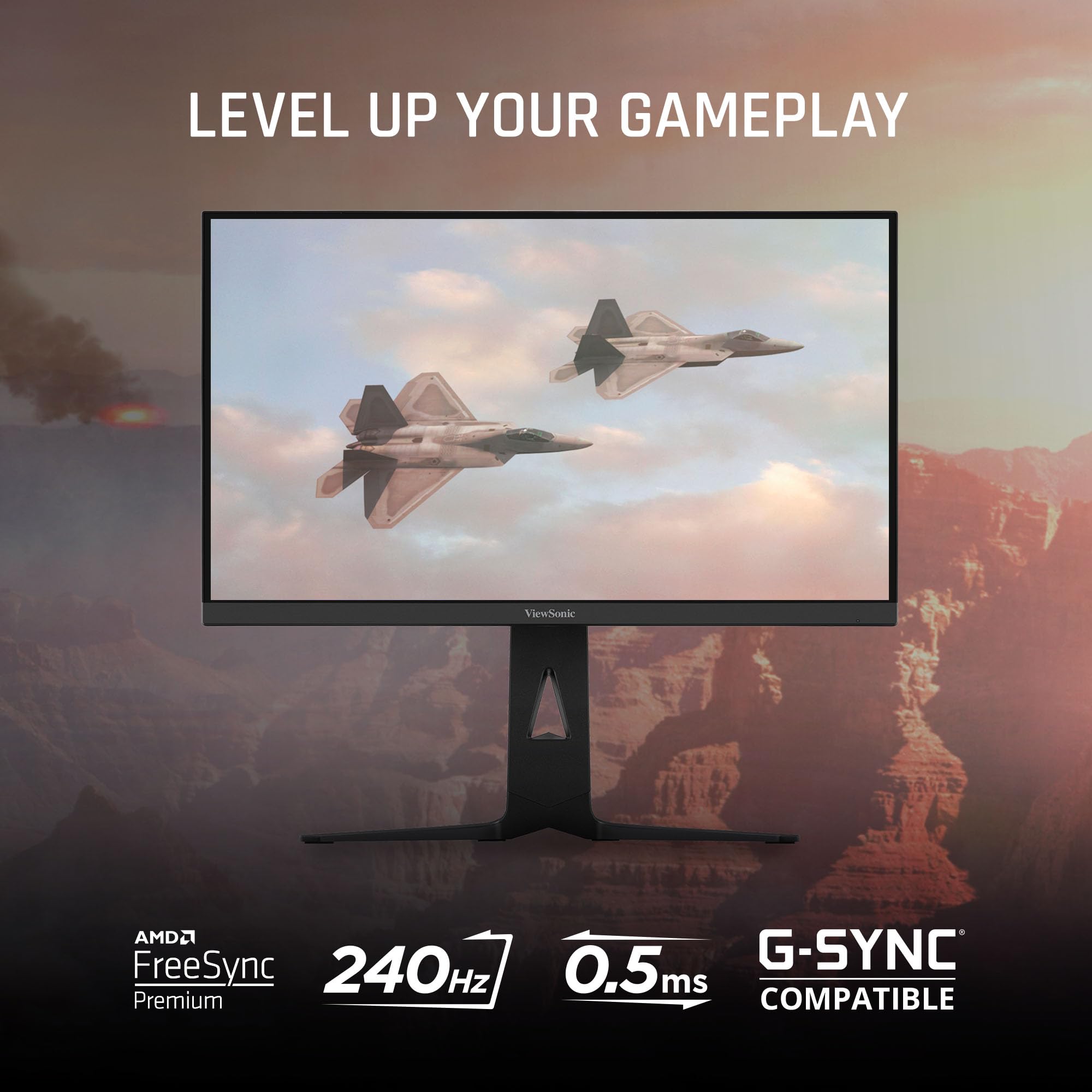
What makes the ViewSonic XG2736 particularly noteworthy is its ambitious feature set packed into an accessible package. Beyond its raw speed and resolution, it includes FreeSync Premium and G-Sync compatibility for tear-free gaming, an advanced ergonomic stand for comfort, and even a convenient 65W USB-C port for simplified connectivity. On paper, it sounds like a dream come true for many gamers and productivity users alike, and I was eager to put it through its paces to see if it lives up to the hype.
What is the ViewSonic XG2736?
The ViewSonic XG2736 is a 27-inch QHD (2560x1440p) gaming monitor designed to be a central hub for your gaming and productivity needs. At its core, it features an IPS (In-Plane Switching) panel, which is generally celebrated for its superior color accuracy and wide viewing angles compared to other panel types. This means that whether you’re viewing the screen head-on or from an angle, the colors should remain consistent and vibrant, a crucial detail for both immersive gaming and creative work.
The monitor sports thin bezels, giving it a sleek, modern look that’s ideal for multi-monitor setups. It also incorporates subtle RGB lighting on the back, adding a touch of gamer aesthetic without being overly flashy. Its primary appeal lies in its high-performance specifications: a rapid 240Hz refresh rate ensures incredibly fluid motion, while a 0.5ms (MPRT) response time aims to minimize ghosting and input lag, providing a crucial edge in fast-paced games.
Connectivity is robust, offering HDMI, DisplayPort, and a versatile 65W USB-C port that can handle video, data, and power delivery all through a single cable. This makes it a great candidate for laptop users looking for a one-cable docking solution. The target audience for the ViewSonic XG2736 is broad, encompassing competitive esports players who demand every millisecond of advantage, general gaming enthusiasts seeking a high-fidelity and smooth experience, and even professionals who appreciate the 1440p workspace combined with convenient connectivity.
ViewSonic XG2736-2K Review In 2026 – Best Gaming Monitor with USB-C
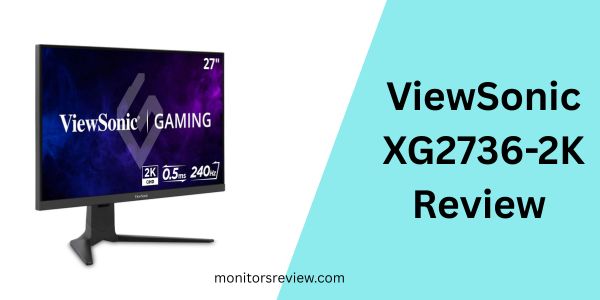
The ViewSonic XG2736 is packed with features designed to enhance both gaming and general usage. Let’s delve into what truly sets it apart.
Immersive QHD IPS Panel
At 27 inches with a QHD (2560x1440p) resolution, this monitor provides a fantastic balance between screen real estate and pixel density. In my experience, 1440p on a 27-inch screen offers crisp visuals without requiring excessive scaling, making text sharp and game worlds detailed. The IPS panel, as expected, delivers excellent color reproduction and wide 178-degree viewing angles. When I fired up some graphically rich titles, the vibrant hues and deep contrasts truly stood out, pulling me deeper into the game worlds. The thin bezels also contribute significantly to the immersion, making the display feel expansive.
Unrivaled Speed: 240Hz Refresh Rate & 0.5ms Response Time
This is where the ViewSonic XG2736 truly shines for competitive gamers. The 240Hz refresh rate means the screen refreshes 240 times per second, translating into incredibly smooth motion and reduced input lag. Paired with a blistering 0.5ms (MPRT) response time, I found fast-moving objects in games like first-person shooters appeared incredibly sharp, with virtually no ghosting or motion blur. This level of responsiveness provides a distinct advantage, allowing for quicker target acquisition and more precise movements. The difference from a 60Hz or even 144Hz monitor is palpable, especially in high-octane scenarios.
Tear-Free Gaming with FreeSync Premium & G-Sync Compatible
Nothing breaks immersion quite like screen tearing. Thankfully, the ViewSonic XG2736 supports both AMD FreeSync Premium and is NVIDIA G-Sync compatible. This adaptive sync technology synchronizes the monitor’s refresh rate with your GPU’s frame rate, eliminating tearing and stuttering for an incredibly fluid gaming experience. I tested this with both an AMD and NVIDIA graphics card, and in both instances, the gameplay was consistently smooth and artifact-free, making every frame feel perfectly timed.
Advanced Ergonomics for Marathon Sessions
A high-performance monitor is only truly great if it’s comfortable to use for extended periods. The ViewSonic XG2736‘s stand offers advanced ergonomic adjustments, including tilt, swivel, and height adjustment. This allowed me to easily position the screen at my ideal viewing angle, reducing strain on my neck and eyes during long gaming sessions or workdays. The ability to fine-tune the monitor’s position is a small but significant detail that many entry-level monitors overlook, and it’s a welcome inclusion here.
Single-Cable Solution: 65W USB-C Connectivity
For me, cable clutter is a constant battle, so the inclusion of a 65W USB-C port is a huge benefit. This single cable can transmit video, audio, data, and even provide up to 65 watts of charging power to compatible laptops or devices. When I connected my laptop, it instantly transformed my desk into a streamlined workstation, with peripherals connected to the monitor’s built-in USB hub and my laptop charging simultaneously. It’s incredibly convenient for those who frequently connect and disconnect their portable devices.
Smart Design with RGB Lighting
While not a performance feature, the thin bezels and subtle RGB lighting on the rear of the monitor add to its overall appeal. The lighting can be customized to match your setup or simply add a cool ambient glow. It’s a nice touch that contributes to the “gaming monitor” aesthetic without being overbearing, and I found it added a bit of flair to my battle station.
How Does ViewSonic XG2736 Perform?
Putting the ViewSonic XG2736 to the test across various scenarios gave me a clear picture of its capabilities and where it truly shines.
Competitive Gaming Experience
This monitor is clearly built for speed, and it absolutely delivers in competitive gaming. I spent hours in fast-paced FPS titles like Valorant and Apex Legends, and the 240Hz refresh rate combined with the 0.5ms MPRT response time made a noticeable difference. Movements felt incredibly fluid, and I could track enemies with precision, even during frantic engagements. Screen tearing was non-existent thanks to the FreeSync Premium and G-Sync compatibility, which kept the action buttery smooth. There was no perceptible input lag, making my reactions feel direct and immediate. For serious competitive players, this monitor provides a significant advantage.
Visual Fidelity and Media Consumption
Beyond raw speed, the IPS panel of the ViewSonic XG2736 offers a pleasant visual experience. Colors were vibrant and accurate right out of the box, though a quick calibration did make them pop even more. Watching movies and streaming content was enjoyable, with good contrast and decent black levels for an IPS panel. While it’s not a professional-grade color-critical display, for general media consumption and casual gaming, I found the image quality to be very good. Viewing angles were excellent, meaning colors didn’t shift or wash out even when I wasn’t sitting directly in front of the screen. I did notice some minor IPS glow in very dark scenes, which is typical for this panel technology, but it wasn’t distracting.
Productivity and Creative Work
The 27-inch 1440p resolution offers ample screen real estate for productivity tasks. I frequently work with multiple windows open, and the extra pixels allowed me to comfortably arrange documents, web browsers, and communication apps side-by-side without feeling cramped. Text clarity was sharp, making long reading or writing sessions comfortable. The USB-C port was a game-changer for my workflow, allowing me to connect my laptop and utilize the monitor’s USB hub for my keyboard, mouse, and external SSD, all while charging my laptop with a single cable. This significantly reduced desk clutter and simplified my setup, making transitions between work and play seamless.
Pros and Cons of ViewSonic XG2736
After extensive testing, here’s a balanced look at the strengths and weaknesses of the ViewSonic XG2736.
Pros of ViewSonic XG2736
- ✅ Blazing Fast Performance: The 240Hz refresh rate and 0.5ms MPRT response time truly deliver for competitive gaming, providing incredibly smooth motion and minimal ghosting.
- ✅ Vibrant IPS Panel: Excellent color accuracy and wide viewing angles make games and media look fantastic, offering a significant upgrade over TN panels.
- ✅ Seamless Adaptive Sync: Both FreeSync Premium and G-Sync compatibility ensure tear-free and stutter-free gaming experiences across different GPU brands.
- ✅ Convenient USB-C Connectivity: The 65W USB-C port is a standout feature for laptop users, offering video, data, and power delivery over a single cable, reducing clutter.
- ✅ Advanced Ergonomic Stand: Full adjustability (tilt, swivel, height) ensures comfortable viewing positions for extended use, a crucial detail for marathon sessions.
- ✅ Sharp 1440p Resolution: The 27-inch QHD display provides a great balance of detail and screen space for both gaming and productivity tasks.
- ✅ Aggressive Pricing: At its given price, the feature set is incredibly compelling, offering high-end gaming specs at a surprisingly affordable cost.
Cons of ViewSonic XG2736
- ❌ Initial Calibration Needed: While colors are good, out-of-the-box settings might require some tweaking for optimal accuracy and brightness to truly shine.
- ❌ Typical IPS Glow/Backlight Bleed: Like most IPS panels, there can be some minor backlight bleed or IPS glow, particularly noticeable in very dark scenes, though it’s generally not distracting during normal use.
- ❌ Menu Navigation: The on-screen display (OSD) menu system, while functional, can be a bit clunky to navigate with the physical buttons, requiring some getting used to.
- ❌ Average Built-in Speakers: The integrated speakers are functional for basic audio but lack depth and richness, making external speakers or headphones essential for a good audio experience.
- ❌ No Prominent HDR Support: While some basic HDR signal processing might be present, it doesn’t offer the robust HDR performance seen on higher-end monitors with local dimming zones.
What Customers Are Saying About ViewSonic XG2736
Given the 3.4-star rating from 51 reviews, it’s clear that experiences with the ViewSonic XG2736 are mixed, reflecting its ambitious feature set at a very attractive price point. Here’s a glimpse into what real users are experiencing:
Customer Review: “I picked up the ViewSonic XG2736 looking for an upgrade from my old 1080p monitor, and I’m mostly happy. The 240Hz is absolutely fantastic for my competitive games – everything is so smooth. The 1440p resolution makes a big difference too. However, I did spend a good hour tweaking the color settings to get it looking just right, and there’s a bit of IPS glow in the bottom corners in dark scenes. For the price though, I really can’t complain much, it’s a solid performer.”
Customer Review: “The USB-C port is a lifesaver for my MacBook. I just plug in one cable and my laptop charges, connects to the monitor, and all my peripherals work. It’s so convenient! Gaming at 240Hz with G-Sync on my desktop is also a dream. My only minor gripe is the built-in speakers are pretty weak, so definitely plan on using headphones or separate speakers.”
Customer Review: “Honestly, for the price, this ViewSonic XG2736 monitor is amazing value. You get 1440p, 240Hz, and IPS! My old monitor was barely 144Hz. It’s not perfect, the menu buttons are a bit fiddly, and the colors needed some adjustment initially, but once set up, it’s a joy to game on. I’ve noticed a definite improvement in my game performance.”
Is ViewSonic XG2736 Right for You?
Deciding if the ViewSonic XG2736 is the right monitor for your setup depends heavily on your priorities and budget. Here’s a breakdown of who would benefit most and who might want to look elsewhere.
Ideal User Profiles
- 🎯 Competitive Gamers on a Budget: If you primarily play fast-paced esports titles and demand the highest refresh rates and lowest response times but don’t want to break the bank, this monitor is an exceptional value.
- 🎯 Hybrid Work-and-Play Users: For those who split their time between intense gaming and productivity work, the 1440p resolution, ergonomic stand, and especially the 65W USB-C port make it a versatile and clutter-reducing solution.
- 🎯 Gamers Seeking a 1440p Upgrade: If you’re moving up from a 1080p monitor and want to experience the crispness of 1440p without sacrificing competitive performance, the XG2736 offers a compelling package.
- 🎯 Content Creators/Casual Editors: While not a professional color-grading monitor, the IPS panel provides good enough color accuracy for casual content creation or photo editing, especially when paired with the large screen real estate.
Who Should Skip It
- 💡 Absolute Color Perfectionists: If your work demands extremely precise, factory-calibrated color accuracy for professional photo or video editing, you might need a more specialized and expensive monitor.
- 💡 4K Enthusiasts: If your priority is native 4K resolution, this 1440p monitor won’t meet that need.
- 💡 Users Who Dislike IPS Glow: While typical, if even minimal IPS glow or backlight bleed is a complete deal-breaker for you, this might not be the monitor.
- 💡 Those Expecting Premium Audio: If you rely solely on built-in speakers and expect high-fidelity sound, you’ll be disappointed and should plan for external audio solutions.
Is ViewSonic XG2736 Worth the Price?
The price of the ViewSonic XG2736 at $149.98 is, frankly, astonishing for its feature set. Let’s put this into perspective: A 27-inch 1440p IPS monitor with a 240Hz refresh rate, 0.5ms response time, FreeSync Premium/G-Sync compatibility, and 65W USB-C connectivity typically retails for significantly more, often in the $300-$500+ range, sometimes even higher. To find these specifications at this price point is almost unheard of and makes it an incredible value proposition.
When I consider the performance and convenience features it offers, the ViewSonic XG2736 punches well above its weight class. While there are minor trade-offs, such as needing some initial calibration or dealing with typical IPS glow, these are often present even on more expensive monitors. The compromises are minimal compared to the immense value derived from its core strengths. It’s not just a budget monitor; it’s a budget monitor that delivers high-end performance in critical areas.
For me, the long-term value is clear. You’re getting a monitor that’s future-proofed for competitive gaming for years to come, and its productivity features, especially the USB-C port, ensure it remains relevant even as your setup evolves. If your budget is tight but your demands for gaming performance are high, this monitor represents a smart and highly cost-effective investment. It’s an opportunity to acquire a monitor that rivals far more expensive alternatives in key performance metrics.
Frequently Asked Questions

Is the ViewSonic XG2736 G-Sync Compatible out of the box?
Yes, the ViewSonic XG2736 is NVIDIA G-Sync Compatible, meaning it has been validated by NVIDIA to provide a variable refresh rate (VRR) experience with compatible NVIDIA graphics cards, ensuring tear-free gaming.
Does the ViewSonic XG2736 have built-in speakers?
Yes, the monitor includes built-in speakers. However, as noted in the cons, their audio quality is fairly basic, and I would recommend using external speakers or headphones for a richer sound experience.
What cables are included with the ViewSonic XG2736?
Typically, ViewSonic includes a DisplayPort cable, an HDMI cable, and a USB-C cable, along with a power cable, ensuring you have the necessary connections to get started immediately.
Can the ViewSonic XG2736 be VESA mounted?
Absolutely. The monitor supports VESA mounting (100x100mm), allowing you to easily attach it to a monitor arm or wall mount for more flexibility in placement or a multi-monitor setup.
What is MPRT response time, and how does it compare to GtG?
MPRT stands for Moving Picture Response Time, which measures how long a pixel remains visible on the screen. The 0.5ms MPRT indicates extremely clear motion. GtG (Grey-to-Grey) measures how long it takes a pixel to change from one shade of grey to another. While GtG is often preferred for overall pixel transition speed, MPRT is a good indicator of motion clarity, especially when motion blur reduction technologies are enabled.
How good are the colors of the ViewSonic XG2736 for non-gaming uses like graphic design?
With its IPS panel, the ViewSonic XG2736 offers good color accuracy and wide viewing angles, making it suitable for casual graphic design or photo editing. For professional, color-critical work, a dedicated color-calibrated monitor with wider color gamut coverage might be necessary, but for everyday creative tasks, it performs admirably.
Is the USB-C port on the ViewSonic XG2736 reversible?
Yes, the USB-C connector is reversible, meaning you can plug it in either way, adding to its convenience and ease of use.
What are the physical dimensions of the ViewSonic XG2736 with its stand?
While exact dimensions can vary slightly, a 27-inch monitor with an ergonomic stand typically measures around 24-25 inches wide, 20-22 inches high (depending on height adjustment), and 9-10 inches deep. Always refer to the product manual for precise measurements.
How much power does the USB-C port deliver for charging?
The USB-C port on the ViewSonic XG2736 provides up to 65W of power delivery, which is sufficient to charge most modern laptops, tablets, and smartphones while simultaneously transferring video and data.
Does the ViewSonic XG2736 support HDR?
The product description does not prominently feature HDR support, suggesting it may have basic HDR signal compatibility but likely lacks the high brightness and local dimming zones required for a truly impactful HDR experience. Expect SDR performance to be its strong suit.
Final Verdict: Should You Buy ViewSonic XG2736?
After thoroughly evaluating the ViewSonic XG2736, my verdict is clear: this monitor offers an astounding package for its price. ⭐⭐⭐⭐
Key Takeaways: The lightning-fast 240Hz refresh rate and 0.5ms response time, combined with the vibrant 1440p IPS panel and adaptive sync support, make it an incredible value for competitive gamers. The inclusion of a 65W USB-C port significantly enhances its versatility, transforming it into a capable hub for productivity and simplifying desk setups. While it’s not without minor imperfections, such as needing some initial color calibration and having basic built-in speakers, these are easily overlooked when considering the overall performance and feature set at such an accessible price point.
Final Recommendation: If you’re a gamer seeking a significant upgrade in performance and visual fidelity without emptying your wallet, especially if you play competitive titles, the ViewSonic XG2736 is an outstanding choice. It’s also highly recommended for anyone needing a versatile display that can seamlessly transition between high-performance gaming and efficient productivity, particularly laptop users who can leverage its single-cable USB-C solution. It truly delivers pro-level gaming features that were once reserved for much pricier alternatives.
Conclusion
In a market flooded with gaming monitors, the ViewSonic XG2736 stands out as a remarkable contender, defying expectations with its aggressive pricing and comprehensive feature set. It successfully bridges the gap between high-performance gaming and practical everyday use, delivering a truly immersive and responsive experience.
From the silky-smooth gameplay afforded by its 240Hz refresh rate and 0.5ms response time, to the rich colors of its IPS panel and the unmatched convenience of its 65W USB-C port, this monitor provides exceptional value. It’s a testament to how far display technology has come, offering once premium features to a wider audience.
For those ready to elevate their gaming setup and streamline their workspace, the ViewSonic XG2736 is more than just a monitor; it’s a smart investment in your digital experience. Consider the ViewSonic XG2736 for your setup today and experience a new level of gaming and productivity!
Ready to Experience ViewSonic XG2736?
Get the best price and verified reviews on Amazon today.