Is a 22 inch monitor good for gaming? It really depends on your priorities! While offering budget-friendliness and excellent pixel density for 1080p, its smaller size can impact immersion and multitasking. For casual gamers, competitive esports titles, or those with limited space, a 22-inch display can be a surprisingly solid choice, especially when paired with good specs like high refresh rate and low response time. However, for AAA titles, open-world adventures, or a truly cinematic experience, you might crave something larger.
Ever found yourself staring at monitor specs, feeling a bit overwhelmed by the sheer number of options? You’re not alone! When it comes to gaming, everyone talks about massive ultrawides or super-fast 27-inch displays. But what about the humble 22-inch monitor? Is a 22 inch monitor good for gaming, or is it simply too small to truly enjoy your favorite virtual worlds?
It’s a question many gamers, especially those on a budget or with limited desk space, often ponder. The truth is, the answer isn’t a simple yes or no. A 22-inch monitor can be a fantastic companion for certain types of gamers and specific gaming scenarios, while falling short for others. It all comes down to understanding what you value most in your gaming setup and how a smaller screen impacts different aspects of the experience.
In this comprehensive guide, we’re going to dive deep into the world of 22-inch monitors for gaming. We’ll explore their strengths, acknowledge their weaknesses, and give you practical tips to help you decide if a 22-inch display is the right fit for your gaming adventures. Let’s find out if this compact contender can deliver the goods!
Key Takeaways
- Budget-Friendly & Space-Saving: A 22-inch monitor is often more affordable and takes up less desk space, making it ideal for gamers on a tight budget or with compact setups.
- Excellent 1080p Pixel Density: For its size, a 22-inch monitor typically offers a sharp and clear 1080p image without noticeable pixelation, enhancing visual clarity.
- Competitive Gaming Potential: With the right specs (high refresh rate, low response time, TN/IPS panel), a 22-inch display can be very effective for fast-paced competitive games where peripheral vision is key and minimal head movement is desired.
- Immersion May Be Limited: The smaller screen size inherently offers less immersion compared to larger monitors, which might detract from the experience of graphically rich, open-world, or cinematic games.
- Not Ideal for Multitasking: A single 22-inch monitor can feel restrictive for tasks requiring multiple windows or extensive productivity work alongside gaming.
- Prioritize Core Specs: Regardless of size, prioritize refresh rate (120Hz+), response time (1ms-5ms), and panel type (IPS for balance, TN for speed) over just screen size for a good gaming experience.
- Viewing Distance is Crucial: To maximize the benefits and minimize drawbacks, optimize your viewing distance with a 22-inch monitor; sitting too far back can make details hard to see.
Quick Answers to Common Questions
Is a 22 inch monitor good for competitive gaming?
Yes, a 22-inch monitor can be excellent for competitive gaming. Its smaller size keeps all critical game information within your central field of vision, reducing eye movement and potentially improving reaction times. When paired with high refresh rates (120Hz+) and low response times (1ms-5ms), it offers a very responsive experience for esports titles.
Is a 22 inch monitor good for casual gaming?
Absolutely. For casual gamers who enjoy a variety of genres and don’t require the most immersive experience, a 22-inch monitor offers a sharp 1080p image and is often very affordable. It’s a great choice for everyday gaming without breaking the bank.
What resolution is best for a 22 inch monitor for gaming?
Full HD (1920x1080p) is the best resolution for a 22-inch monitor. It provides excellent pixel density at this size, resulting in a sharp and clear image without demanding excessive power from your graphics card. Higher resolutions are generally not beneficial at this screen size.
How far should I sit from a 22 inch monitor for gaming?
For optimal viewing and immersion with a 22-inch monitor, you should aim to sit roughly an arm’s length away, which is about 2 to 3 feet (60-90 cm). This distance allows the screen to fill a comfortable portion of your vision without causing strain.
Can a 22 inch monitor be used for gaming and work?
Yes, a 22-inch monitor can certainly be used for both gaming and work. However, its smaller screen size can make multitasking with multiple windows open at once a bit cramped. If productivity is a major factor, consider a dual monitor setup to complement your 22-inch gaming display.
📑 Table of Contents
The Appeal (and Reality) of Smaller Monitors for Gaming
Let’s kick things off by looking at why someone might even consider a 22-inch monitor for gaming in the first place. There are some genuinely compelling reasons, especially if you’re not chasing the absolute bleeding edge of technology.
Initial Cost Savings
One of the most immediate benefits of a 22-inch monitor is its price point. Generally, smaller monitors are significantly more affordable than their larger counterparts, even when equipped with similar high-performance gaming features like high refresh rates and low response times. This makes them an excellent entry point for new PC gamers or those building a budget-conscious setup. You can often get a very capable 22-inch gaming monitor for the price of a more basic, larger display, allowing you to allocate more of your budget to your GPU or CPU – which are arguably more critical for raw gaming performance.
Space Efficiency
Not everyone has a sprawling desk or a dedicated gaming room. A 22-inch monitor fits comfortably into smaller spaces, dorm rooms, or shared office areas without dominating the entire surface. Its compact footprint is a huge advantage if you’re working with limited real estate, allowing for a cleaner, less cluttered setup. This also makes them more portable if you ever need to move your setup or take it to a LAN party.
Pixel Density Considerations (at 1080p)
This is where a 22-inch monitor truly shines for its size. Most 22-inch monitors feature a 1920×1080 (Full HD or 1080p) resolution. At this size, 1080p offers a fantastic pixel density – typically around 100 pixels per inch (PPI). What does this mean for you? It means the image on a 22-inch display looks incredibly sharp and clear, with individual pixels much less noticeable than on a larger 1080p monitor (like a 27-inch, which often looks a bit “pixelated” at that resolution). This high pixel density makes text crisp and game graphics smooth, without needing a super-powerful graphics card to push higher resolutions.
Performance Factors: What Truly Matters for Gaming?
While size is often the first thing people notice, it’s actually secondary to several critical performance specifications when it comes to how a monitor feels for gaming. A 22-inch monitor with great specs will always outperform a larger monitor with poor specs.

Visual guide about Is a 22 inch monitor good for gaming Find out
Image source: lapseoftheshutter.com
Refresh Rate (Hz)
The refresh rate dictates how many times per second the monitor can update the image. For gaming, especially fast-paced titles, a higher refresh rate is crucial for a smooth and responsive experience. While older 22-inch monitors might be limited to 60Hz, many modern 22-inch gaming monitors now offer 75Hz, 120Hz, 144Hz, or even higher. This dramatically reduces motion blur and makes gameplay feel much more fluid. If you’re serious about competitive gaming, aim for at least 120Hz on your 22-inch display.
Response Time (ms)
Response time measures how quickly a pixel can change from one color to another. A low response time (typically 1ms to 5ms GTG – Gray-to-Gray) is vital to minimize ghosting or smearing effects, where previous frames linger on the screen. This is particularly noticeable in fast-moving games. Fortunately, many 22-inch monitors designed for gaming boast excellent response times, ensuring a clear picture even during chaotic action.
Panel Type (TN, IPS, VA)
The panel technology also plays a significant role in your gaming experience:
- TN (Twisted Nematic): Known for the fastest response times and refresh rates, TN panels are often the go-to for competitive gamers. However, they typically have poorer color accuracy and narrow viewing angles. For a high-performance 22-inch monitor focused purely on speed, TN can be a great choice.
- IPS (In-Plane Switching): Offers superior color accuracy and wide viewing angles, making games look vibrant and beautiful from almost any perspective. Historically slower, modern IPS panels now offer impressive response times (1ms GTG is common) and high refresh rates, making them a fantastic all-rounder for both casual and competitive gaming on a 22-inch screen.
- VA (Vertical Alignment): Provides excellent contrast ratios, leading to deeper blacks and richer colors than TN, though usually not as accurate as IPS. They sit in the middle for response times and viewing angles. VA panels can be good for immersive single-player games where contrast matters, but might not be as snappy as TN or some IPS for competitive play.
Resolution (1080p Sweet Spot for 22-inch)
As mentioned, 1080p (Full HD) is the ideal resolution for a 22-inch monitor. It provides a sharp image without being overly demanding on your graphics card. Trying to run 1440p or 4K on a 22-inch display is generally not recommended, as the text and UI elements would become extremely small, requiring aggressive scaling, and the visual benefits of the higher resolution would be hard to discern at that size. Stick to 1080p for the best balance of performance and visual clarity on a 22-inch screen.
Genre by Genre: Is a 22-inch Monitor a Good Fit?
The suitability of a 22-inch monitor can vary greatly depending on the types of games you primarily play. Let’s break it down:
Visual guide about Is a 22 inch monitor good for gaming Find out
Image source: cdn.mos.cms.futurecdn.net
Fast-Paced Shooters (FPS) and MOBAs
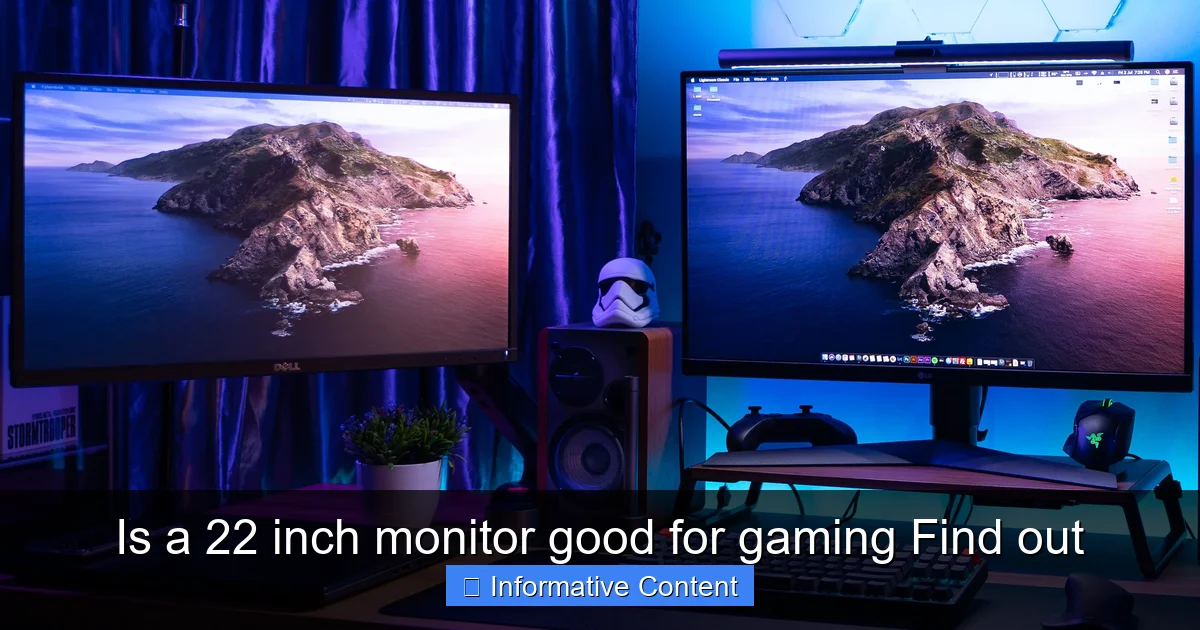
Surprisingly, a 22-inch monitor can be excellent for competitive FPS games like Valorant, CS: GO, or Overwatch, and MOBAs like League of Legends or Dota 2. Why? The smaller screen size keeps all the action and critical HUD elements within your central field of vision. This means less eye movement and head turning, which can translate to faster reaction times. Pro esports players sometimes even prefer smaller monitors for this very reason. Combine a 22-inch display with a high refresh rate and low response time, and you’ve got a formidable competitive edge.
Strategy Games (RTS) and RPGs
For strategy games (Starcraft II, Age of Empires) and many RPGs (Diablo, Baldur’s Gate), a 22-inch monitor is perfectly adequate. While a larger screen might show more of the battlefield at once, a 22-inch display still provides plenty of space for units, maps, and menus. The crisp 1080p image ensures details are clear. Immersion might be slightly less than on a massive screen, but gameplay isn’t hindered.
Simulation and Open-World Games
This is where a 22-inch monitor might start to show its limitations. For highly immersive games like Microsoft Flight Simulator, Red Dead Redemption 2, or Cyberpunk 2077, a larger screen often enhances the experience significantly. The expansive landscapes and intricate details of open-world environments truly come alive on bigger displays. On a 22-inch display, you might feel a bit more “boxed in,” reducing the sense of scale and presence. It’s still playable, of course, but the sense of grandeur might be diminished.
The Downsides: Where a 22-inch Monitor Might Fall Short
No monitor is perfect for everyone, and a 22-inch display certainly has its drawbacks that are worth considering before you make a purchase.
Visual guide about Is a 22 inch monitor good for gaming Find out
Image source: wepc.com
Immersion Factor
Perhaps the biggest sacrifice with a 22-inch monitor is the level of immersion. Larger screens, especially ultrawides or those 27 inches and above, tend to fill more of your field of view, pulling you deeper into the game world. On a 22-inch display, particularly if you sit a bit further back, the game can feel more like you’re looking through a window rather than being surrounded by the virtual environment. For cinematic single-player experiences, this can be a noticeable difference.
Multitasking Limitations
If your gaming PC doubles as your work or study station, a single 22-inch monitor can feel restrictive for multitasking. Having multiple windows open side-by-side (e.g., a game guide, Discord, and your game) can quickly lead to a cramped and inefficient workspace. While you can manage, it’s certainly less comfortable than on a larger screen or a dual-monitor setup.
Future-Proofing Concerns
As gaming technology advances, larger monitors with higher resolutions (1440p, 4K) are becoming more common and affordable. While a 22-inch 1080p monitor is perfectly viable today, it might feel a bit small and low-res in a few years as games become even more visually demanding and designed for larger canvases. Investing in a 22-inch monitor now might mean upgrading sooner if you consistently chase the latest visual fidelity.
Optimizing Your 22-inch Gaming Experience
If you decide that a 22-inch monitor is the right choice for you, there are several things you can do to get the absolute best gaming experience out of it.
Proper Viewing Distance
This is critical. With a 22-inch monitor, you’ll want to sit relatively close to it. A good rule of thumb is an arm’s length, or roughly 2 to 3 feet (60-90 cm). Sitting too far back will make details hard to see and reduce any sense of immersion you might gain. Experiment with your chair and monitor position to find the sweet spot where the screen fills a comfortable portion of your vision without causing eye strain.
Graphic Settings Adjustments
Because you’re playing at 1080p on a 22-inch display, you can often push your in-game graphic settings higher than someone playing at 1440p or 4K. This means you can enjoy sharper textures, better shadows, and more detailed environments without as much performance hit, assuming your GPU is capable. Experiment with settings like anti-aliasing to make edges even smoother on your crisp 22-inch screen.
Ergonomics and Setup
Ensure your 22-inch monitor is at eye level. Use a monitor stand or an adjustable arm if necessary. Good posture and proper monitor placement will prevent neck strain and allow for longer, more comfortable gaming sessions. Even a smaller monitor needs to be set up ergonomically.
Considering a Dual Monitor Setup
If multitasking is a concern, but you’re committed to the 22-inch size for gaming, consider adding a second monitor. This could be another 22-inch monitor, or even a larger, more budget-friendly display for productivity tasks. You can use your primary 22-inch monitor solely for gaming, and the secondary screen for Discord, guides, streams, or work, giving you the best of both worlds.
Conclusion
So, is a 22 inch monitor good for gaming? Absolutely, it can be! It’s not the ultimate choice for everyone, but it holds a strong position in the gaming world for specific needs and preferences. For gamers on a budget, those with limited desk space, or competitive players who prioritize speed and reaction time over sheer visual immersion, a well-chosen 22-inch monitor can be an outstanding value.
Its excellent pixel density at 1080p ensures a crisp image, and when combined with high refresh rates and low response times, it delivers a very responsive gaming experience. While it might not offer the same cinematic grandeur as larger displays for open-world epics, it excels in competitive scenarios where every millisecond and every glance counts.
Ultimately, the “best” monitor size is subjective. If you understand its strengths and limitations, and choose a 22-inch monitor with strong core gaming specs, you’ll find yourself with a capable and enjoyable gaming companion that might just surprise you. Don’t let the size fool you; a 22-inch monitor can definitely bring the fun to your gaming setup!
Frequently Asked Questions
Are 22 inch monitors still relevant for gaming in 2024?
Yes, 22-inch monitors are still relevant for gaming, especially for budget-conscious gamers, those with limited desk space, or competitive players who prefer a compact view. While larger monitors are popular, a 22-inch display with good specs (high refresh rate, low response time) offers a sharp 1080p experience and excellent performance in many game genres.
What are the main advantages of a 22-inch monitor for gaming?
The main advantages include affordability, space efficiency, and excellent pixel density for 1080p resolution, which results in a sharp image. For competitive gamers, the smaller screen keeps all action within immediate view, potentially aiding faster reaction times.
What are the disadvantages of a 22-inch monitor for gaming?
The primary disadvantages are reduced immersion compared to larger screens, making it less ideal for cinematic or open-world games. It also offers less screen real estate for multitasking, which can be restrictive if you use your monitor for both gaming and productivity.
Should I choose a TN or IPS panel for a 22-inch gaming monitor?
For a 22-inch gaming monitor, an IPS panel is generally recommended as it offers excellent color accuracy and wide viewing angles, providing a vibrant gaming experience without sacrificing much speed in modern versions. However, if pure competitive speed is your absolute top priority and budget is tight, a TN panel can still be a good choice for its typically faster response times.
Will a 22-inch monitor look pixelated at 1080p?
No, a 22-inch monitor at 1080p resolution will generally not look pixelated. In fact, it offers a very good pixel density (around 100 PPI), resulting in a sharp, clear, and smooth image. Pixelation becomes more noticeable when 1080p is stretched across much larger screens, like 27 inches or more.
Is a 22-inch monitor suitable for console gaming (PS5, Xbox Series X)?
Yes, a 22-inch monitor can be perfectly suitable for console gaming. Most modern consoles target 1080p or 4K output, and a 22-inch 1080p monitor will display a crisp image. Just ensure the monitor has the necessary HDMI inputs and supports a refresh rate of at least 60Hz, or higher if the console and game support it.