Choosing what are the best gaming monitors can dramatically enhance your gameplay, offering smoother visuals and more immersive experiences. Key factors like refresh rate, response time, resolution, and panel type are crucial, alongside adaptive sync technologies like G-Sync and FreeSync. Our comprehensive guide helps you navigate these specs and reveals top picks to find the perfect display tailored to your budget and gaming preferences.
What Are The Best Gaming Monitors Top Picks Revealed
Picture this: you’ve just built your dream gaming PC, packed with the latest GPU and CPU. You’ve got the fastest RAM, the coolest RGB, and a lightning-quick SSD. But then, you plug it into an old, slow monitor. It’s like putting a supercar on bicycle tires, right? The truth is, even the most powerful gaming rig is only as good as the display it’s connected to. Your monitor is your window into the game world, and a fantastic display can make all the difference, transforming your gaming experience from good to absolutely glorious.
But here’s the kicker: stepping into the world of gaming monitors can feel like diving into a labyrinth of acronyms and technical jargon. Refresh rates, response times, panel types, adaptive sync, HDR, resolutions – it’s enough to make anyone’s head spin! With so many options out there, how do you figure out what are the best gaming monitors for your specific needs, your budget, and your playstyle? Don’t worry, friend, you’re not alone in this quest. That’s exactly why we’re here.
This comprehensive guide is designed to cut through the confusion and help you understand the most crucial features of gaming monitors. We’ll break down the specs that truly matter, explain the latest technologies, and ultimately reveal what are the best gaming monitors tailored for different types of gamers. By the time you’re done reading, you’ll be equipped with all the knowledge you need to make an informed decision and invest in a display that truly elevates your gameplay. Let’s dive in and unlock your ultimate gaming view!
Key Takeaways
- Refresh Rate & Response Time are King: For competitive gaming, prioritize high refresh rates (144Hz+) and low response times (1ms GtG) to ensure fluid visuals and minimal ghosting.
- Panel Type Matters for Experience: TN panels are fastest but lack color; IPS offers best colors and viewing angles; VA provides excellent contrast and deep blacks, often found in curved displays.
- Resolution vs. Performance: Match your monitor’s resolution (1080p, 1440p, 4K) with your GPU’s power. 1440p is often the sweet spot for detail and frame rates.
- Adaptive Sync is Essential: G-Sync (NVIDIA) or FreeSync (AMD) eliminate screen tearing and stuttering, providing a much smoother gaming experience, making them a must-have feature for the best gaming monitors.
- Consider Immersion Features: Ultrawide aspect ratios, curved screens, and HDR support significantly boost immersion for single-player and cinematic games, but demand more from your hardware.
- Balance Your Priorities & Budget: No single “best” monitor exists. Define your primary gaming style (competitive vs. immersive) and set a budget to narrow down the options effectively.
Quick Answers to Common Questions
What is the most important spec for a gaming monitor?
While several specs are crucial, the most impactful for a gaming monitor is arguably the refresh rate, followed closely by response time. A high refresh rate (144Hz+) ensures smooth motion, while a low response time (1ms GtG) prevents ghosting, both of which are vital for a responsive gaming experience.
Is 1440p or 4K better for gaming?
For most gamers, 1440p is the sweet spot. It offers a significant visual upgrade over 1080p with sharper images and more screen real estate, while being much less demanding on your GPU than 4K. This allows for higher frame rates and smoother gameplay. 4K is great for ultimate visual fidelity but requires a very powerful (and expensive) graphics card to maintain high frame rates.
Do I really need G-Sync or FreeSync?
Yes, absolutely. Adaptive Sync technologies like G-Sync and FreeSync are essential for a smooth, tear-free, and stutter-free gaming experience. They synchronize your monitor’s refresh rate with your GPU’s frame rate, eliminating visual artifacts that can be very distracting and immersion-breaking.
What’s the difference between IPS and VA panels?
IPS panels offer superior color accuracy and wider viewing angles, making them great for vibrant visuals and general use. VA panels, on the other hand, excel in contrast ratio, providing deeper blacks and often come in curved designs for greater immersion, though they can sometimes have slower response times leading to “black smearing.”
How big should my gaming monitor be?
The ideal size depends on your gaming style and desk space. For competitive esports, 24-27 inches is often preferred to keep the entire screen in your field of vision. For immersive single-player games, 32 inches or larger, including ultrawide or super ultrawide options, can greatly enhance the experience.
📑 Table of Contents
- Understanding the Core Specs: What Makes a Gaming Monitor Great?
- Adaptive Sync Technologies: G-Sync vs. FreeSync
- Size, Aspect Ratio, and Curvature: Finding Your Perfect View
- HDR, Color Accuracy, and Ergonomics: The Finer Details
- Selecting Your Champion: The Best Gaming Monitors for Different Gamers
- Conclusion
Understanding the Core Specs: What Makes a Gaming Monitor Great?
Before we look at specific recommendations, let’s get comfortable with the fundamental features that define what are the best gaming monitors. These are the specs you’ll see on every box and product page, and understanding them is key to making the right choice.
Refresh Rate (Hz): The Smoother, The Better
The refresh rate of a monitor tells you how many times per second the screen can draw a new image. It’s measured in Hertz (Hz). A standard office monitor usually has a 60Hz refresh rate. For gaming, this is often not enough. Why? Because a higher refresh rate means smoother motion and less motion blur, which is crucial for fast-paced games. Imagine seeing your enemy move in a series of jerky frames versus a fluid, continuous motion – that’s the difference a high refresh rate makes.
- 60Hz: Basic, fine for casual gaming, but you’ll notice choppiness in fast action.
- 120Hz/144Hz: The sweet spot for most gamers. Offers a significant jump in smoothness over 60Hz without breaking the bank. Great for competitive and immersive titles alike. Many of the best gaming monitors start here.
- 240Hz/360Hz+: Primarily for hardcore esports players. Provides the absolute smoothest visuals possible, giving you a competitive edge where every millisecond counts. Requires a powerful GPU to consistently hit such high frame rates.
Response Time (ms): Eliminating Ghosting
Response time refers to how quickly a pixel can change from one color to another. It’s measured in milliseconds (ms). For gaming, you want this number to be as low as possible. A slow response time leads to “ghosting” or “smearing,” where you see a faint trail behind moving objects, which can be distracting and reduce clarity during fast action.
- 5ms: Acceptable for casual gaming, but ghosting might be noticeable in fast scenes.
- 1ms (GtG): The gold standard for gaming monitors. “GtG” stands for “Gray-to-Gray,” which is a common and useful measurement. It ensures minimal ghosting and the clearest motion, making it a key feature for what are the best gaming monitors for competitive play.
Panel Type (IPS, VA, TN): Colors, Contrast, and Speed
The panel type is the underlying technology of the screen itself, and each has its strengths and weaknesses when it comes to gaming:
- TN (Twisted Nematic): Traditionally the fastest and most affordable. TN panels offer very low response times and high refresh rates. However, they suffer from poor color reproduction and narrow viewing angles, meaning colors can look washed out if you’re not looking at the screen head-on. Best for pure competitive speed.
- IPS (In-Plane Switching): Offers excellent color accuracy, vibrant visuals, and wide viewing angles, making games look stunning from almost any perspective. Historically slower than TN, modern IPS panels have dramatically improved their response times, making them a fantastic all-rounder for both competitive and immersive gaming. Many enthusiasts consider IPS to be key to what are the best gaming monitors for visual fidelity.
- VA (Vertical Alignment): Strikes a balance between TN and IPS. VA panels excel in contrast ratio, providing deep blacks and rich colors, which is great for atmospheric or dark games. They often come in curved formats, enhancing immersion. Response times can be a bit slower than the fastest IPS or TN panels, and some can exhibit “black smearing” in very dark scenes.
Resolution (1080p, 1440p, 4K): How Sharp is Your Image?
Resolution refers to the number of pixels on the screen, typically expressed as width x height (e.g., 1920×1080). More pixels mean a sharper, more detailed image. However, higher resolutions demand significantly more power from your graphics card.
- 1080p (Full HD – 1920×1080): The most common resolution. Easy for most GPUs to drive at high frame rates. Great for budget setups and competitive gamers prioritizing frame rate over pixel density.
- 1440p (QHD – 2560×1440): Often considered the sweet spot for gaming. Offers a noticeable visual upgrade over 1080p without being as demanding as 4K, allowing for high refresh rates with mid-to-high-tier GPUs. Many argue this offers the best balance for general gaming.
- 4K (UHD – 3840×2160): Provides incredible detail and sharpness, making games look breathtaking. However, it requires a very powerful (and expensive) GPU to run games smoothly at high frame rates. Best for immersive, graphically intensive single-player experiences where visual fidelity is paramount.
Adaptive Sync Technologies: G-Sync vs. FreeSync
Screen tearing and stuttering are the banes of a gamer’s existence. Screen tearing happens when your graphics card sends new frames faster than your monitor can display them, resulting in a horizontally split image. Stuttering occurs when the frame rate drops below the monitor’s refresh rate. Adaptive Sync technologies are designed to eliminate these issues.
Visual guide about What Are The Best Gaming Monitors Top Picks Revealed
Image source: hugh.cdn.rumble.cloud
NVIDIA G-Sync
G-Sync is NVIDIA’s proprietary adaptive sync technology. Monitors with G-Sync have a special hardware module built-in that synchronizes the monitor’s refresh rate directly with your NVIDIA GPU’s frame rate. This ensures incredibly smooth, tear-free, and stutter-free gameplay across a wide range of frame rates. G-Sync monitors are often more expensive due to the dedicated hardware.
AMD FreeSync
FreeSync is AMD’s open-standard adaptive sync technology. It’s based on the VESA Adaptive Sync standard and doesn’t require a proprietary hardware module in the monitor, making FreeSync displays generally more affordable. FreeSync works with AMD GPUs and, increasingly, with NVIDIA GPUs (labeled “G-Sync Compatible”) over DisplayPort and sometimes HDMI. There are different tiers like FreeSync Premium and FreeSync Premium Pro, which guarantee higher refresh rates and low framerate compensation (LFC) for even smoother experiences.
Why They Matter
Regardless of whether you choose G-Sync or FreeSync, adaptive sync is a game-changer. It smooths out gameplay dramatically, making your experience much more fluid and immersive. If you’re investing in one of the best gaming monitors, make sure it has adaptive sync compatibility with your graphics card.
Size, Aspect Ratio, and Curvature: Finding Your Perfect View
Beyond the core technical specs, the physical characteristics of your monitor play a huge role in your overall gaming comfort and immersion.

Visual guide about What Are The Best Gaming Monitors Top Picks Revealed
Image source: m.media-amazon.com
Screen Size
The ideal screen size is often a matter of personal preference and desk space. Generally:
- 24-27 inches: Excellent for competitive gaming where you want to see the entire screen at a glance without moving your head much. Also great for smaller desks. Many of the best gaming monitors for esports fall into this range.
- 32 inches and larger: Offers a more immersive experience, especially for single-player games and content consumption. Make sure your desk can accommodate it and that you sit at an appropriate distance to avoid eye strain.
Aspect Ratio (16:9, 21:9, 32:9)
- 16:9: The standard widescreen aspect ratio, most common for movies, TV shows, and games. Almost all games support 16:9 natively.
- 21:9 (Ultrawide): These monitors offer a much wider field of view, pulling you deeper into the game world. They are fantastic for immersive single-player games, simulators, and strategy titles. Not all games support ultrawide natively, and some older titles might display black bars on the sides.
- 32:9 (Super Ultrawide): Essentially two 16:9 monitors seamlessly combined into one massive display. Provides unparalleled immersion and can effectively replace a dual-monitor setup. Extremely demanding on hardware and requires strong game support.
Curved vs. Flat
- Curved Monitors: Designed to wrap around your field of vision, curved screens enhance immersion, especially with ultrawide and super ultrawide aspect ratios. They can also offer a more comfortable viewing experience by ensuring all parts of the screen are equidistant from your eyes. However, some users find the curve unnatural, and they can introduce slight distortion for productivity tasks like graphic design.
- Flat Monitors: The traditional and most versatile option. Flat screens are perfect for competitive gaming, graphic design, and general use where distortion-free viewing is critical.
HDR, Color Accuracy, and Ergonomics: The Finer Details
The best gaming monitors go beyond just speed; they also offer a rich visual experience and comfortable use.
Visual guide about What Are The Best Gaming Monitors Top Picks Revealed
Image source: pcworld.com
HDR (High Dynamic Range): More Vibrant Worlds
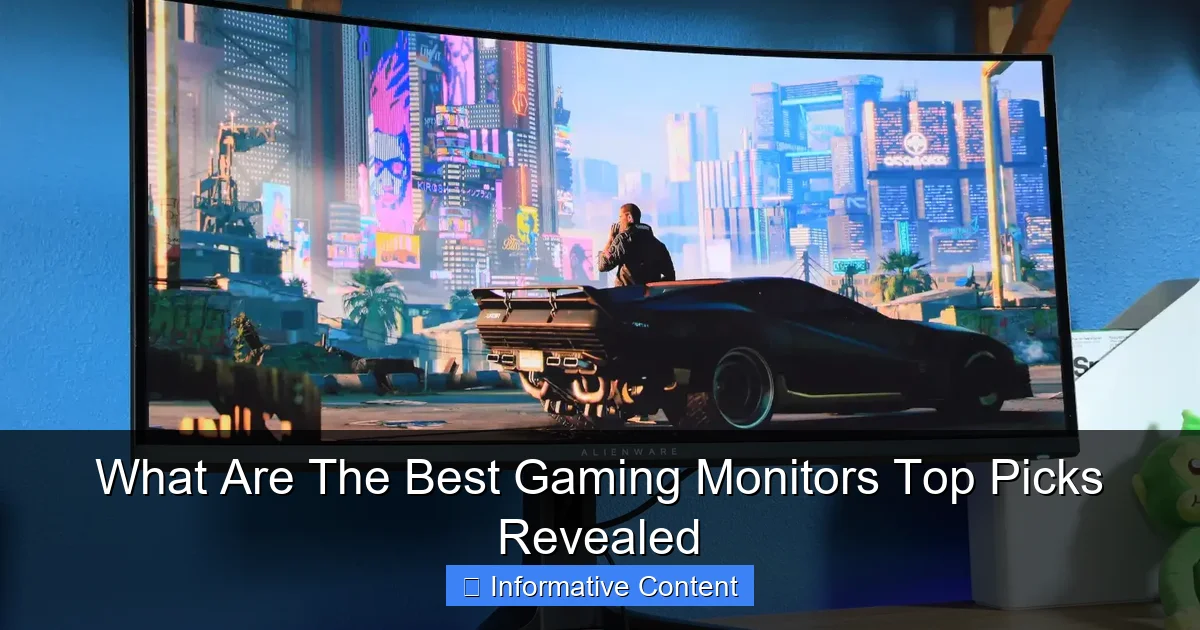
HDR significantly expands the range of colors and contrast a monitor can display. This means brighter whites, deeper blacks, and a more vivid, lifelike image with greater detail in both highlights and shadows. For games that support it, HDR can be incredibly impactful.
- VESA DisplayHDR Certifications: Look for these certifications (e.g., DisplayHDR 400, 600, 1000) as they indicate a minimum performance level for HDR. Higher numbers mean better HDR performance, with DisplayHDR 1000 offering a truly premium experience. Be aware that “HDR compatible” without a VESA certification often means minimal HDR impact.
Color Gamut and Accuracy
For gamers who also enjoy content creation or simply appreciate stunning visuals, good color accuracy and a wide color gamut (like sRGB or DCI-P3) are important. An IPS panel is usually your best bet here, delivering colors that pop and are true to life. This might not be the top priority for a competitive esports player but definitely a strong consideration for an immersive setup.
Ergonomics and Stand Features
You’ll be spending hours in front of your monitor, so comfort is paramount. The best gaming monitors usually come with highly adjustable stands that allow for:
- Height Adjustment: Crucial for maintaining proper posture.
- Tilt: To adjust the vertical viewing angle.
- Swivel: To rotate the screen horizontally.
- Pivot: To rotate the screen to portrait mode (useful for coding or specific productivity tasks).
A VESA mount compatibility is also a plus, allowing you to use third-party monitor arms for even greater flexibility and desk space.
Selecting Your Champion: The Best Gaming Monitors for Different Gamers
Now that we’ve covered the key features, let’s explore what are the best gaming monitors for various types of players. Remember, there’s no single “best” monitor for everyone; it’s all about matching features to your personal gaming style and budget.
For the Competitive Esports Pro
If you live and breathe competitive titles like CS:GO, Valorant, or Call of Duty, every millisecond counts. You need raw speed and responsiveness. The best gaming monitors for you will prioritize:
- Refresh Rate: 240Hz or higher.
- Response Time: 1ms GtG.
- Panel Type: Fast TN or a high-speed IPS panel.
- Resolution: 1080p or 1440p to ensure maximum frame rates.
- Adaptive Sync: G-Sync or FreeSync (compatible with your GPU).
- Size: 24-27 inches for optimal viewing of the entire screen.
Example: A 25-inch 1080p 360Hz 1ms IPS monitor with G-Sync.
For the Immersive Story Seeker
If you’re all about diving deep into visually stunning open worlds, cinematic RPGs, or flight simulators, your focus shifts to resolution, vibrant colors, and immersion. What are the best gaming monitors for this category?
- Resolution: 1440p ultrawide, 4K, or even super ultrawide.
- Panel Type: IPS for superb colors or VA for deep contrast, often curved.
- Refresh Rate: 100-144Hz is usually sufficient; extreme speeds are less critical.
- Response Time: 1ms to 4ms GtG is generally acceptable.
- HDR: DisplayHDR 600 or higher for truly impactful visuals.
- Size/Aspect Ratio: 32 inches+, 21:9 ultrawide, or 32:9 super ultrawide.
Example: A 34-inch curved 1440p 144Hz VA ultrawide monitor with DisplayHDR 600 and FreeSync Premium Pro.
The Balanced All-Rounder
Most gamers fall into this category, wanting a great experience across all game genres without overspending. You need a versatile display that handles competitive action well but still delivers impressive visuals. For this, what are the best gaming monitors that strike a good balance?
- Resolution: 1440p is ideal.
- Refresh Rate: 144Hz to 165Hz.
- Response Time: 1ms GtG.
- Panel Type: Fast IPS for excellent colors and speed.
- Adaptive Sync: G-Sync or FreeSync (compatible with your GPU).
- HDR: DisplayHDR 400 is a good starting point.
- Size: 27 inches.
Example: A 27-inch 1440p 165Hz 1ms IPS monitor with FreeSync Premium and DisplayHDR 400.
Budget-Conscious Gamer
You don’t need to break the bank to get a good gaming experience. You might need to make some compromises, but you can still find excellent value. What are the best gaming monitors on a tighter budget?
- Resolution: 1080p will offer the best performance-to-price ratio.
- Refresh Rate: 144Hz or higher.
- Response Time: 1ms GtG (many budget options now offer this).
- Panel Type: TN or VA, or a budget-friendly IPS.
- Adaptive Sync: FreeSync is most common and offers great value.
- Size: 24 inches.
Example: A 24-inch 1080p 144Hz 1ms VA monitor with FreeSync.
Pro Tip: Match Your Monitor to Your GPU! It’s vital to pair your monitor’s capabilities with your graphics card’s power. A 4K 144Hz monitor is wasted on an entry-level GPU that can only push 30-60 FPS at that resolution. Likewise, a powerful GPU won’t be fully utilized by a basic 60Hz monitor. Aim for a balance that allows your GPU to hit high frame rates that your monitor can actually display.
Conclusion
Choosing what are the best gaming monitors can feel like a daunting task, but by understanding the key specifications and aligning them with your personal gaming habits and budget, the decision becomes much clearer. We’ve walked through refresh rates, response times, panel types, resolutions, and essential features like adaptive sync and HDR. We’ve also explored how different combinations of these features cater to competitive players, immersive explorers, and balanced all-rounders.
Remember, there isn’t a single “best” monitor for everyone. The ideal choice is subjective and depends entirely on what you value most in your gaming experience. Do you crave the lightning-fast reflexes of esports, or do you prefer to get lost in stunning, expansive virtual worlds? Once you’ve answered that, you’ll be well on your way to finding the perfect display.
So, take a moment, assess your needs, consider your budget, and use this guide to confidently navigate the market. Investing in one of the best gaming monitors for *your* needs will undoubtedly enhance every single minute you spend in your favorite virtual realms. Happy gaming!
Frequently Asked Questions
What is “ghosting” and how do I avoid it?
Ghosting refers to motion blur or a faint “trail” left behind fast-moving objects on your screen. It occurs when your monitor’s pixels can’t change color fast enough. To avoid ghosting, look for a gaming monitor with a very low response time, ideally 1ms Gray-to-Gray (GtG), which indicates quick pixel transitions.
Is a curved monitor better for gaming?
Curved monitors can enhance immersion, especially with ultrawide aspect ratios, by wrapping the image around your peripheral vision. They can also offer a more comfortable viewing experience by ensuring a consistent viewing distance to all parts of the screen. However, for competitive gaming or tasks requiring perfect straight lines, a flat monitor might be preferred.
Can my PC run a high refresh rate monitor?
Your PC’s ability to run a high refresh rate monitor depends on your graphics card (GPU) and the games you play. If your GPU can consistently push frame rates higher than 60 FPS in your desired games, then a higher refresh rate monitor (like 144Hz) will provide a smoother experience. Always check your GPU’s capabilities and current game performance before upgrading.
What is HDR and how important is it for gaming?
HDR (High Dynamic Range) expands the contrast ratio and color palette of your display, resulting in brighter whites, deeper blacks, and more vibrant, lifelike colors. For games that support it, HDR can significantly boost visual immersion and detail. While not essential for competitive play, good HDR (DisplayHDR 600+) is a fantastic feature for visually rich, immersive games.
Should I prioritize resolution or refresh rate for gaming?
This depends on your primary gaming style. For competitive esports where every millisecond counts, prioritize a high refresh rate (144Hz+) and low response time for maximum fluidity. For visually stunning single-player experiences, prioritize higher resolution (1440p or 4K) for greater detail, though a decent refresh rate (100Hz+) is still recommended for smoothness.
What cables do I need for my gaming monitor?
For modern gaming monitors, you’ll primarily need either a DisplayPort (DP) cable or an HDMI cable. DisplayPort is generally preferred as it supports higher resolutions and refresh rates, especially for adaptive sync technologies like G-Sync. Ensure your cable version (e.g., DisplayPort 1.4 or HDMI 2.1) supports your monitor’s full capabilities (resolution, refresh rate, HDR).